AI Renovation Visualization for House Flippers
Every flip is bought twice: once at the price, once in your head at the after-repair version. Archome puts the second purchase on screen — upload the listing photos and see each room renovated in about 30 seconds, walls and windows exactly where they are, finishes the way you would actually do them.
The problem
You underwrite from listing photos, and listing photos show you the problem, not the potential. Guessing the after from the before is experience — but showing a lender, a partner or a contractor what you see in your head is a different job.
Generic AI tools paint a fantasy room with different windows and a wider floor plate. An after image that does not match the house is worse than none — your contractor quotes the wrong scope and your comps stop making sense.
Archome locks the geometry: same walls, same openings, same camera. The after is the same house with the rehab you are pricing — kitchen re-materialed, floors swapped, empty rooms staged for the resale listing.
The number that matters is time on market. A flip that photographs as a building site sells to bargain hunters; the same house shown finished sells to the buyer who wanted a finished house. The renovation view is what closes that gap before the work is even scheduled.
What comes back
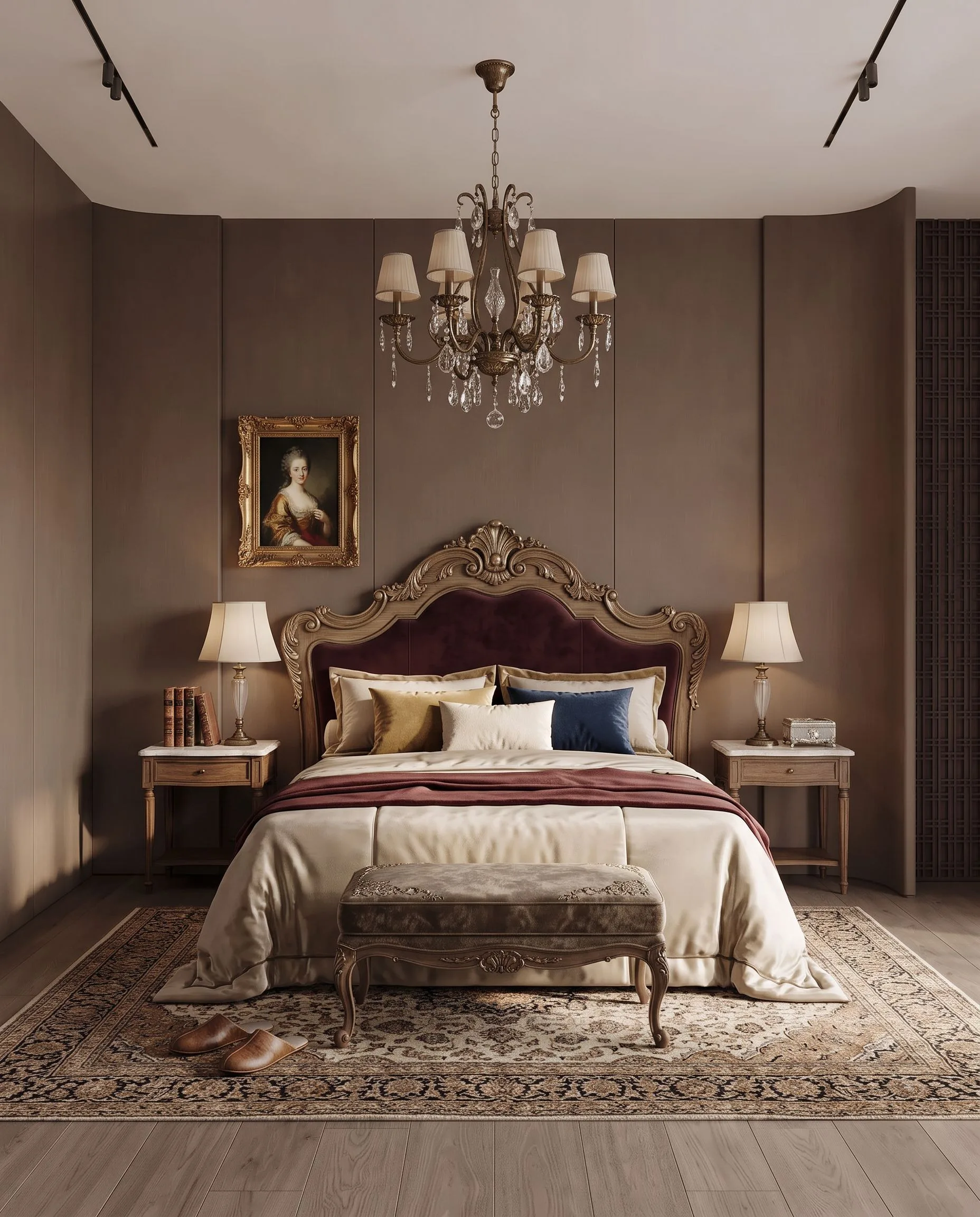
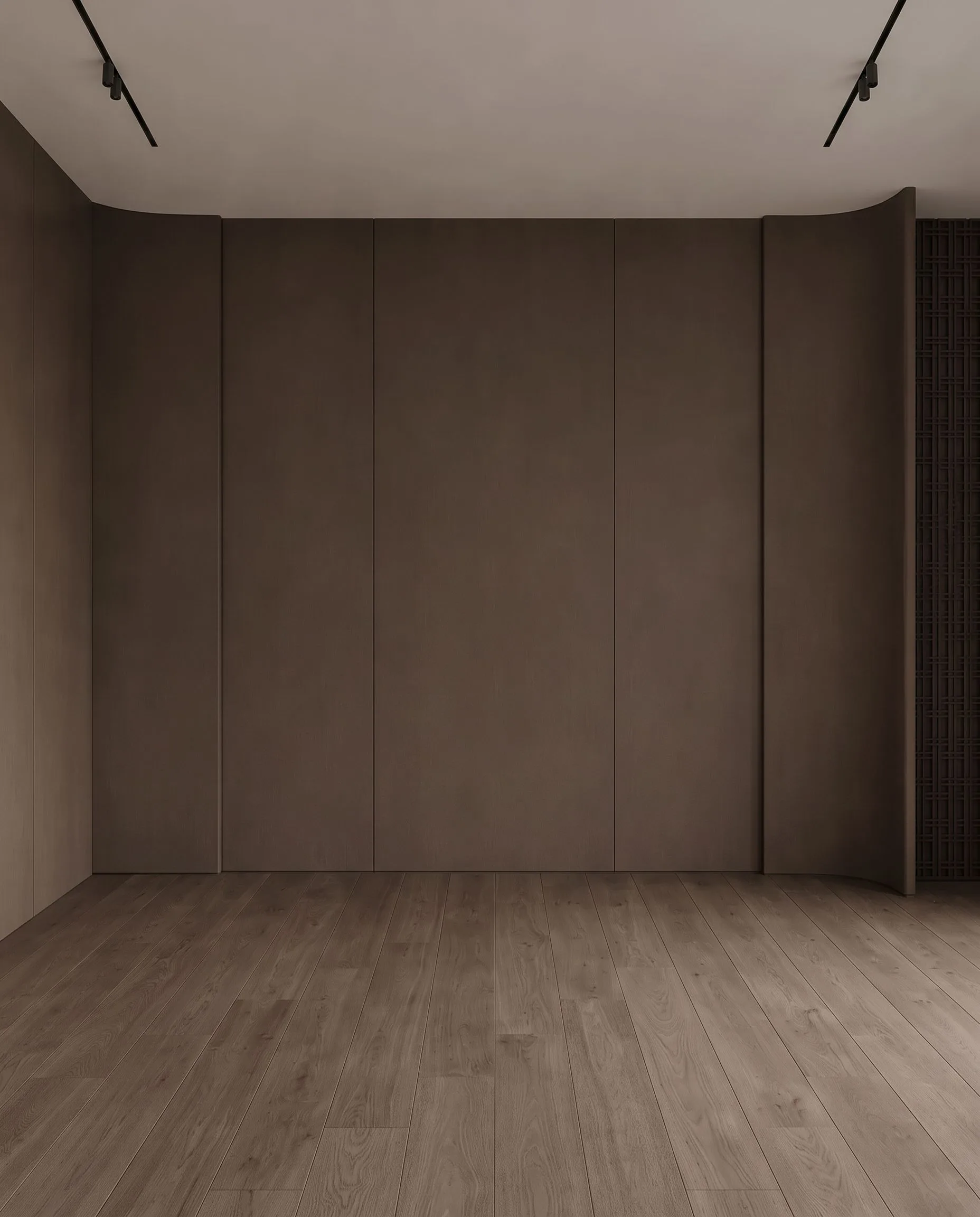
An empty room, furnished for the listing. Drag the handle to compare.
What it costs
| Quality | Credits per image | Cost on the $29 plan | Time |
|---|---|---|---|
| Fast | 10 | $0.29 | About 30 seconds |
| Ultra | 30 | $0.87 | Longer — heavier engine |
Prices exclude tax. A new account starts with 100 credits — three renders — with no card. Plans and credit packs.
How house flippers & fix-and-flip investors use Archome
1. Pull the listing photos
The MLS photos you already saved are the input. No site visit needed to start, no modelling ever.
2. Render the rehab you would do
Interior restyle for the dated kitchen, exterior pass for the curb appeal, Material Swap to test one finish at a time — LVP vs oak, white vs greige.
3. Use it three times
Once to underwrite with eyes open, once to align the contractor on scope, once — restaged — as the resale listing set.
What you get
- Works straight from MLS/listing photos, one at a time
- Geometry locked — the after matches the house you are bidding on
- Interior, exterior and curb-appeal passes from one account
- Material Swap for finish-level decisions (floors, counters, cabinets)
- Virtual staging for the resale listing when the flip is done
- 4K upscale + full commercial licence on paid plans
Honest limits: this shows finishes, not feasibility. It will not tell you the wall is load-bearing, the foundation is cracked or the rehab fits your budget — inspection and estimating stay your job. It shows what the house can look like; whether the numbers work is still on you.
Start here
Compare us honestly
Choosing between tools? We keep honest side-by-sides — including when a competitor is the better fit: vs BoxBrownie, vs Virtual Staging AI, vs Styldod, vs ApplyDesign — or the full comparison index.
Questions professionals ask
What does a renovation view cost?
The same as any render: 10 credits at Fast quality, 30 at Ultra — $0.29 and $0.87 on the $29 plan. A full walkthrough of a property at offer stage is a couple of dollars of credits.
Can I put the renovated image in the listing?
Only labelled clearly as a proposed renovation, kept separate from photographs of the current condition. It shows a state the property is not in, so the disclosure here is stricter than for staging furniture, not looser. Your MLS rules and local advertising law govern.
Does it change the layout?
No. Walls, windows, doors, ceiling height and the camera stay exactly as photographed — you cannot open the kitchen into the living room in the image. Finishes, cabinetry, flooring, furniture and light are what change.
Can I visualize a house before making an offer?
Yes — that is the core use. Save the listing photos, upload them, and render the after-repair version room by room. Ten minutes of renders before an offer is the cheapest diligence you will ever buy.
Will the after match the actual house?
Yes. Walls, windows, ceilings and camera angle stay fixed; only materials, furnishing and light change. That is what makes the image usable with a contractor — the scope in the picture is the scope on site.
What does it cost per deal?
A one-time $15 credit pack covers a whole-house pass — roughly 16 top-quality renders. If you underwrite deals weekly, plans from $29/month make more sense and add the commercial licence for your resale listing photos.
Can I reuse the renders when I sell?
Yes, on any paid plan — the commercial licence covers listing and marketing use. Many flippers run the staged versions as the resale listing set, disclosed as virtually staged where the MLS requires it.
Test it on a real project.
100 credits when you sign up — three renders on the free tier. No card required.
Start free →