BoxBrownie Alternative — AI Instead of a Queue
A human editor overnight, or an AI in thirty seconds — the honest answer is that each wins a different job.
Last updated: 5 September 2026
What BoxBrownie is
BoxBrownie is a human-powered editing service for real-estate imagery: virtual staging, photo enhancement, day-to-dusk conversions, item removal and floor plan redraws, priced per image and returned by a professional editor, typically within 24 hours.
Human editing has a real ceiling advantage: a person reads the brief, fixes the awkward corner case, and the revision loop has judgement in it.
The costs of that model are structural: per-photo pricing that multiplies across a listing, and a queue — the listing that needs to go live this afternoon waits until tomorrow.
Where Archome AI differs
Archome AI is self-serve and immediate: upload the photo, describe the result, and the staged or restyled image is back in about 30 seconds — iterate five times in three minutes instead of briefing a second revision round overnight.
The same account covers the adjacent listing jobs: furnishing empty rooms, restyling tired interiors, exterior refresh, turning the brochure floor plan into a furnished 3D view, 4K upscale and a short teaser clip.
Economics shift from per-photo to per-credit: most images cost 10-30 credits, so a $15 pack covers a whole listing's visual set for roughly the price of one professionally staged photo at a manual service.
What Archome AI produces
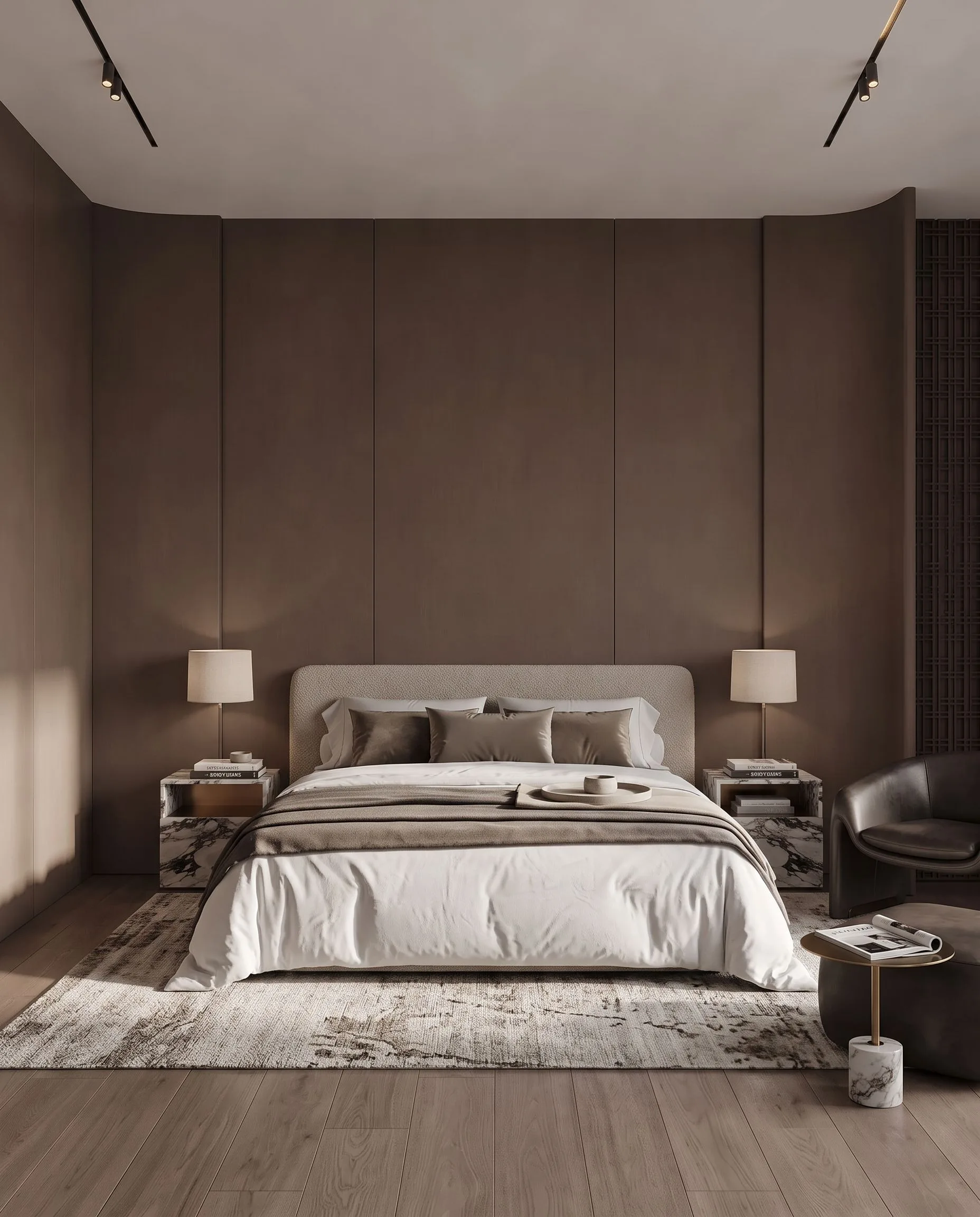
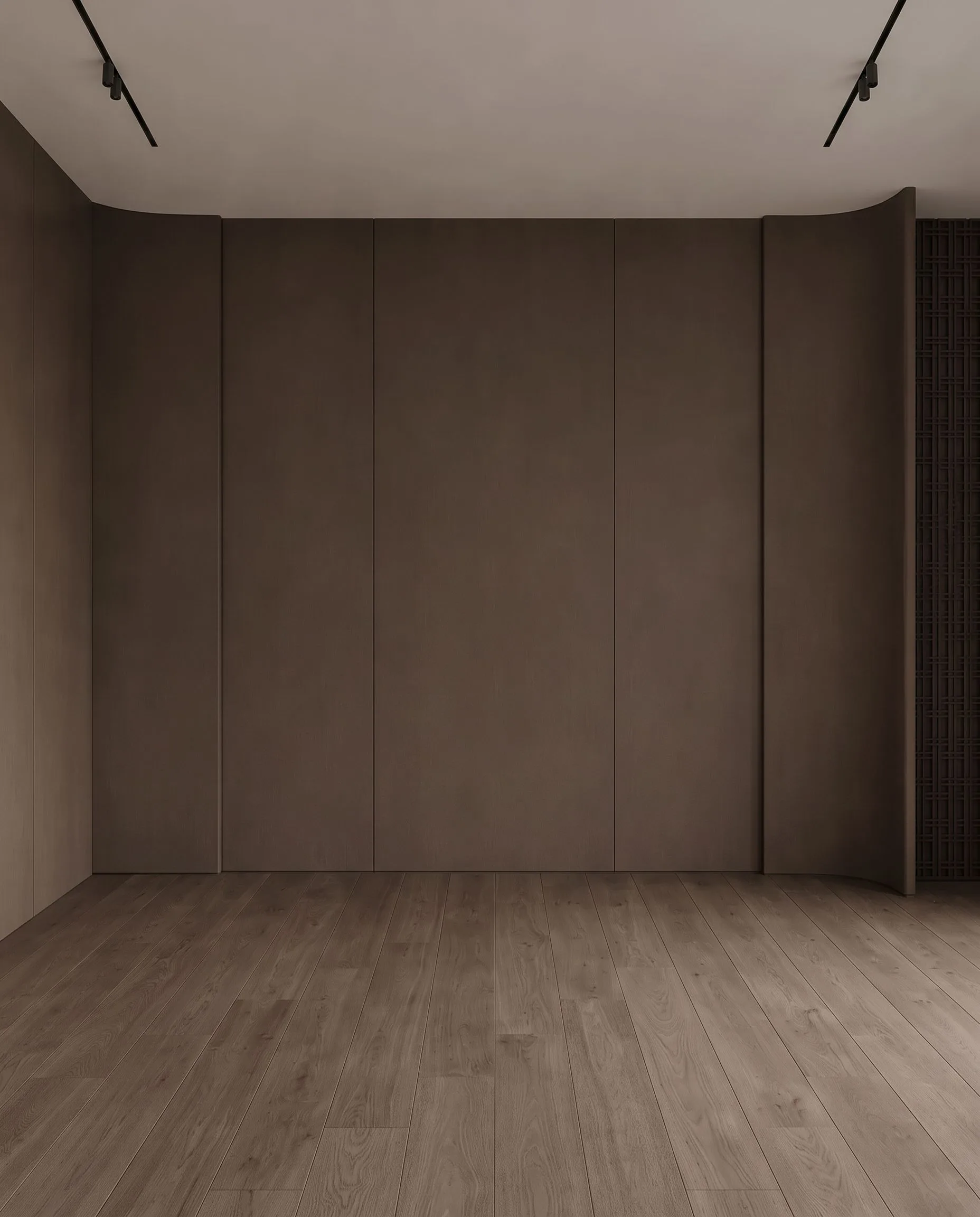
An empty bedroom, virtually staged with Archome. Demonstration image \u2014 drag the handle to compare.
Side by side
| BoxBrownie | Archome AI | |
|---|---|---|
| Who does the work | Human editors | AI, self-serve in the browser |
| Turnaround | Typically 24 hours (service class) | ~30 seconds per image |
| Revision loop | Re-brief, wait for the queue | Reword the prompt, 30 seconds |
| Cost shape | Per photo — see their site for current rates | Credits: a $15 pack covers roughly a full listing set |
| Scope | Editing services on your photos | Staging, restyle, plan-to-3D, video, 4K — 14 tools |
Pricing and features change — check BoxBrownie's own site for their current plans. This page compares how the two approaches work, not this week's price list.
Choose BoxBrownie if
- —The image is contractually critical and you want a human eye on it — a hero shot where every pixel is checked by a person.
- —Your edit needs judgement calls AI still fumbles: complex object removal across reflections, forensic photo cleanup.
- —You prefer briefing a service over doing anything yourself, and tomorrow is soon enough.
Choose Archome AI if
- —The listing goes live today — 30 seconds beats 24 hours every time speed matters.
- —You iterate: three furniture styles, two moods, then decide — iteration is free-flowing with AI and expensive with a queue.
- —You want the whole visual package (staging + plan + exterior + video) under one roof and one credit pool.
- —Volume: a brokerage feeding many listings a week gets per-credit economics instead of per-photo invoices.
Compare them on your own project
Upload one photo, sketch or viewport capture and see what comes back. 100 free credits once at signup, no credit card.
Frequently asked
Is AI staging as good as BoxBrownie's human staging?+
On typical empty-room listing photos, AI staging is now directly comparable and 2,000x faster to iterate; on tricky edge cases (heavy reflections, unusual angles, forensic cleanups) a human editor still earns the fee. The honest test costs nothing: run one of your own listing photos through the free credits and put the result next to a service edit.
How fast is it really?+
About 30 seconds per image, self-serve, any time — including the 11pm before a morning listing goes live. That is the structural difference from any human-service queue.
Can it do day-to-dusk and item removal like BoxBrownie?+
Day-to-dusk mood is a prompt away on the exterior tool ("blue hour, warm interior lights"). Object removal is the inpainting tool: mask the object, and the area is filled from the surrounding surfaces. Complex removals across mirrors and glass are the one category where a human editor still has the edge, and this page says so.
Is Archome AI free to try against BoxBrownie?+
There is a trial, not a free tier. A new account gets 100 credits once, with no card. Every free render costs 30 credits and runs on the Fast engine (Ultra is for paid plans), so the trial is three renders in total and it does not renew — enough to judge output on your own project rather than on marketing samples. Anything you publish — an MLS listing, a portal, a client presentation, marketing — needs a paid plan, which carries the commercial licence.
Can I use the renders commercially?+
On any paid plan, yes — files carry a full commercial licence. Free-plan renders are intended for evaluation and personal use.
What should I actually compare?+
Run the same input through both tools and zoom in on the parts that matter: did the window count change, is the wall line still straight, are the proportions still yours? Marketing pages do not settle this — a side-by-side on your own photo does.
Keep reading
Looking for a profession-specific breakdown? See Archome for real estate agents, real estate photographers, landlords and house flippers and remodelers — or the plain-english guide to choosing AI rendering software.