
Virtual staging AI: furnish any empty listing in seconds
Upload a photo of the empty room and get a furnished, listing-ready image in about 30 seconds — the room itself never changes.
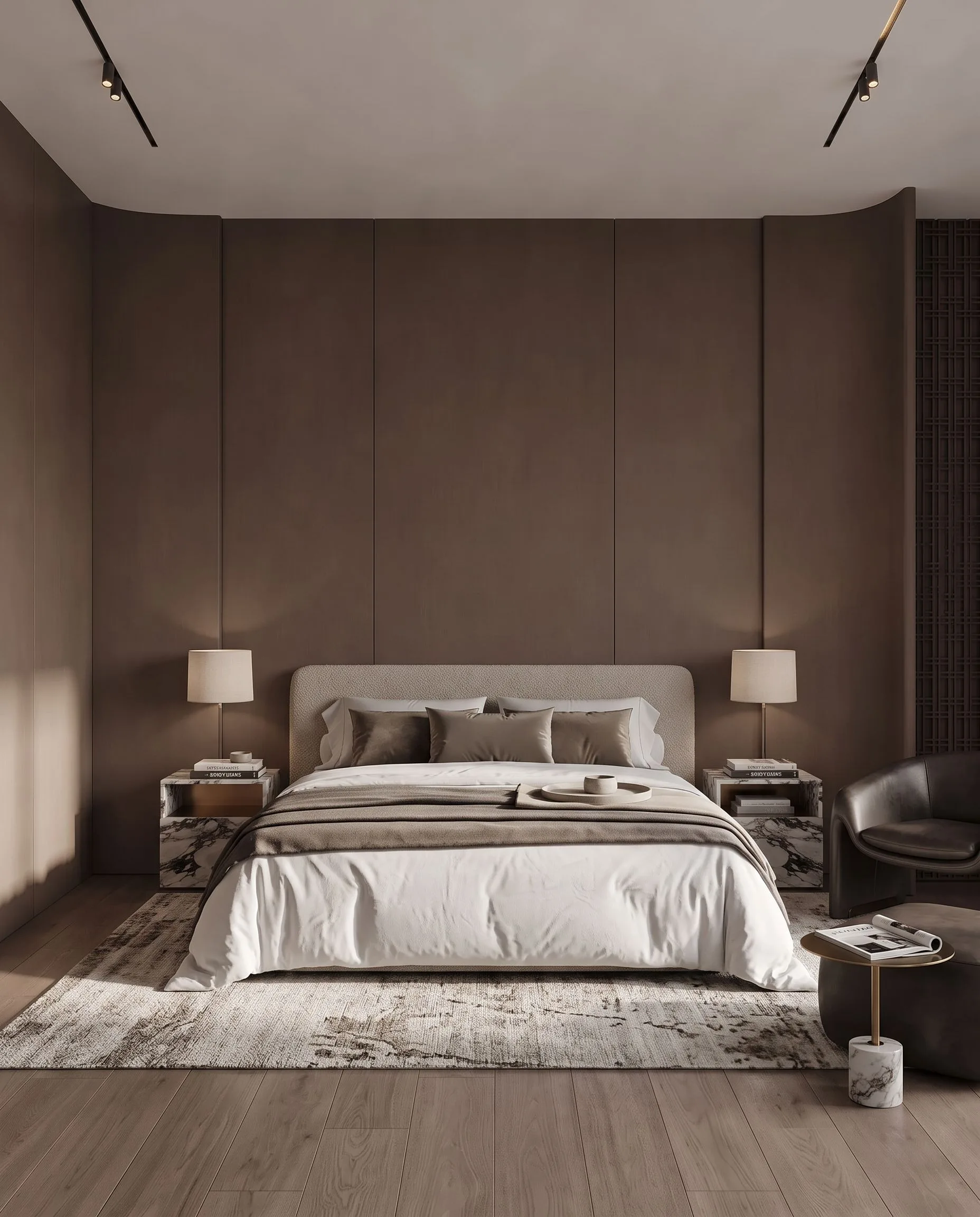
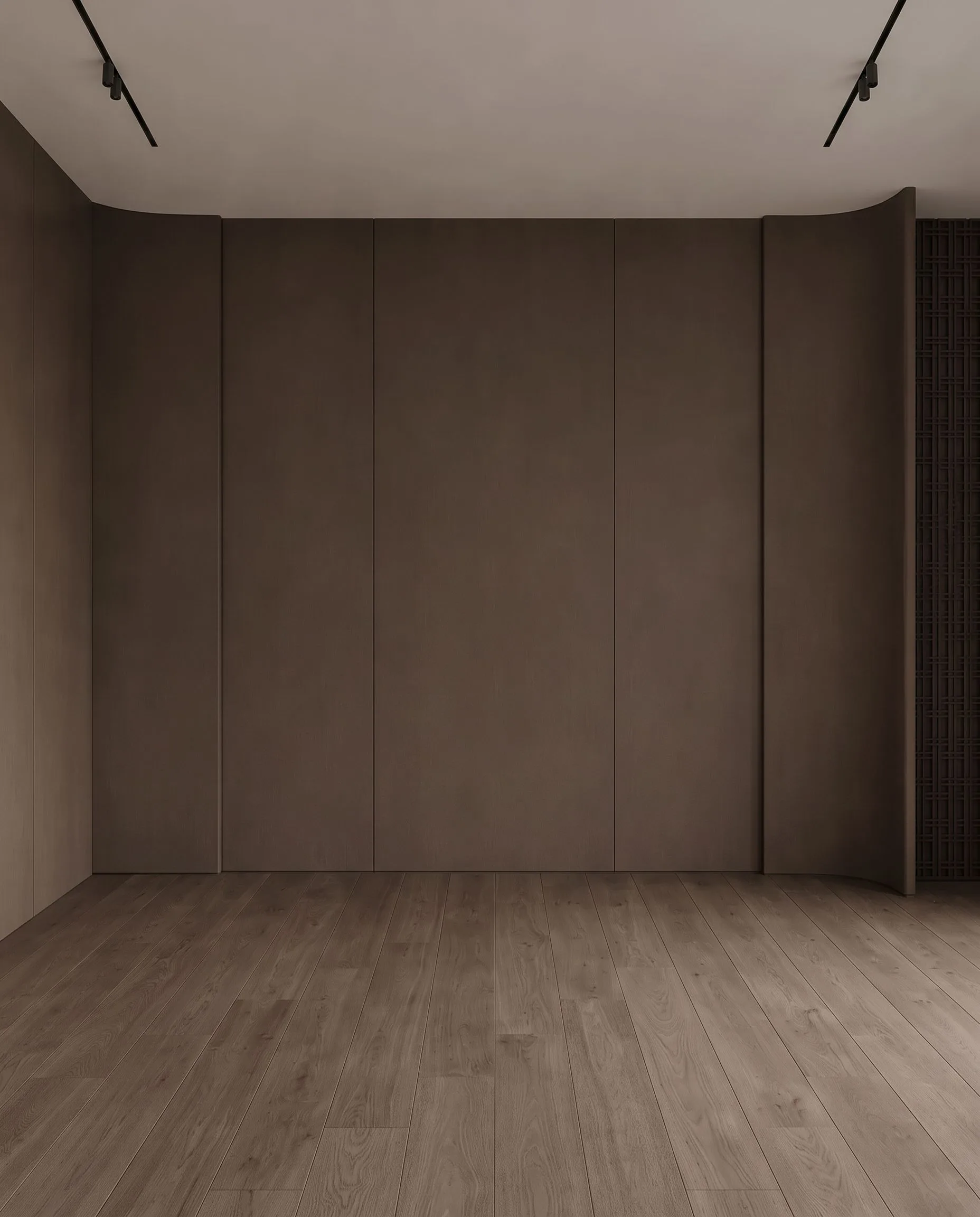
Free to try · plans from $29/mo · See plans
- About 30 seconds per render
- No credit card to start
- Commercial licence on paid plans
100 free credits to start. No credit card, nothing to install.
Empty rooms don't sell — buyers can't picture a life in a bare white box, and vacant listings sit longer and negotiate lower. Archome's virtual staging AI fixes that from the photos you already have: upload a shot of the empty room, pick a furniture style, and get back a realistically furnished, listing-ready image in about thirty seconds.
Traditional staging costs $500–2,000 per home and takes days to arrange; human virtual staging services publish $16–60 per photo on a 4 to 48 hour queue. Here it costs $0.29 an image on the $29 plan and the room itself never changes — walls, windows, floors and camera angle stay exactly as photographed, so the staged photo remains an honest picture of the property. Generate a modern version for one buyer profile and a warmer one for another, from the same shot.
How it works
- 1
Upload the empty room
A standard listing photo is enough — a wide shot of the vacant room in reasonable light. No special camera, no floor plan needed.
- 2
Pick a furniture style
Modern, Scandinavian, traditional, luxury — choose the look that fits the property and the buyer, or describe it in plain words.
- 3
Download the staged photo
A furnished, listing-ready image comes back in about 30 seconds. Generate multiple styles from the same photo and use the one that sells.
What virtual staging costs
Staging a photo here costs credits, not a per-photo fee. On the $29 plan a staged photo works out at $0.29 at Fast quality and $0.87 at Ultra quality. A $15 credit pack lands in the same range without a subscription.
| Method | Typical cost per photo | Turnaround | Revisions |
|---|---|---|---|
| Physical staging | $500–2,000 per month, per home | Days, plus a re-shoot | Move the furniture again |
| Human-edited staging service | $16–60 per photo (public price pages, Sep 2026) | 4–48 hours | Limited rounds, often paid |
| Archome AI | $0.29 Fast · $0.87 Ultra (on the $29 plan) | About 30 seconds | Re-run as often as your credits allow |
Prices exclude tax. A new account starts with 100 credits, which covers three renders. See plans and credit packs or read how much virtual staging costs.
Virtual staging vs physical staging vs a done-for-you service
| Archome AI | Editing service | Physical staging | |
|---|---|---|---|
| Cost per photo | $0.29–$0.87 | $16–60 | $500–2,000 / month per home |
| Turnaround | About 30 seconds | 4–48 hours | Days |
| Revisions | Re-run while credits last | Limited, often paid | Physically re-stage |
| Commercial licence for MLS | Included on every paid plan | Usually included | Not applicable |
| Watermark | None on any plan | Varies | Not applicable |
| Room geometry preserved | Yes — walls, windows and doors stay put | Yes, human edited | Real room |
| Subscription required | No — credit packs work too | Often yes | Contract |
Is this a staging service or staging software?
Both descriptions get used for tools like this one, and the difference matters when you are comparing quotes. A virtual staging service is a company with human editors: you email the photos, a designer furnishes them in Photoshop or 3D, and the files come back in four to forty-eight hours at a published rate of roughly $16–60 per image, most commonly $24–30. You are buying someone’s time.
Archome is the software: you upload the photo yourself and the staged image comes back in about thirty seconds for $0.29. Nobody queues your file and nobody bills per revision — but nobody art-directs it for you either. If a listing needs a human eye on every frame, a staging company is the right call. If you need eight rooms furnished before the photos go up tonight, waiting two days for them is the problem.
Plenty of agents use both: the tool for volume and for testing which furniture style gets clicks, a service for the one hero shot on a listing where it pays to be perfect.
MLS rules and disclosure
Is virtual staging allowed on the MLS?
In general yes, as long as the image is labelled. Photo policies are set by each MLS and by your broker, and the common requirement is that a modified photo is identified as modified. Check your own MLS handbook before you upload — rules differ between boards.
How to word the disclosure
One line is usually enough, in the photo caption or the listing remarks. Wording agents commonly use: “Photo is virtually staged.” or “Furniture shown is digitally added; the property is vacant.” Keeping the unedited original on file is good practice if a buyer asks.
What actually gets a listing flagged
Complaints are about images that change the property itself: removing a wall, adding a window, hiding damage or stretching a room. Archome keeps the structure of the photo — wall, window and door positions, ceiling height and the camera angle stay as they are. Furniture, finishes and lighting are what change.
Furniture styles
Stage the same empty room in several looks and keep the one that fits the buyer you are targeting. Every image below started from the same empty photo: the walls, the ceiling, the track lighting and the camera are identical in all five.
Modern Luxury
Designer pieces, marble surfaces and warm ambient light — for higher-end listings.
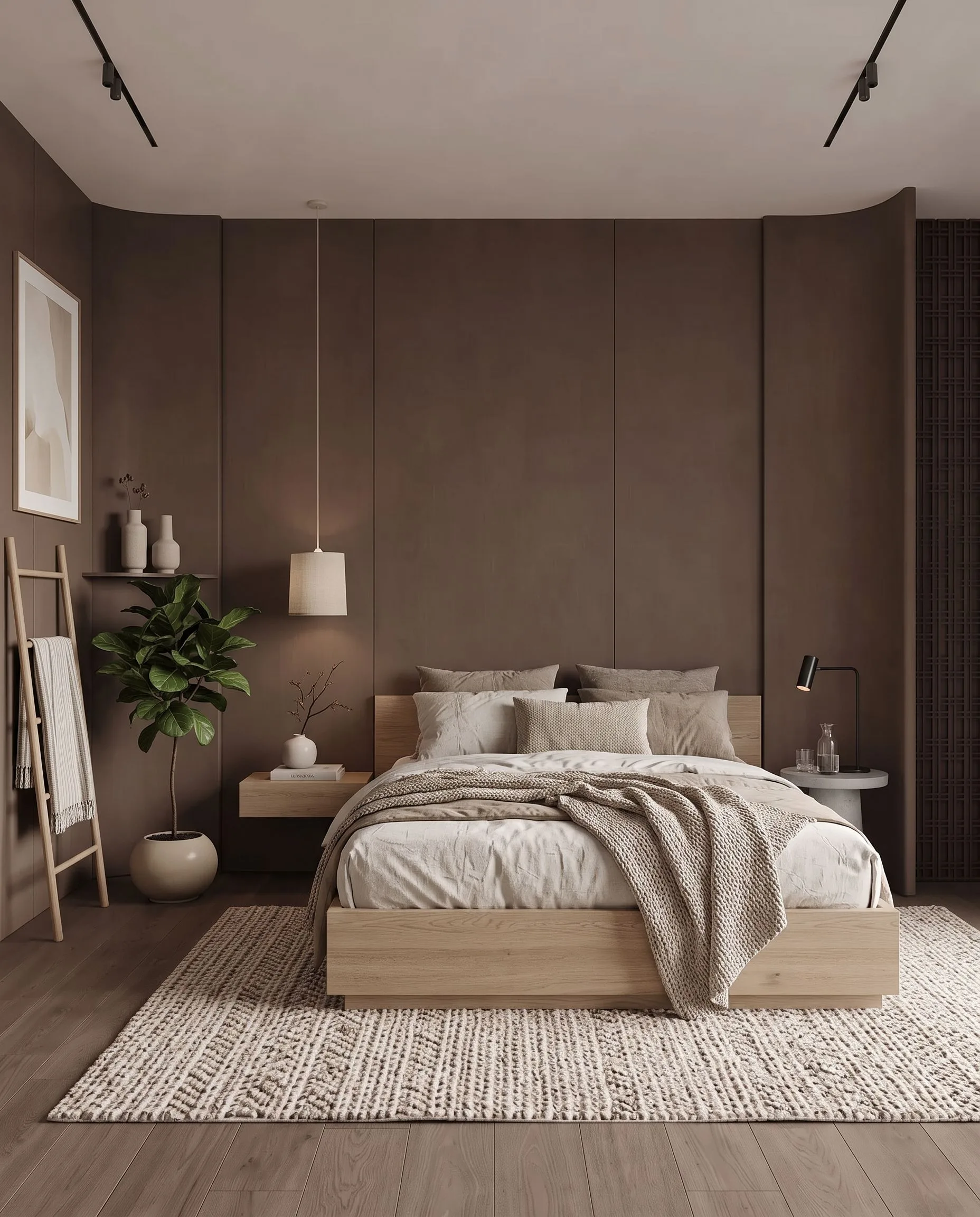
Minimal
Clean lines and a neutral palette. Makes small rooms read larger.
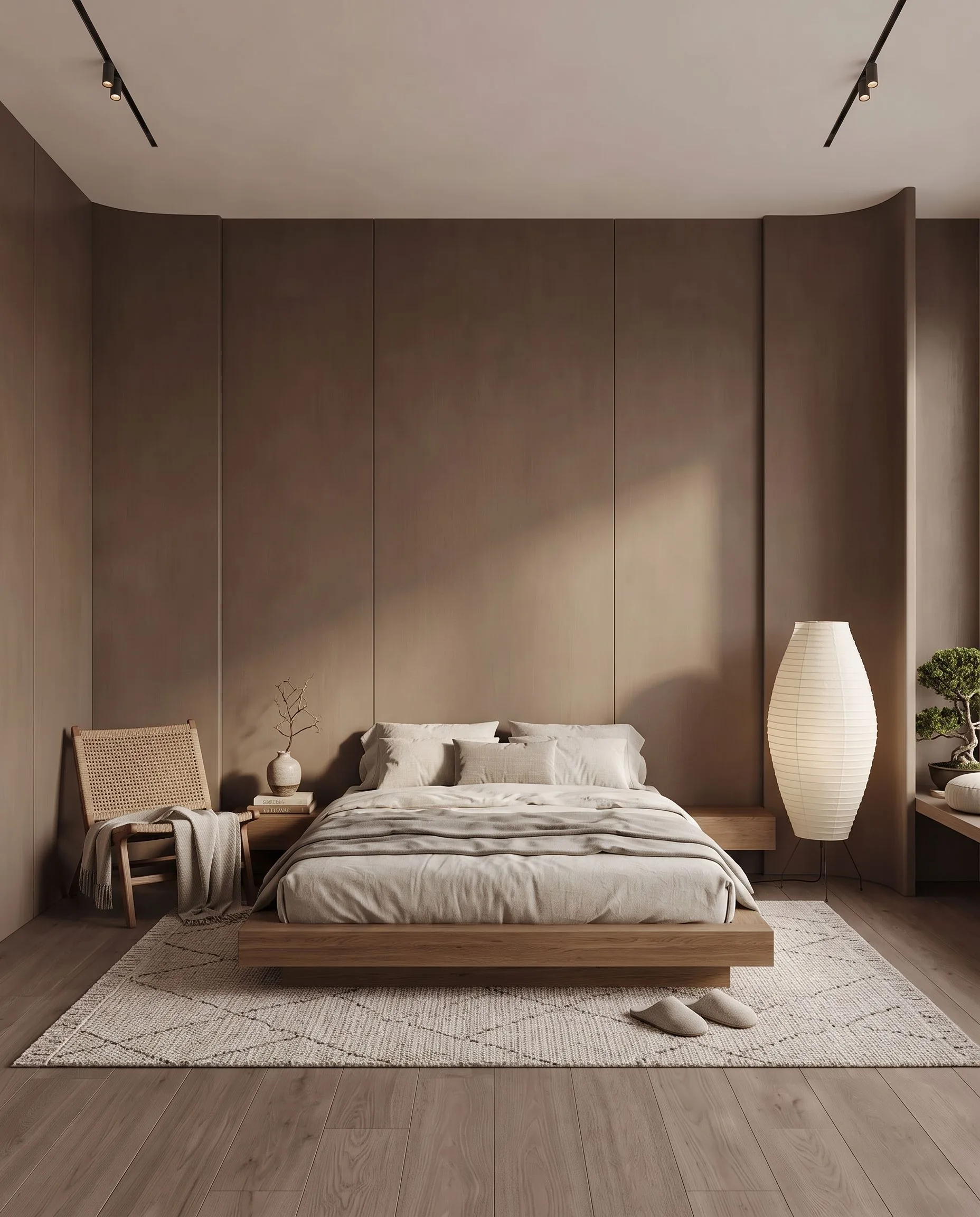
Japandi
Warm wood, low furniture and calm light — popular with younger buyers.
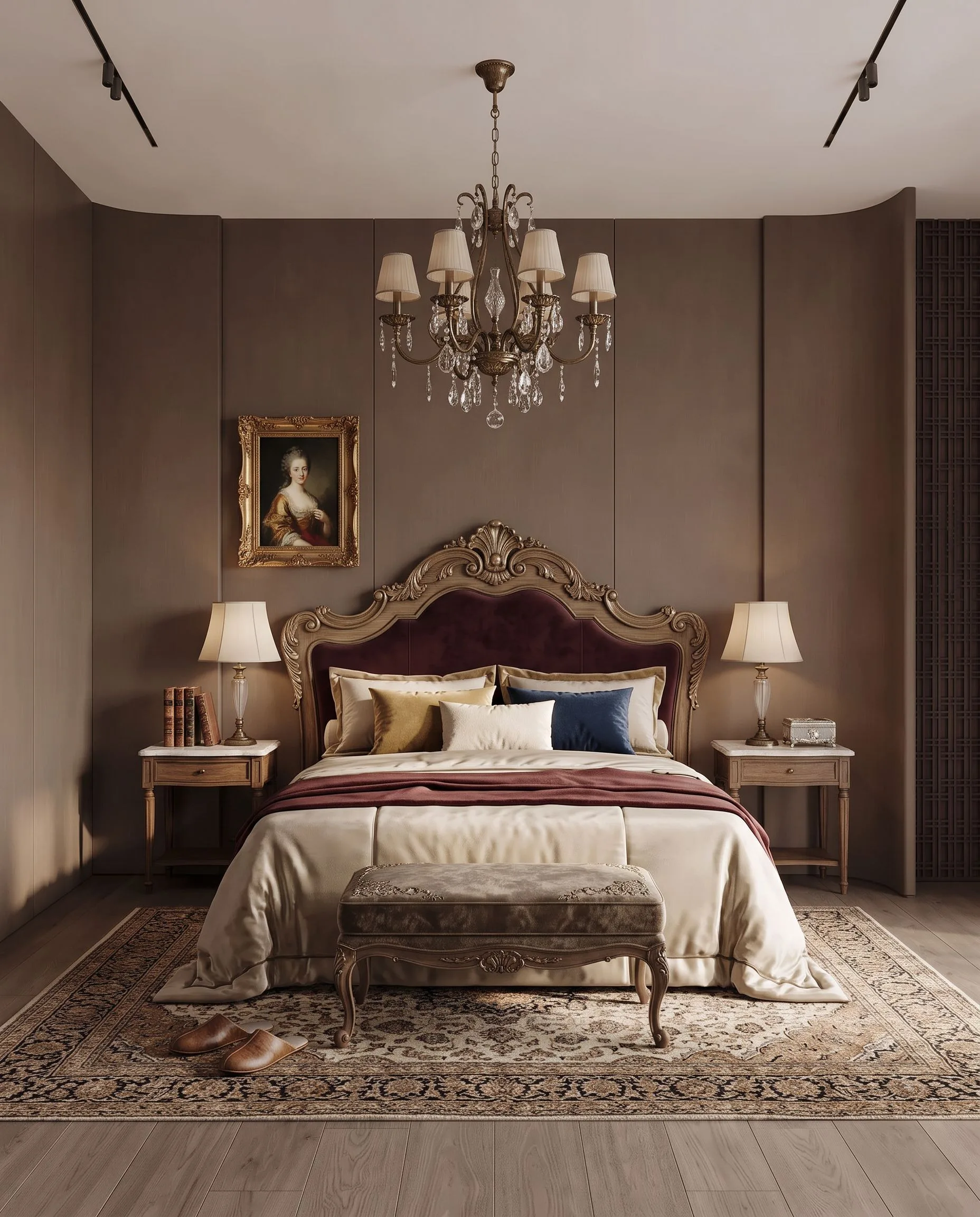
Classic
Mouldings, parquet and layered textiles for period properties.
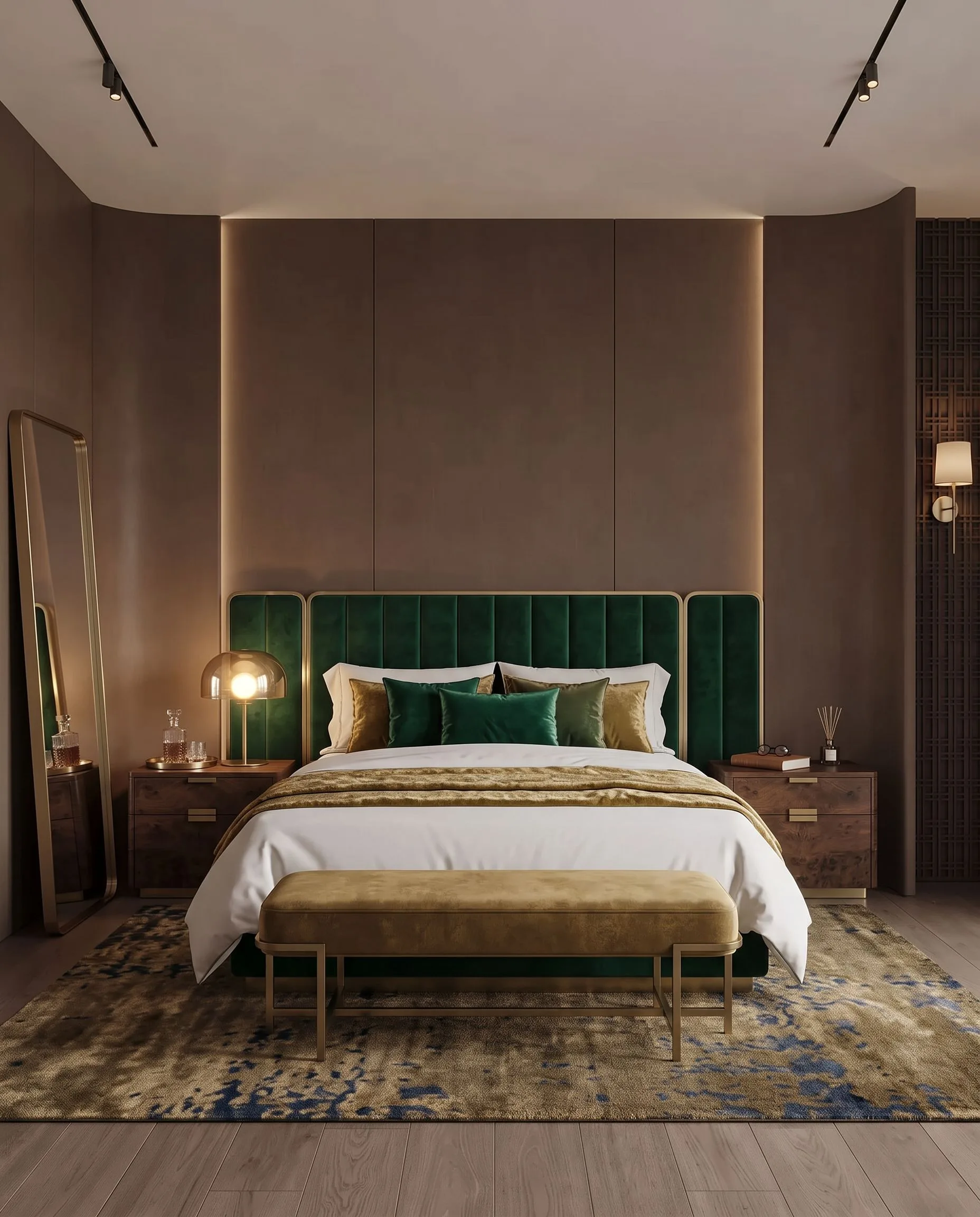
Hotel Luxury
Suite-style staging: velvet, brass accents, evening lighting.
Demonstration images made with Archome from a single empty-room photo.
Photo requirements
Format
A normal listing photo in JPG or PNG. Straight from a phone or a DSLR both work.
Angle
Shoot from a corner of the room at chest height. A level camera gives the model the geometry it needs.
Lighting
Daytime, blinds open, lights on. Dark or heavily backlit rooms give weaker results.
One room per photo
Stage room by room. A wide shot that captures two spaces at once is harder to furnish convincingly.
Who it's for
- —Real estate agents staging vacant listings the same day the photos arrive
- —Brokerages standardising listing quality across every agent without a staging vendor
- —Investors and flippers marketing properties before renovation is finished
- —Short-term rental hosts showing furnished potential to buyers or landlords
Frequently asked
What is AI virtual staging?+
Virtual staging means furnishing a photo of an empty property digitally instead of renting physical furniture. AI virtual staging automates it: you upload the empty room photo, pick a style, and get back a realistically furnished version of the same room — same walls, same windows, same flooring, same camera angle — in about 30 seconds.
How much does virtual staging cost compared to traditional staging?+
Physical staging typically runs $500–2,000 per month per home, and human virtual staging services charge $16–60 per photo with a 4–48 hour turnaround. On Archome a staged photo costs 10 credits at Fast quality and 30 at Ultra, which on the $29 plan works out at $0.29 and $0.87 per photo. A one-time $15 credit pack covers a full listing set. Every account starts with 100 free credits, enough for three staged images before you pay anything.
Does it keep the actual room intact?+
Yes — this is what makes it usable for listings. The model is built to preserve room geometry: walls, windows, doors, ceiling height, flooring and camera angle stay as photographed, and only furniture and decor are added. Compare the result against the original before you publish it; if a structural detail shifted, regenerate rather than list that image.
Can I use the staged photos in MLS listings and marketing?+
Yes. On any paid plan you get watermark-free files with a full commercial licence, so staged images can go into MLS listings, portals, brochures and social ads. As with any virtual staging, most MLS rules require you to disclose that an image is virtually staged — a one-line note on the listing covers it.
Do I have to disclose that a photo is virtually staged?+
In most US markets yes, and it is good practice everywhere. MLS photo rules are set board by board, but the common requirement is that a modified image is identified as modified. One line in the caption or the listing remarks — "Photo is virtually staged" — covers it, and keeping the unedited original on file covers the rest. Check your own MLS handbook for the exact wording it expects.
Will AI staging get my listing flagged?+
Not for furnishing an empty room with a disclosure. What boards act on is misrepresentation of the property itself — a wall removed, a window added, damage hidden, a room stretched. Archome does not alter geometry at all: wall, window and door positions, ceiling height and the camera angle stay exactly as photographed, and only furniture, finishes and light change. This is practical guidance, not legal advice; your MLS rules and local advertising law govern.
Can I remove the current furniture from an occupied room first?+
Yes. Clearing a room and furnishing it are two separate steps on the same credit balance: remove the existing furniture with the object removal tool, then stage the cleared photo. Budget for two renders per photo, so an occupied room costs about double a vacant one — still a fraction of what photographers charge for removal plus staging.
How long does a staged photo take?+
About 30 seconds per image at Fast quality; Ultra takes longer because it runs a heavier engine. There is no queue, no ticket and no next-business-day turnaround — you can stage a ten-photo listing while you are still parked outside the property.
Do I need a subscription?+
No. Credit packs are one-time purchases: $15 for 500 credits covers a full listing set with room for revisions, and the credits do not expire monthly the way a plan allowance does. Agents staging continuously usually take the $29 plan instead because the per-photo cost drops. Every account starts with 100 free credits, so you can test it on a real listing photo before paying.
Can I stage more than living rooms and bedrooms?+
Yes — kitchens, dining rooms, home offices, basements, patios and balconies all work, and the same empty photo can be staged in several styles so you can match the buyer you are targeting. Outdoor spaces follow the same rule as indoor ones: furniture and planting change, the building does not.
Are the images big enough for portals and print?+
The standard output is sized for MLS listings, portals, email and social, which is where listing photos actually live. For a presentation board or anything printed at A1 or larger, run the file through the 4K upscale first — it reconstructs detail rather than stretching pixels, and it is what separates a print that holds up from one that looks soft at the window reveals.
What photo do I need to stage a home virtually?+
A normal listing photo works — a wide-angle shot of the empty room in decent light is ideal. You can stage living rooms, bedrooms, kitchens, offices and outdoor areas, and generate several furniture styles from the same photo to match the buyer profile.
Stage your next listing now
Upload an empty room photo and get a furnished, listing-ready image in about 30 seconds. 100 free credits to start — no credit card required.
Try it freeGuides
- AI virtual staging for real estate: the full guide
- Furnish an empty room with AI
- Virtual staging for real estate photographers: keeping the margin in-house
- Do I have to disclose virtual staging on a listing?
- Will AI staging get my listing flagged by the MLS?
- AI staging and rendering for real estate agents
- Archome vs VirtualStaging.AI
- Archome vs BoxBrownie