Virtual Staging AI Alternative — Beyond Staging
A dedicated stager stages. A listing needs more than one image type — and the same $16-40 monthly budget can cover all of them.
Last updated: 29 August 2026
What Virtual Staging AI is
Virtual Staging AI is a focused, single-purpose tool: upload an empty room photo, pick a furniture style, get a staged image back in seconds. For that one job it is polished and fast, and its no-signup first try sets the bar for frictionless evaluation.
It is built squarely for the US real-estate workflow — MLS-aware language, listing-photo formats, agent-friendly speed.
The trade-off of single-purpose design: the rest of the listing package — the brochure floor plan, the exterior hero shot, the social video — happens in other tools, on other subscriptions.
Where Archome AI differs
Archome AI treats staging as one job inside the listing workflow: the same account stages the empty rooms, turns the brochure floor plan into a furnished 3D dollhouse view, restyles the exterior photo, upscales the best frame to 4K and animates it into a short teaser clip.
Staging runs on the interior engine with a structure lock: walls, windows, flooring and camera stay exactly as photographed — only furniture and decor are added, which is what keeps a staged image MLS-honest (disclose it as virtually staged, as with any staging).
The economics are per-credit rather than per-seat: most staged images cost 10-30 credits, so a $15 credit pack covers roughly 16-50 photos — well under a dollar per staged photo, compared with the $16-60 per photo that human-edited staging services charge.
What Archome AI produces
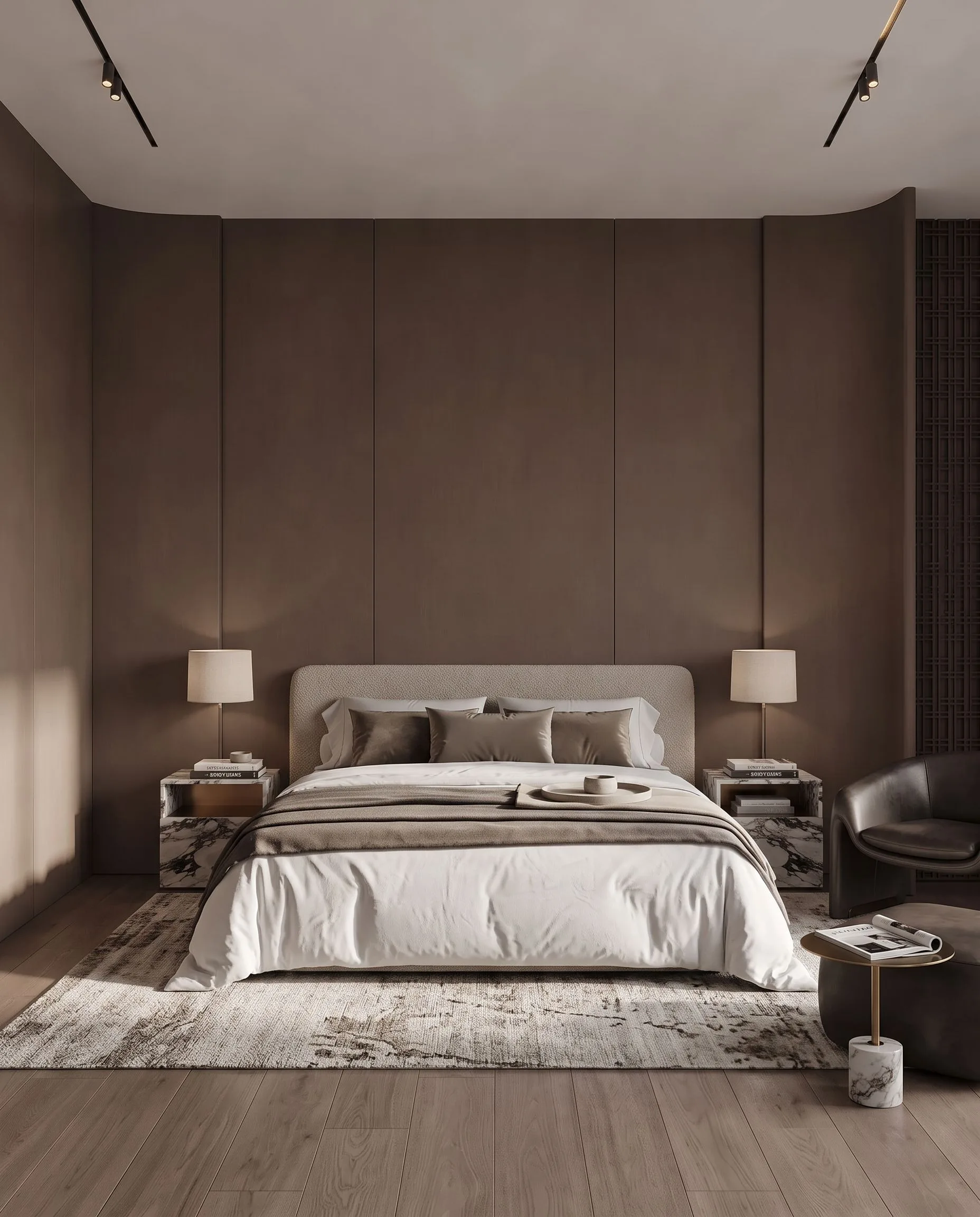
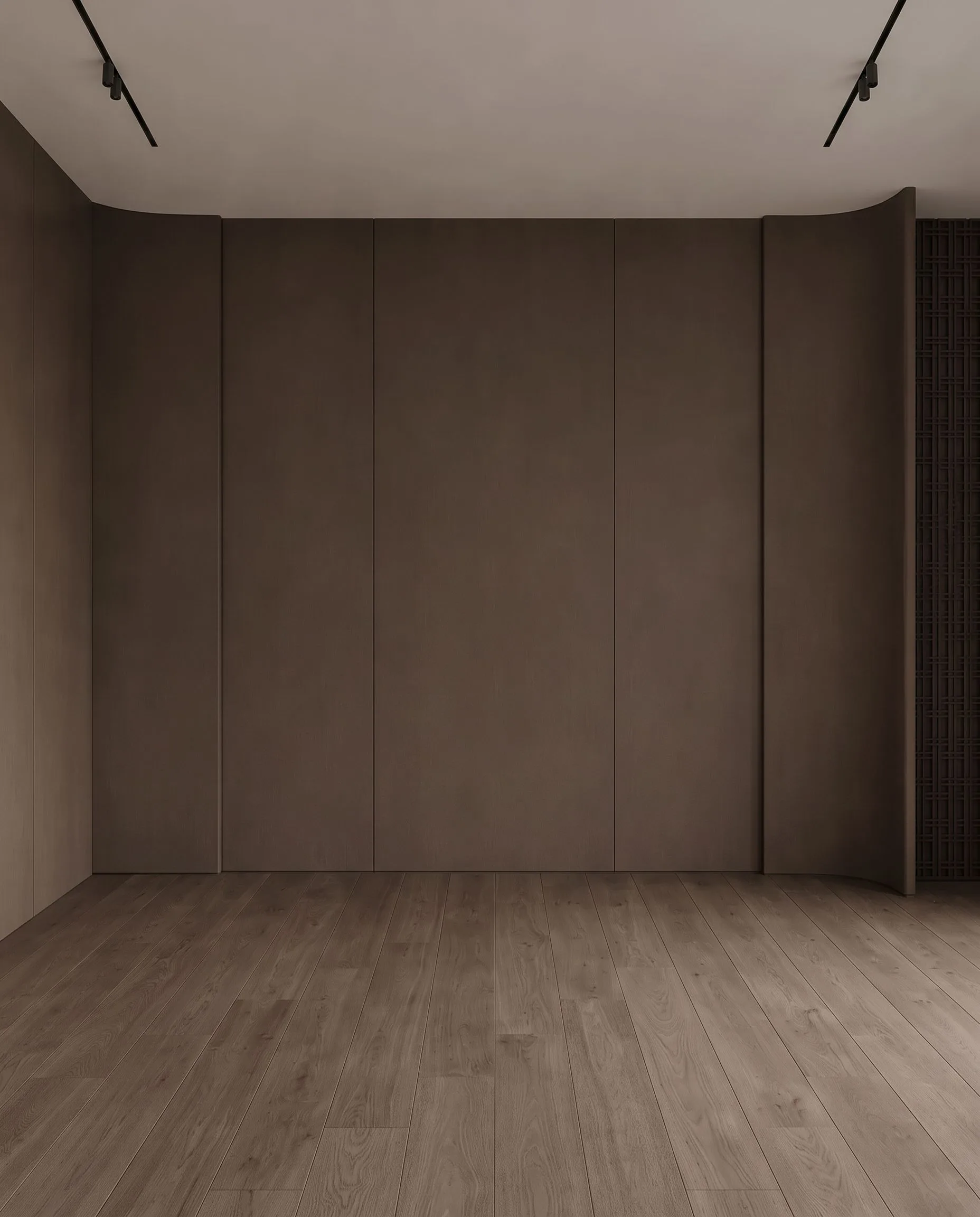
An empty bedroom, virtually staged with Archome. Demonstration image \u2014 drag the handle to compare.
Side by side
| Virtual Staging AI | Archome AI | |
|---|---|---|
| Core job | Stage empty room photos | Stage rooms + render plans + exteriors + video, one account |
| Geometry | Room preserved (staging-class behaviour) | Structure lock on every image path — walls, openings, camera fixed |
| Beyond staging | Staging-focused | Floor plan to 3D, exterior restyle, 4K upscale, teaser video, 14 tools |
| Cost shape | Monthly plans by image count — see their site | Credits: under ~$1 per staged photo on packs from $15 |
| Free trial | Check their site for current trial | 100 free credits at signup, no card |
Pricing and features change — check Virtual Staging AI's own site for their current plans. This page compares how the two approaches work, not this week's price list.
Choose Virtual Staging AI if
- —You stage empty rooms and literally nothing else, and want the narrowest possible tool for it.
- —Their furniture styles match your market taste better on your own test photos — taste is settled side-by-side, not on marketing pages.
Choose Archome AI if
- —Your listings need the full visual pack: staged interiors, a readable 3D floor plan, a strong exterior shot, a clip for socials.
- —You want one credit pool across every image type instead of a subscription per tool.
- —You also touch renovation-pitch work (flips, remodels) where restyling a furnished room matters, not just furnishing an empty one.
- —You want to price it honestly: run the same listing photo through both free tiers and compare on your own property.
Compare them on your own project
Upload one photo, sketch or viewport capture and see what comes back. 100 free credits once at signup, no credit card.
Frequently asked
Is Archome AI a good Virtual Staging AI alternative?+
For the staging job itself, the two are directly comparable: upload the empty room photo, get a furnished, listing-ready image with the room geometry untouched. The practical difference is scope — Archome covers the rest of the listing package (floor plan render, exterior refresh, video teaser) on the same credits, so it replaces a stack of single-purpose tools rather than one.
Is AI virtual staging allowed in MLS listings?+
Yes, with disclosure — most MLS rules ask you to note that an image is virtually staged, a one-line disclosure on the listing. On any Archome paid plan the files are watermark-free with a commercial licence, so they can go into MLS listings, portals and marketing.
What does a staged photo actually cost?+
Most staged images cost 10-30 credits. A $15 pack of 500 credits covers roughly 16-50 photos — under a dollar each — against the $16-60 per photo that human-edited staging services typically charge with a 4-48 hour turnaround.
Is Archome AI free to try against Virtual Staging AI?+
There is a trial, not a free tier. A new account gets 100 credits once, with no card. Every free render costs 30 credits and runs on the Fast engine (Ultra is for paid plans), so the trial is three renders in total and it does not renew — enough to judge output on your own project rather than on marketing samples. Anything you publish — an MLS listing, a portal, a client presentation, marketing — needs a paid plan, which carries the commercial licence.
Can I use the renders commercially?+
On any paid plan, yes — files carry a full commercial licence. Free-plan renders are intended for evaluation and personal use.
What should I actually compare?+
Run the same input through both tools and zoom in on the parts that matter: did the window count change, is the wall line still straight, are the proportions still yours? Marketing pages do not settle this — a side-by-side on your own photo does.
Keep reading
Looking for a profession-specific breakdown? See Archome for real estate agents, real estate photographers, landlords and house flippers and remodelers — or the plain-english guide to choosing AI rendering software.