Virtual Staging for Landlords & Rental Listings
Nobody rents a void. An empty unit photographs as square footage; a furnished one photographs as a home — and the difference shows up directly in enquiry volume and days-vacant. Upload the empty-room photos, pick a style, and the listing set is furnished in about 30 seconds per image.
The problem
Every vacant week is lost rent, and the photo set is usually what stands between a listing and a viewing. Physically staging a rental is money nobody spends; leaving it empty is the default that costs quietly.
For portfolios the problem multiplies: ten units turning over a year means ten photo sets, and per-photo staging services price that like a luxury.
Archome keeps the room the room — walls, windows, radiators and floors stay put; furniture, warmth and light get added. The tenant who shows up recognises the unit, which is exactly the line between staging and misleading.
The arithmetic decides it. Physical staging is quoted at $500–2,000 a month per unit and human staging services publish $16–60 per photo on a 4–48 hour queue. Here a staged photo costs $0.29 at Fast quality and $0.87 at Ultra on the $29 plan, and comes back in about 30 seconds — so a three-room unit is under a pound of credits against a week of lost rent.
What comes back
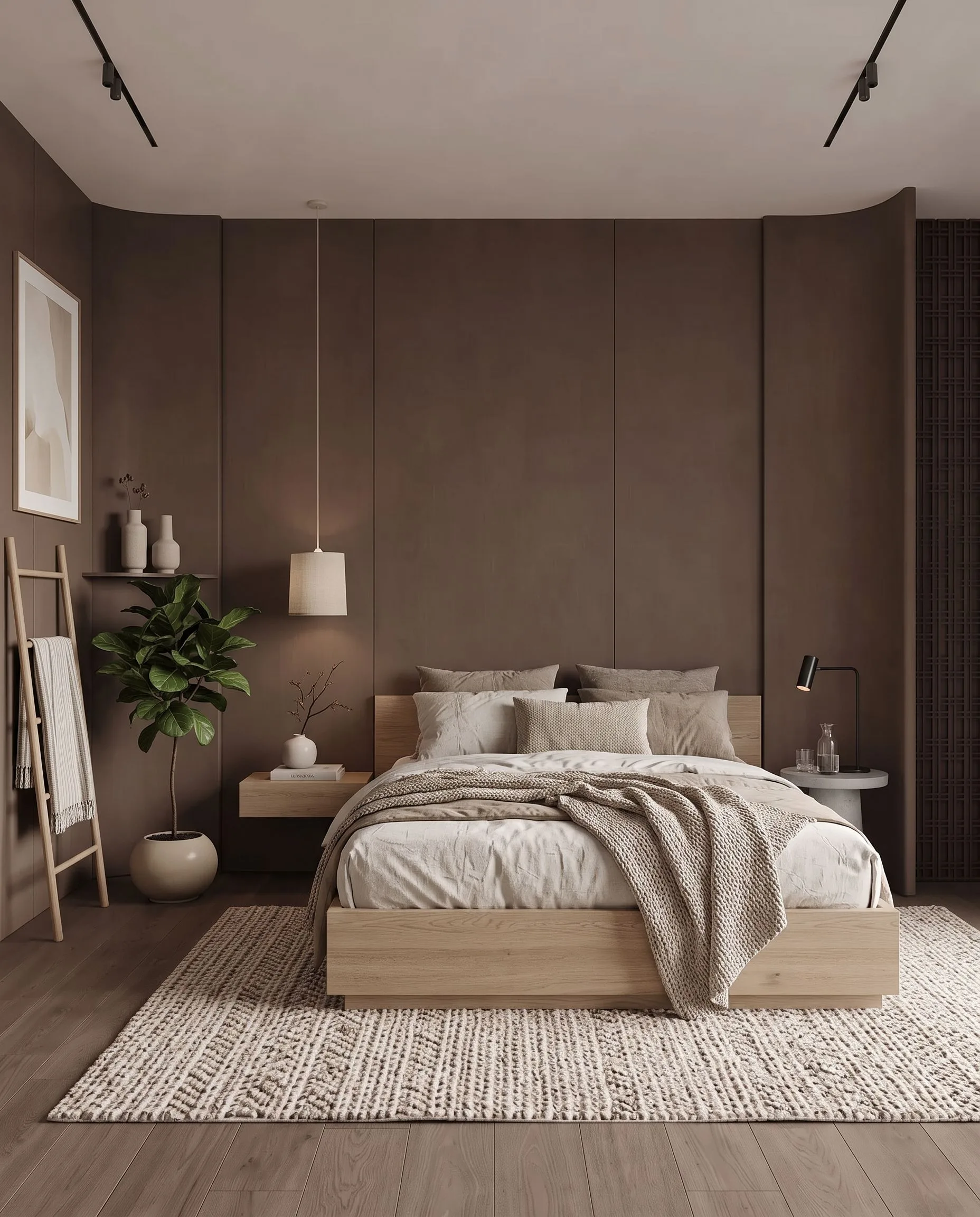
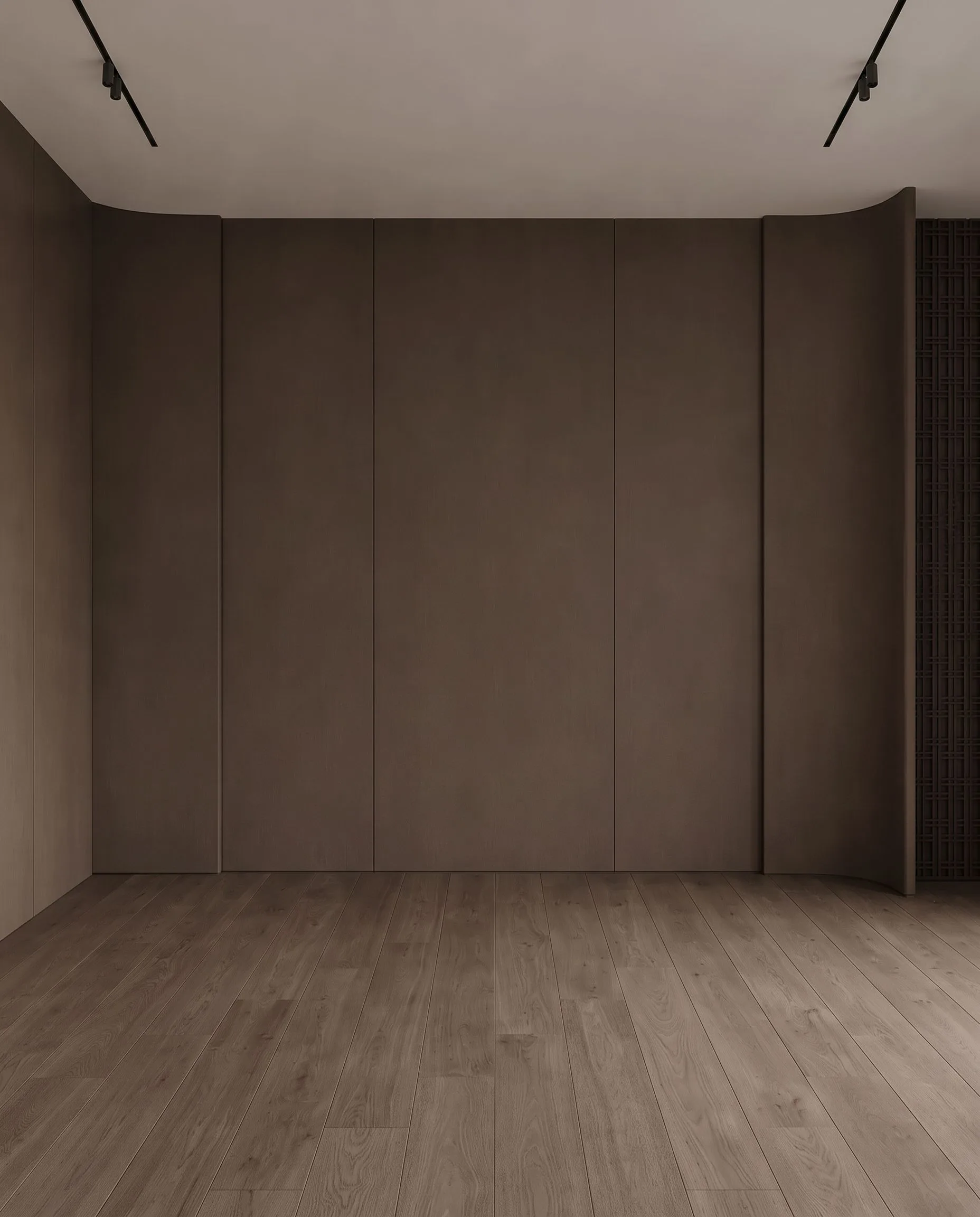
An empty unit, furnished. Drag the handle to compare.
What it costs
| Quality | Credits per image | Cost on the $29 plan | Time |
|---|---|---|---|
| Fast | 10 | $0.29 | About 30 seconds |
| Ultra | 30 | $0.87 | Longer — heavier engine |
Prices exclude tax. A new account starts with 100 credits — three renders — with no card. Plans and credit packs.
How landlords & rental property managers use Archome
1. Photograph the empty unit once
Phone photos are fine. Shoot each room straight-on with the lights on.
2. Furnish by preset
Scandinavian for the studio, warm minimal for the family flat — one style per unit keeps the set coherent. Airbnb units take the cosier presets.
3. Publish and reuse
The same staged set works on the portal, the Airbnb listing and the agency window. When the tenant changes, the photos do not have to.
What you get
- Staged listing set from phone photos, no shoot budget
- Geometry locked — the viewing matches the listing
- Style presets keep multi-room sets coherent
- Portfolio economics: credit packs cover a unit, plans cover a portfolio
- 4K upscale for portal hero images
- Commercial licence on paid plans covers listing use
- About 30 seconds per image — no queue, no next-business-day
- Clear an outgoing tenant’s furniture first, then stage the cleared room
- Re-run a room in a second style when the portal enquiries say so
Honest limits: staged furniture is illustrative — do not present it as included furnishings, and label the photos as virtually staged where your platform or market requires it. And staging does not fix a dark, damaged room in real life; it fixes the photograph. The unit still has to show well.
Start here
Compare us honestly
Choosing between tools? We keep honest side-by-sides — including when a competitor is the better fit: vs BoxBrownie, vs Virtual Staging AI, vs Styldod, vs ApplyDesign — or the full comparison index.
Questions professionals ask
How much does it cost to stage one rental unit?
Three staged rooms is 30 credits at Fast quality — under $1 of credits on the $29 plan, or a fraction of a one-time $15 pack. Against a week of lost rent the comparison is not close.
How long does a staged photo take?
About 30 seconds per image at Fast quality, with no queue and no ticket. A three-room unit is staged before the listing text is written. Human staging services publish 4 to 48 hour turnarounds for the same work.
Can I stage an Airbnb or short-let listing?
Not for furniture the guest will not find. Short-term rentals are furnished products and the photos describe what is provided, so staging invented furniture is a misrepresentation complaint waiting to happen. Use it to plan a refurnish, preview a setup before you buy, or refresh tired photos of what genuinely exists.
What about the outgoing tenant’s furniture in the photos?
Remove it first with the object removal tool, then stage the cleared room. That is two renders per photo rather than one, so an occupied unit costs about double a vacant one.
Does this work for Airbnb listings?
Yes — with one honesty rule. For furnished short-term rentals, use it to plan and preview the setup, or to refresh tired photos of what actually exists. Presenting furniture a guest will not find is a misrepresentation complaint waiting to happen; presenting the real setup in better light is fair game.
What does one unit cost to stage?
A one-time $15 credit pack covers a full unit set — roughly 16 top-quality images. Managers with continuous turnover tend to take the $29/month plan and stage the whole portfolio from one account.
Will the staged photo match the actual unit?
Yes. Walls, windows, openings and camera stay locked; only furnishing and light are added. The viewing matches the listing, which protects you as much as the tenant.
Can I remove the old tenant's furniture from photos?
Yes — inpainting handles item removal. Mask the clutter, get the room back, then stage it fresh. Occupied-to-clean and empty-to-furnished are both covered.
Test it on a real project.
100 credits when you sign up — three renders on the free tier. No card required.
Start free →