
Best Virtual Staging Software 2026: 12 Tools Compared
· Updated · 13 min read
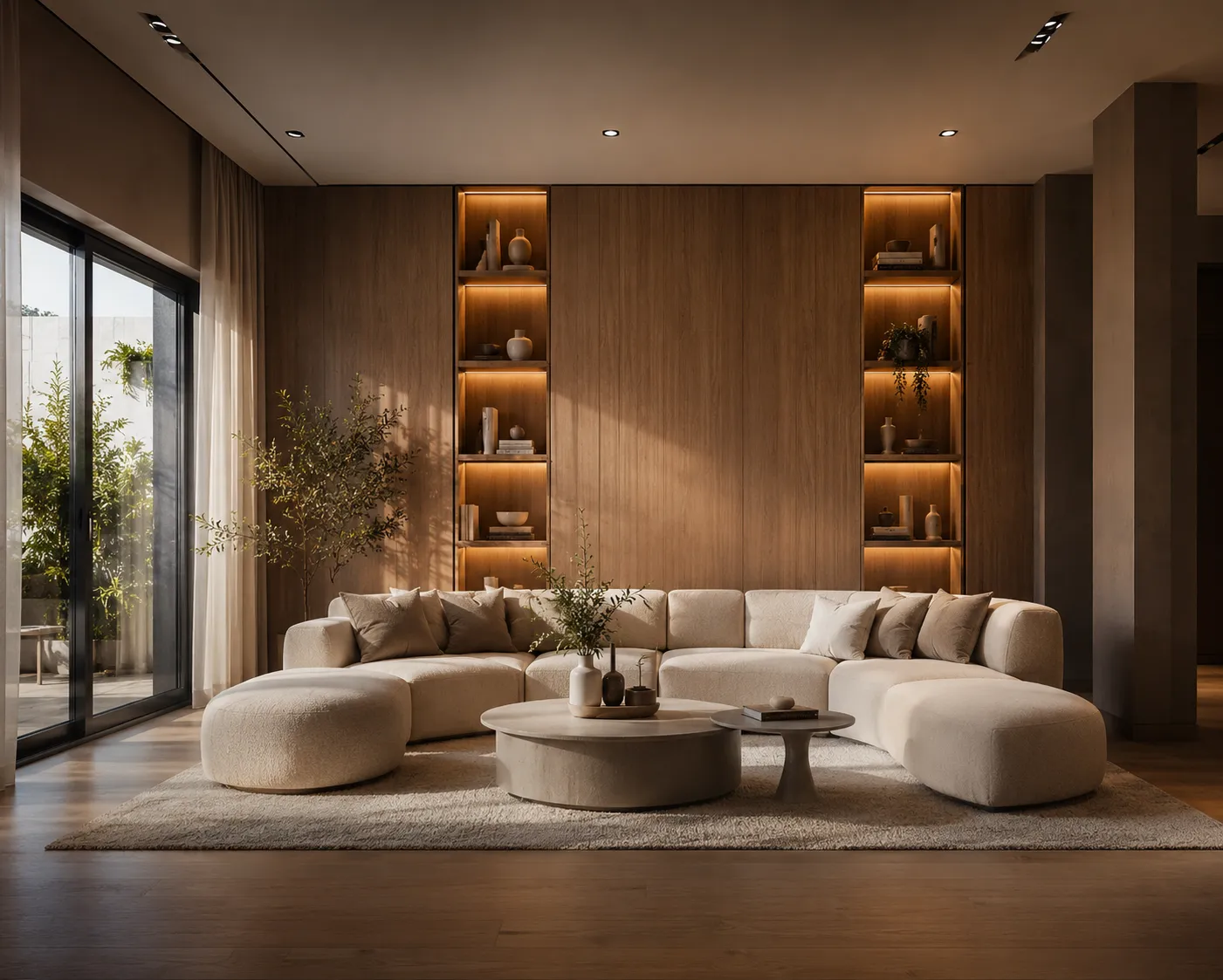
Updated 24 October 2026 with a price-at-a-glance table below. The full 12-tool comparison was read on 3 October 2026; where a vendor hides pricing we say so. Archome AI is the tool we make. Its entry sits in the middle of the list and follows the same template as the others.
Virtual staging used to mean emailing an empty-room photo to a designer and getting a furnished version back a day later for twenty to thirty-five dollars. In 2026 the category has split three ways. AI self-serve tools return a staged image in seconds for a fraction of a dollar, and you fix mistakes by regenerating. Human services still charge per image and take a day, but a person checks the shadows and the scale. A hybrid group sells both lanes from one account. This guide covers twelve tools across all three, states each pricing model in the vendor's own units, and answers the eight questions agents ask before publishing a staged photo.
Price at a glance (read 24 October 2026)
| Tool | Price | Unit |
|---|---|---|
| BoxBrownie | $30 | per staged photo, human-edited |
| Virtual Staging AI | $16-$79 | per month, 6 to 150 photo quota |
| Apply Design | $7-$15 | per image, pay-as-you-go coins |
| Archome AI | $0.29-$0.87 | per photo on the $29/mo plan, Fast to Ultra |
Figures above are read from each vendor's own pricing page: BoxBrownie, Virtual Staging AI and Apply Design on 3 October 2026, Archome's plan on 24 October 2026. The gap between $0.29 and $30 a photo is the self-serve-AI-versus-human-edited split, not a quality claim - see the full table below for turnaround and licence. For a listing's full photo set, try AI virtual staging on the free signup credits, or see how staging fits the rest of a listing's workflow on the real estate page.
Quick answer
For a steady monthly listing count, a photo quota from Virtual Staging AI, Collov AI or PadStyler's AI tier costs well under a dollar per photo at the published volumes. For a few photos a year with a person accountable, BoxBrownie, Styldod or PadStyler's bespoke lane charge per image and include unlimited revisions. If staging is one of several photo jobs, Stager AI, PhotoUp and Archome AI bundle them on one balance. If you want to place every sofa yourself, Apply Design is the only drag-and-drop editor here.
How we evaluated
Inputs: each vendor's public pricing page and, where needed, its staging service page, read on 3 October 2026. We did not run a blind render test for this edition, so we make no claim about which model draws the prettiest sofa. We compared what a buyer can verify before paying:
- Type: AI self-serve, human service, or hybrid.
- Turnaround: the vendor's stated time.
- Pricing model: quota, credits, coins or per image, and the effective cost per photo at the published tiers.
- Revisions: whether a wrong result costs you again.
- Licence: whether commercial use is stated in writing.
- Extras: furniture removal, exterior, video, floor plans.
All 12 tools at a glance
| Tool | Type | Turnaround (vendor claim) | Pricing model | Geometry preserved? | Commercial licence |
|---|---|---|---|---|---|
| Virtual Staging AI | AI self-serve | About 10 seconds | Monthly photo quota, 4 tiers | Model-dependent, test your photo | Not stated |
| REimagineHome | AI self-serve | Not stated | Monthly credits, 30 to 900 | Model-dependent, test your photo | Not stated |
| Collov AI | AI self-serve | About 10 seconds | Monthly photo credits, billed yearly | Model-dependent, test your photo | Yes, Standard and above |
| Apply Design | AI self-serve (auto or DIY) | Instant DIY, 15 min auto | Pay-as-you-go coins | DIY keeps your photo as-is | Not stated |
| Stager AI | AI self-serve | 15 to 60 seconds | Credit subscription | Model-dependent, test your photo | Yes, stated |
| Archome AI | AI self-serve | About 30 seconds | Credits: monthly plan or packs | Model-dependent, test with free credits | Yes, paid plans |
| AI Virtual Stage | AI self-serve | About 30 seconds | Yearly photo pool, billed annually | Model-dependent, test your photo | Not stated |
| Spacely AI | AI self-serve (design platform) | 1 to 5 minutes by queue | Seat subscription plus credit packs | Model-dependent, test your photo | Yes, included |
| PadStyler | Hybrid | Seconds (AI), under 24 h (bespoke) | AI quota or per image | Yes on bespoke lane | Not stated |
| Styldod | Human service | 24 to 48 h, rush to 12 h | Per image, volume discount | Yes, edited onto original | Not stated |
| PhotoUp | Hybrid | 24 h standard | Credits, 3+ per staged image | Yes, editor reviewed | Not stated |
| BoxBrownie | Human service | Under 48 h | Per image, no subscription | Yes, edited onto original | Not stated |
The tools, and who each is for
1. Virtual Staging AI - the monthly quota most agents start with
What it is: an AI stager sold as a fixed number of photos a month, with furniture removal on every tier and an API on the top one.
- Best for: agents with a steady listing count who want a known monthly bill.
- Pricing model: four monthly tiers: 6 photos for $16, 20 for $19, 60 for $39, 150 for $79, roughly $2.67 down to $0.53 a photo at full use.
- Turnaround: about 10 seconds.
- Standout feature: unlimited renders and downloads inside the quota; a bad result costs a retry, not a photo.
- Limitation: pay for 20 and stage 9 and the effective price doubles. Licence not written on the page.
2. REimagineHome - the easiest free test on your own photo
What it is: an AI tool that stages, swaps furniture, removes objects and edits by typed instruction, with batch mode. It is Styldod's self-serve arm.
- Best for: seeing the output on your own room first; new users get 5 free designs.
- Pricing model: monthly credits from Essential (30) to Agency (900); the page shows roughly $14 to $99 a month. One credit per image, two when it also finds purchasable products.
- Turnaround: not stated; Pro advertises parallel processing.
- Standout feature: incremental edits - say what to change instead of regenerating.
- Limitation: Essential excludes high-resolution output, reference photos and the conversational editor. Licence not stated.
See the full REimagine Home comparison for how its incremental-edit workflow stacks up against a shared-credit platform like Archome's.
3. Collov AI - style variety with a written licence
What it is: an AI staging and photo-editing suite with multi-angle staging that keeps the same furniture across several photos of one room.
- Best for: teams that shoot a room from three angles and need the sofa to match.
- Pricing model: photo credits billed yearly: 60 for $19 a month, 150 for $49, 263 for $79, 526 for $127. Five free generations carry a watermark.
- Turnaround: about 10 seconds; four renders per version, unlimited regeneration.
- Standout feature: the commercial licence is written on the pricing page for Standard and above.
- Limitation: headline prices are annual-billing figures and the trial is watermarked.
4. Apply Design - the drag-and-drop option
What it is: an AI stager with an Auto mode, where the model places furniture, and a DIY mode, where you drag pieces onto the photo.
- Best for: low volume with high control.
- Pricing model: Apply Coins at $10 each up to 9, $8 for 10 to 19, $7 for 20 or more. A 2D image is 1 coin DIY or 1.5 Auto; 360 images 2 to 2.5. First image free.
- Turnaround: instant DIY; a stated 15 minutes Auto.
- Standout feature: unlimited DIY revisions without another coin.
- Limitation: $7 to $10 a coin is an order of magnitude above subscription AI. Licence not stated.
See the full ApplyDesign comparison for the detailed breakdown of its drag-and-drop model against a single shared credit pool.
5. Stager AI - staging plus the rest of the photo workflow
What it is: an AI platform covering staging, object removal, HDR merge, sky replacement, listing video and an isometric 3D floor plan, with iOS and Android apps.
- Best for: photographers and agents who want one tool for every edit.
- Pricing model: credit subscription. The pricing page did not render figures without scripts; the company's own blog says plans start at $16 a month.
- Turnaround: preview in about 30 seconds; most edits under 60.
- Standout feature: commercial rights stated plainly for MLS, social and print.
- Limitation: breadth over depth, and pricing unreadable without JavaScript.
See the full Stager AI comparison for the feature-by-feature breakdown against Archome's floor-plan and video tools.
6. Archome AI - staging on one credit balance with 13 other tools
What it is: an AI self-serve platform where staging, object removal, interior refresh, exterior, a floor plan editor and video draw on the same credits. We make it.
- Best for: agents and small teams who stage some photos, clean up others and occasionally need an exterior or a plan.
- Pricing model: credits. 100 once at signup, no card; 30 per render. On the $29 a month plan a staged photo is about $0.29 at Fast quality or $0.87 at Ultra. Packs: $15 for 500, $39 for 1,500, $99 for 5,000. No monthly free refill.
- Turnaround: about 30 seconds.
- Standout feature: the shared balance - spend follows the work, not the tool.
- Limitation: no human designer and no revision service; a wrong shadow means regenerating. Free credits are one-time, not a free tier.
7. AI Virtual Stage - a yearly photo pool that rolls over
What it is: an AI stager with seven style presets and a three-click flow, no prompts.
- Best for: lumpy annual volume and a dislike of use-it-or-lose-it quotas.
- Pricing model: yearly pools billed annually: 180 photos a year for $28 a month, 420 for $48, 1,080 for $108. Unused credits roll over while subscribed.
- Turnaround: about 30 seconds.
- Standout feature: rollover, which the monthly-quota tools lack.
- Limitation: no free tier shown; $1.20 to $1.87 a photo at full use. Removal and licence not mentioned.
See the full AI Virtual Stage comparison for how its rollover photo pool compares to a 12-month credit pack.
8. Spacely AI - a designer platform that also empties and stages rooms
What it is: an AI visualisation platform for architects and designers, with SketchUp, Revit, AutoCAD and Rhino plugins and an empty-room function alongside staging.
- Best for: people who already render projects and want staging in the same workspace.
- Pricing model: seat subscriptions (Personal, Studio, Agency) whose prices did not display on the fetched page, plus subscriber credit packs at $9 for 200, $35 for 1,000, $150 for 5,000. Free plan: 40 credits.
- Turnaround: about 5 minutes standard, under 3 priority, under 1 on the top tier.
- Standout feature: commercial licence and watermark-free output stated as included.
- Limitation: staging is one feature of a design tool, and standard results take minutes.
See the full Spacely AI comparison for how its CAD-plugin workspace compares to a browser-based credit platform.
9. PadStyler - one vendor, two lanes
What it is: a hybrid: an AI staging subscription plus a bespoke lane where human artists stage, remodel and render.
- Best for: AI for the bulk of a listing and a human for the hero shot.
- Pricing model: AI lane billed yearly at 6 photos for $16 a month, 20 for $19, 60 for $39. Bespoke per photo: $34 for one, $31 for 2 to 4, $27 for 5 to 7, $23 for 8 or more. Remodelling from $49, 3D rendering from $99, Matterport staging from $300, 3D floor plans $99 a floor.
- Turnaround: seconds on AI; under 24 hours bespoke.
- Standout feature: unlimited revisions on bespoke and a price-match promise.
- Limitation: the AI tiers mirror Virtual Staging AI's prices exactly, so test the output. Licence not stated.
10. Styldod - designer staging with an open rush ladder
What it is: a human expert service with QA and revisions; the AI product is sold separately as REimagineHome (entry 2).
- Best for: listings where a person must sign off, and deadlines that need a priced rush.
- Pricing model: $23 per image, or $16 on orders of 8 or more. Rush within 24 hours adds $6; within 12 hours $12. Occupied-to-vacant from $15 and object removal from $8 are separate.
- Turnaround: 24 to 48 hours.
- Standout feature: unlimited free revisions on every order.
- Limitation: an occupied room costs staging plus clearing. Licence not stated.
See the full Styldod comparison for how a queued, human-edited service compares to an instant AI result.
11. PhotoUp - the whole listing on one credit account
What it is: a real estate photo-editing service that also sells staging, floor plans, tours and property websites. It calls its staging AI-powered but delivers in 24 hours with unlimited revisions, so an editor is in the loop.
- Best for: photographers who already send PhotoUp their edits.
- Pricing model: credits. A staged image is 3 or more; credits cost $1.50 on demand or $1.10 to $1.30 prepaid; monthly plans include 50 to 400. Five free credits at signup.
- Turnaround: 24-hour standard delivery.
- Standout feature: unlimited revisions on a service that covers the rest of your photo work.
- Limitation: a day, not seconds, and the per-image cost depends on how many credits a room needs. Licence not stated.
See the full PhotoUp comparison for how its 24-hour edit queue compares to a self-serve AI workflow.
12. BoxBrownie - the best-known human-edited service
What it is: a 24/7 editing team that stages onto your original photo in nine named styles, pay as you go.
- Best for: a few images a year with a person accountable.
- Pricing model: US$30 per image, US$60 for 360 staging. Item removal separate at US$5 to US$10. New accounts get 3 image enhancements and 1 day-to-dusk free.
- Turnaround: under 48 hours.
- Standout feature: unlimited changes at no cost for two months after the job.
- Limitation: the slowest and most expensive per image here; occupied rooms need the removal fee first. Licence not stated.
Which tool for which job
- Four or more listings a month, mostly vacant: a quota (Virtual Staging AI, Collov AI, PadStyler AI) or a credit balance (Archome AI, Stager AI). Run one photo through two of them on free credits first.
- One hero photo on a high-value listing: BoxBrownie, Styldod or PadStyler bespoke; budget the removal fee if occupied.
- Occupied rooms: AI tools that include removal (Virtual Staging AI, Collov AI, PadStyler AI, Archome AI).
- You want to place the furniture yourself: Apply Design DIY.
- You already render design projects: Spacely AI.
What none of these tools do
None tells the buyer the room is staged; most MLSs require a "virtually staged" disclosure and the original on request. No AI tool guarantees that walls and windows stay put; human services composite onto your original photo, which is why they still exist at thirty dollars an image. And no vendor here publishes an independent accuracy test, so the only reliable comparison is your own photo through two or three of them. You can stage a room on Archome AI with the 100 signup credits, and REimagineHome, Collov AI, Apply Design, Spacely AI and PhotoUp each give a free first result.
Frequently asked questions
What is the best virtual staging software for real estate agents? It depends on volume and accountability. For a steady monthly count, a quota or credit AI tool (Virtual Staging AI, Collov AI, Archome AI, Stager AI) costs well under a dollar a photo. For a few images a year with a person checking, BoxBrownie, Styldod or PadStyler bespoke charge per image and include revisions.
How much does virtual staging cost per photo in 2026? On pricing pages read on 3 October 2026, AI subscriptions work out to roughly $0.29 to $2.67 a photo at full quota use, pay-as-you-go coins $7 to $10, and human-edited staging $16 to $34 per image by volume, plus $6 to $12 for rush.
Is AI virtual staging accepted on the MLS? Most MLSs allow staged photos if disclosed and the original is available. Rules on what may change (furniture yes, structure no) vary by board, so check your local policy first.
Can virtual staging software remove existing furniture? Most AI tools include removal (Virtual Staging AI, Collov AI, PadStyler AI, Archome AI, Stager AI). Human services bill it separately: BoxBrownie US$5 to US$10, Styldod from $15.
Do AI staging tools change the walls or windows? They can. A generative model redraws the whole image, so a window can shift or a door vanish. Human editors composite onto your original pixels. With AI, check every output against the original.
Which tools have a free tier or trial? REimagineHome 5 designs, Collov AI 5 watermarked generations, Apply Design the first image, Spacely AI 40 credits, PhotoUp 5 credits, Archome AI 100 credits once, BoxBrownie 3 enhancements plus 1 day-to-dusk. AI Virtual Stage shows none.
Can I use staged images commercially? Collov AI (Standard and above), Stager AI, Spacely AI and Archome AI (paid plans) state a licence in writing. The other eight do not address it on the pages we read, so ask before printing.
Is AI staging good enough to replace a human designer? For a vacant room shot straight on in good light, AI output in 2026 is routinely publishable at a fraction of the cost. For cluttered rooms, mirrors, odd angles and luxury listings a human still catches what a model misses, which is what the unlimited-revision policies at BoxBrownie, Styldod and PadStyler are for.