
AI Virtual Staging: Furnish an Empty Property
· Updated · 9 min read
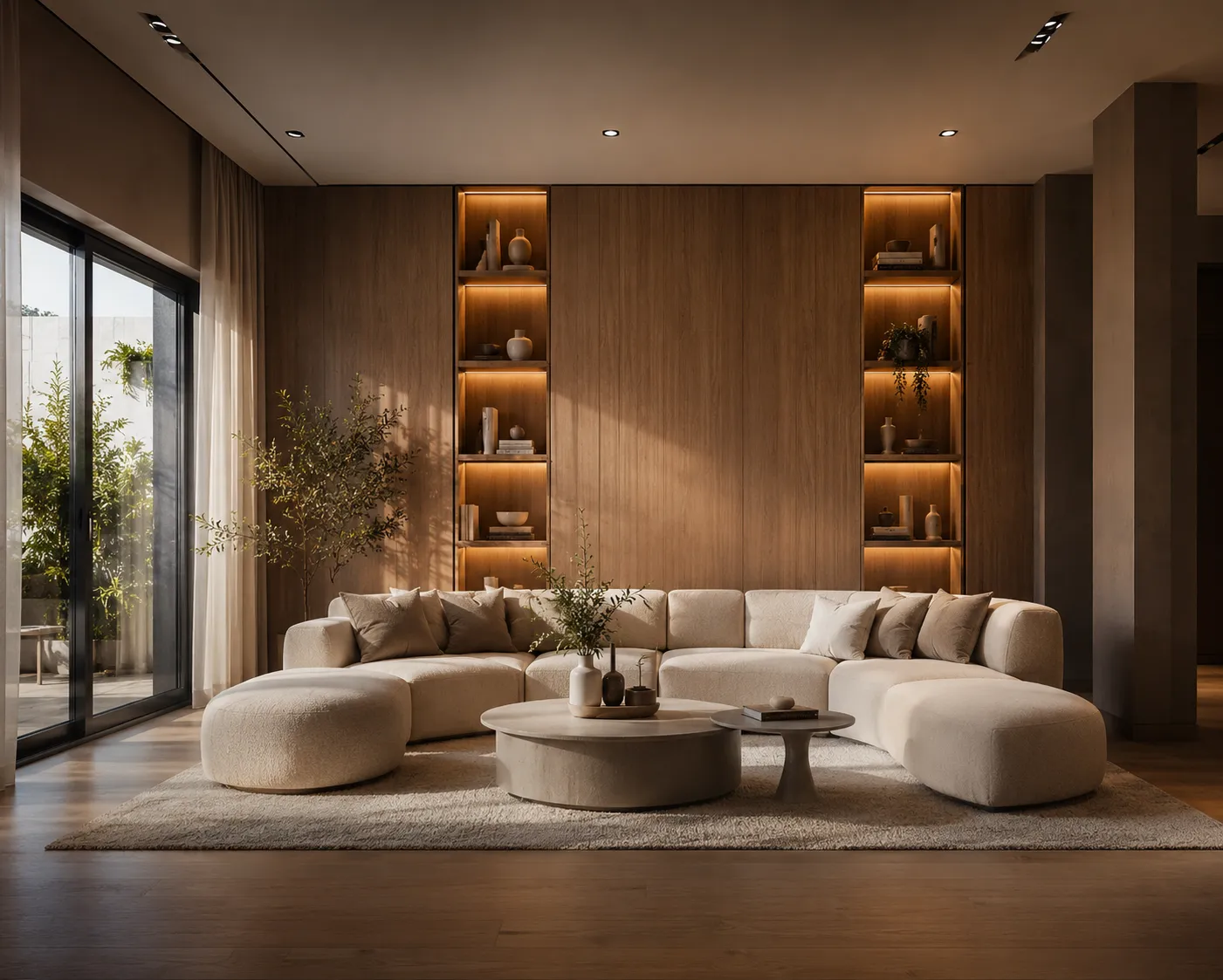
An empty room photographs badly. Buyers cannot judge scale, they cannot picture living there, and vacant listings sit longer for it. Physical staging fixes the problem and costs $500–2,000 a month per home. Human virtual staging services are cheaper — published rates run $16–60 per photo, most commonly $24–30 — but they run on a 4 to 48 hour queue and invoice per image. AI staging does the same job from a single photo in about 30 seconds, at $0.29 a photo on the $29 plan.
This guide covers what virtual staging is, what it costs, how to shoot for it, which rooms are worth staging, and the disclosure rules that keep a staged listing out of trouble.
What virtual staging actually is
Virtual staging means furnishing a photograph of an empty property digitally instead of renting physical furniture. The photo is real, the room is real, the walls and windows are real — the furniture is added afterwards. That distinction is the whole legal and ethical basis of the practice: you are illustrating how a space can be used, not changing what the property contains.
It matters because the failure mode is specific. A staging tool that redraws the room — moves a window, widens the floor, invents a fireplace — produces an image no disclosure can rescue, because the photo no longer describes the house. Archome locks the geometry: wall, window and door positions, ceiling height and the camera angle stay exactly as shot. Furniture, finishes and light are what change.
What it costs
| Method | Cost | Turnaround |
|---|---|---|
| Physical staging | $500–2,000 per month, per home | Days, plus a re-shoot |
| Human virtual staging service | $16–60 per photo | 4–48 hours |
| Archome AI | $0.29 Fast · $0.87 Ultra | About 30 seconds |
Staging on Archome is paid in credits rather than per photo: an image costs 10 credits at Fast quality and 30 at Ultra, and the $29 plan carries 1,000 credits a month. A one-time $15 credit pack covers a full listing set without a subscription, and every new account starts with 100 credits — three renders — without a card. A four-to-eight image listing set therefore lands under $2.50 of credits, with room to try a second style on the hero shot. The longer read on this is in virtual staging cost per photo.
How it works
- Photograph the empty room — a phone photo is fine. Shoot from a corner, get the whole room in frame, keep the camera level.
- Upload it to Interior AI, or start from the virtual staging page.
- Pick a style — Modern Luxury, Minimal, Japandi, Classic or Hotel Luxury — or describe the buyer you are targeting ("young professional loft", "family home, warm and practical").
- Generate. The room's architecture stays put; furniture, lighting, textiles and mood are added.
- Compare before you publish. Put the result next to the original. If a structural detail moved, regenerate rather than list that image.
Which rooms to stage, and which to skip
Most agents stage the rooms that carry the listing rather than every room in the file: the living room, the primary bedroom, the kitchen if it reads cold, and the one awkward space that a buyer cannot place — the bonus room, the wide landing, the basement corner. Those are the photos that decide whether someone books a viewing.
Skip the rooms where furniture adds nothing. Bathrooms, utility rooms and hallways photograph fine empty, and staging them looks like padding. An empty garage is an empty garage.
Getting listing-quality results
- Shoot wide and level. Tilted phone photos produce tilted rooms. Stand in a corner, hold the phone at chest height.
- Good light beats good gear. Open the blinds and shoot mid-morning. Dark or heavily backlit rooms give muddy results.
- One room per frame. A wide shot that catches two spaces at once is harder to furnish convincingly than two separate photos.
- Name the buyer, not just the style. "Warm family living room, oak floors, soft afternoon light" beats "nice furniture".
- Empty is fine, cluttered is not. Move boxes and tools before shooting; the model works around what it sees.
Matching the furniture to the buyer
Staging is a marketing decision before it is a design one. The same empty living room staged in Modern Luxury and in Japandi speaks to two different buyers, and the cost of trying both is another thirty seconds. A downtown one-bedroom aimed at a first-time buyer does better with Minimal than with Classic; a period property with mouldings reads dishonest in a style that fights the architecture.
Because re-running a photo costs credits rather than a new invoice, testing is cheap enough to be worth doing on the hero image of every listing.
Occupied listings: clear the room first
Vacant homes are the easy half. The harder case is the occupied listing where the seller's furniture is dated and the shoot cannot wait for a move-out. That is two steps rather than one: remove what is there with object removal, then stage the cleared photo. Budget two renders per image, so roughly double a vacant room — still a fraction of the $40–80 photographers commonly charge for removal plus staging.
The disclosure question
Label staged photos as "virtually staged" in the caption or the listing remarks. MLS photo policies are set board by board and most either require the disclosure outright or fold it under general misrepresentation rules; many portals add their own labelling requirement. Keep the unedited originals on file in case a buyer asks.
Disclosure does not cost you performance. Buyers respond to furnished photos even when told they are staged, because the image is doing its real job — helping them read the use of the space, not tricking them about it. The detail is covered in do I have to disclose virtual staging and will AI staging get my listing flagged.
What it cannot do
AI staging changes furniture and mood, not structure. It will not remove a wall, fix water damage or hide a bad layout — and it should not. Use it to show what a space could feel like, never to hide what it is. If you want to show a renovation rather than furniture, that is a different and more strictly disclosed job: see renovation visualisation for agents.
Frequently asked
How much does AI virtual staging cost per photo? On the $29 plan a staged photo costs $0.29 at Fast quality and $0.87 at Ultra, because staging costs 10 credits and 30 credits respectively. A one-time $15 credit pack works out at roughly the same per-photo rate with no subscription. Human virtual staging services publish $16–60 per photo for comparison.
How long does a staged photo take? About 30 seconds at Fast quality; Ultra takes longer because it runs a heavier engine. There is no queue and no ticket, so a full listing set can be staged before you leave the property.
Do I have to disclose that a listing photo is virtually staged? In most US markets yes, and it is good practice everywhere. The common requirement is that a modified image is identified as modified, which one line in the caption or remarks satisfies. Rules differ between boards, so check your own MLS handbook for the wording it expects.
Will virtual staging get my listing flagged? Not for furnishing an empty room with a disclosure. Boards act on misrepresentation of the property itself — a wall removed, a window added, damage hidden. Archome does not alter geometry at all, so it cannot add a feature the home does not have. This is practical guidance, not legal advice; your MLS rules and local advertising law govern.
Can I use the staged images on Zillow and other portals? Yes on any paid plan: exports are watermark-free and carry a full commercial licence, which covers MLS listings, portals, brochures and social ads. The free tier is for evaluation.
Can I remove the current furniture before staging? Yes. Removal and staging are two steps on the same credit balance: clear the room with the object removal tool, then furnish the cleared photo. An occupied room therefore costs about double a vacant one.
Which rooms are worth staging? The living room, the primary bedroom, the kitchen if it reads cold, and any space a buyer struggles to place. Bathrooms, hallways and utility rooms photograph fine empty.
Does the staged photo still match the real room? Yes — walls, windows, doors, ceiling height and the camera angle are held fixed, so the staged image and the in-person viewing describe the same space. Compare the pair before publishing; if something structural moved, regenerate.
Is "digital staging" the same thing as virtual staging? Yes — "digital staging," "virtual home staging" and "virtual staging" all describe the same process for real estate photos: a real, empty room photograph gets furniture and light added digitally, with nothing physical delivered or rented. Whichever term you search, the workflow above is what you land on: upload the listing photo to Virtual Staging, keep the room's actual walls and windows locked, and generate.
Can an agent do virtual staging on a listing without hiring a staging company? Yes, and skipping the vendor is the main reason agents switch to AI staging: there is no quote to request and no photo set to send off. Upload the empty-room photo directly, pick a style, and the furnished result comes back in about 30 seconds at under $1 per staged photo on a paid plan — the first three renders are free, no card required.
Does virtual staging work on any listing photo, or only certain rooms? It works on any real photo of an empty or lightly furnished room — living rooms, primary bedrooms and kitchens see the biggest lift. It cannot fix a badly framed shot or a room the camera cannot see into; reshoot those first, then stage the corrected photo.
Have an empty listing sitting on the market? Stage one photo and see it furnished in about 30 seconds — the first three renders are free, no card.