Virtual Staging for Real Estate Photographers
Your product is a delivered listing set — 25 to 40 finished frames, in the agent's hands before the listing goes live tomorrow morning. Staging, decluttering and twilight conversions are the add-ons you bill on top, and every one you send out per-image is margin plus a day of someone else's queue. Do them at your desk instead: upload, 30 seconds, download, deliver.
The problem
The per-photo model breaks exactly where your business gets good. A 20-listing month with three staged frames each is 60 images at $24-30 apiece — that is a mortgage payment mailed out of a line item you invoiced at a markup. And the turnaround clock belongs to the vendor, not to the agent who needs the set by 9am.
The staging request is rarely alone. The occupied listing needs the tenant's clutter gone; the flat midday facade needs a twilight version; the hero shot needs to survive being blown up on a portal. Three vendors, three invoices, three queues — or one account and an afternoon.
What kills an outsourced staged photo is the mismatch: furniture in a room that reads as a different room, and an agent taking the complaint at the open house. Archome restyles the photograph you took — walls, windows, floor line and camera stay where you shot them, and only the furnishing and light change.
What comes back
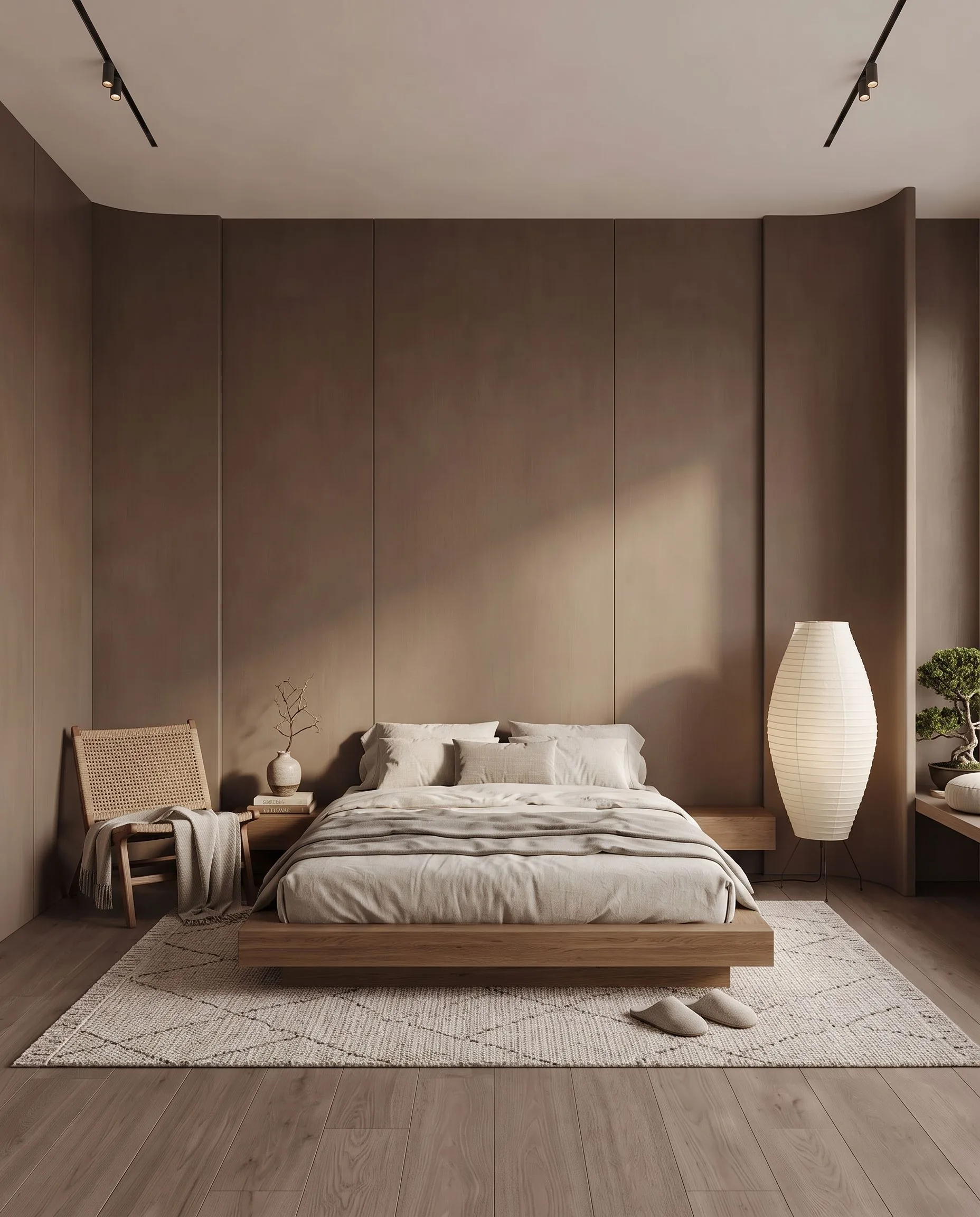
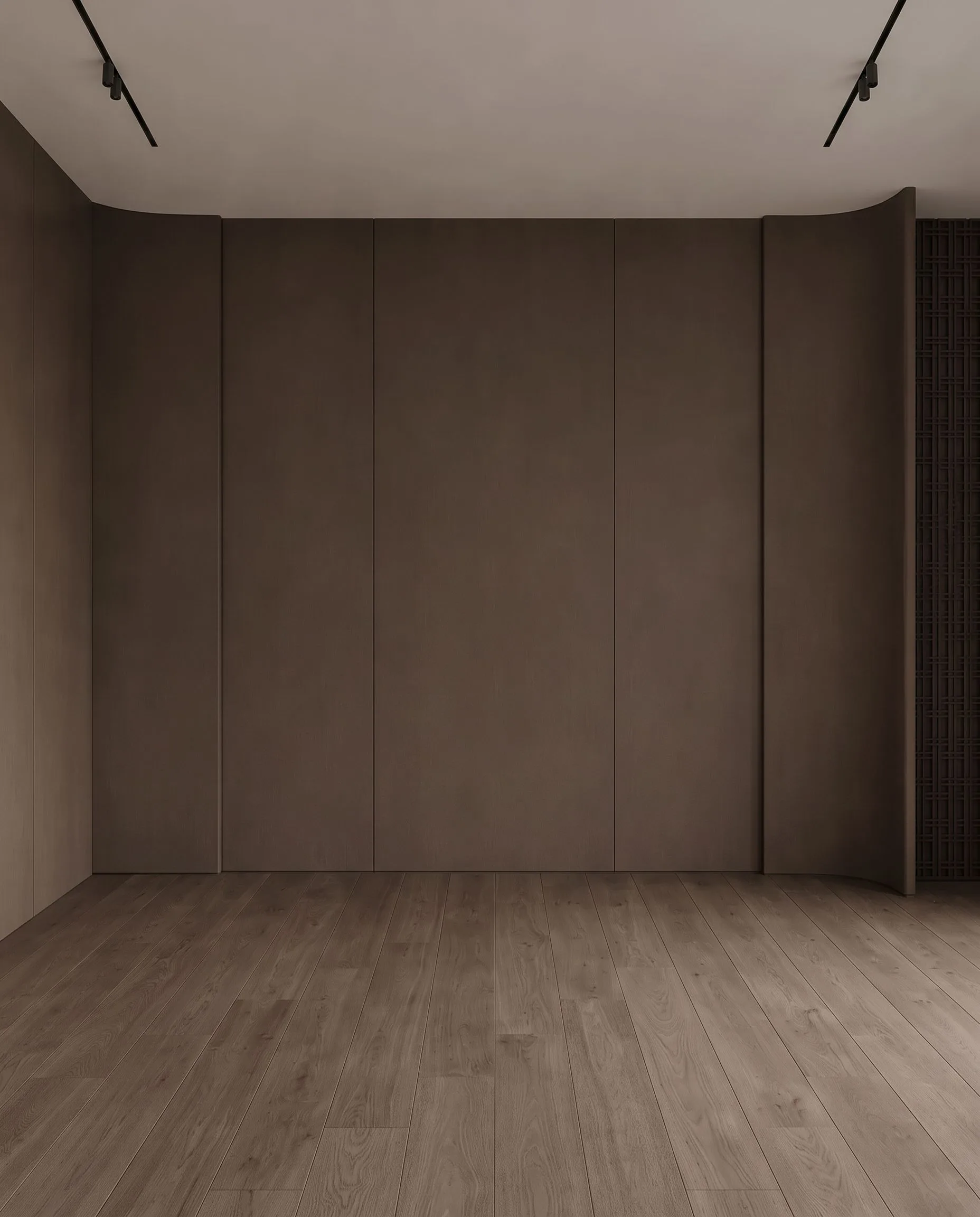
An empty bedroom, virtually staged. Drag the handle to compare.
What it costs
| Quality | Credits per image | Cost on the $29 plan | Time |
|---|---|---|---|
| Fast | 10 | $0.29 | About 30 seconds |
| Ultra | 30 | $0.87 | Longer — heavier engine |
Prices exclude tax. A new account starts with 100 credits — three renders — with no card. Plans and credit packs.
How real estate photographers use Archome
1. Cull and edit exactly as you do now
The input is the finished JPEG or PNG you already exported for delivery (iPhone HEIC is converted for you). Uploads are normalised to JPEG at 2048px on the long edge, so send the delivery file rather than the RAW — the print-size version comes back out of the 4K upscaler at the end, not from the input.
2. Run the three add-ons in-house
Vacant room to furnished: Interior AI, one photo in, one staged image out in about 30 seconds (10 credits Fast, 30 Ultra). Occupied room: Inpainting — mask the tenant's sofa, bins or wall clutter and the room comes back without them (30 credits, one image out). Flat daytime facade: Exterior AI with a twilight prompt for the day-to-dusk frame.
3. Upscale, compare, deliver under your name
4K Enhancer for the portal hero and print (30 credits, upscale only — it does not take instructions). Open the render next to the original before it goes out, then ship it in your own package: no third-party watermark, full commercial licence on paid plans, and the staging line is on your invoice.
What you get
- Vacant to staged in ~30 seconds, from the JPEG you already exported
- Item removal by mask — tenant furniture, clutter, bins, cables
- Day-to-dusk twilight from the daytime exterior you already shot
- 4K upscale for portal heroes and print delivery
- Real per-image maths: 10 credits Fast / 30 Ultra — about $0.16 an image on the $49 plan
- No third-party watermark; full commercial licence on paid plans
- API access on Enterprise when the volume justifies automating it
Honest limits, and the revision rule up front: this is a re-roll tool, not a retoucher. When a chair grows through a doorway or the room comes back subtly wrong, you do not nudge it — you run it again (another 10-30 credits) or mask the bad region with Inpainting. Two or three attempts on a hero frame is normal; price the add-on with that in mind. There is no seed, so the same prompt will not reproduce yesterday's image: download the keeper the moment you get it. Compare every frame against the original before delivery — geometry is held, but held is not guaranteed, and your name is on the file. Staging inserts illustrative furniture, not a shoppable inventory, and the "virtually staged" disclosure your market requires is still your job. Structural retouching — deleting a wall, hiding damage, changing what the property is — is misrepresentation, not staging, and we will not sell it to you as one.
Start here
Compare us honestly
Choosing between tools? We keep honest side-by-sides — including when a competitor is the better fit: vs BoxBrownie, vs Virtual Staging AI, vs Styldod, vs ApplyDesign — or the full comparison index.
Questions professionals ask
What does one staged photo actually cost me?
A staged image is 10 credits on the Fast engine, 30 on Ultra. Lite at $29 carries 1,000 credits — about 100 staged photos a month, roughly $0.29 each. Plus at $49 carries 3,000 — about 300 photos at $0.16 each, or under $0.50 each if you run everything on Ultra. The outsourced invoice for that same image is $24-30. One vacant three-bedroom listing pays for the month.
What do I upload, and what comes back?
You upload one finished JPEG or PNG per room — HEIC is converted automatically and everything is normalised to 2048px on the long edge before rendering. Back comes one finished image in about 30 seconds, downloadable immediately. Run the 4K Enhancer on the frames that need print or portal-hero resolution.
What happens when a render comes back wrong?
You re-run it or you mask it. A fresh attempt costs another 10-30 credits and about 30 seconds; Inpainting fixes one bad region without touching the rest of the frame. If a room refuses to come back right after three attempts, the shot is usually the problem — a straighter, wider frame with the lights on fixes more than any prompt. Budget two or three attempts per delivered image and the economics still are not close.
Can I remove furniture and clutter, not just add it?
Yes — Inpainting is exactly that: mask what should go and the room is rebuilt without it, 30 credits per pass, one image out. Vacant-to-staged and occupied-to-clean live in the same account, which is what makes the occupied listing billable instead of skipped.
Can I resell this as my own service?
Yes. Paid plans carry a full commercial licence with no third-party watermark, and you set the line-item price your market bears — the going rate is nowhere near what the credits cost you. The free account (100 credits) bills every render at a flat 30 credits, so it is three images: enough to test the staging on your own shot, not enough to run a shoot.
How fast is it on a deadline?
About 30 seconds per image at your desk, with no vendor queue between you and the agent. The listings that go live tomorrow morning are precisely the ones an outsourced turnaround cannot promise.
Test it on a real project.
100 credits when you sign up — three renders on the free tier. No card required.
Start free →