
AI Photo Enhancement for Real Estate Listings
· Updated · 6 min read
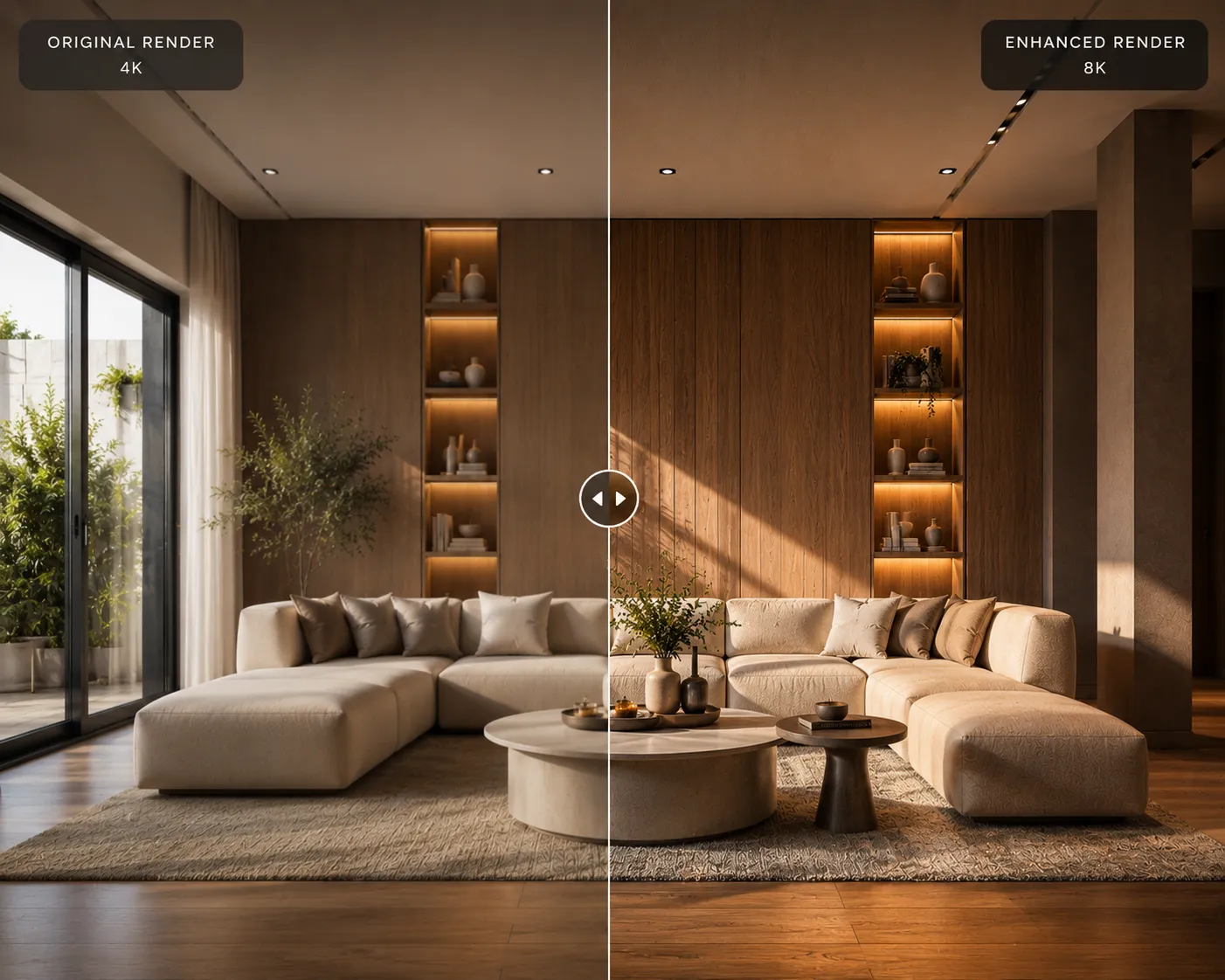
Buyers scroll. A listing with a dim, blurry or badly-lit hero photo gets skipped before anyone reads the description — and a lot of listing photos are dim, blurry or badly-lit, because most agents are shooting them on a phone between showings, not with a lighting kit. AI photo enhancement fixes the technical problems — exposure, noise, sharpness, dull color — in seconds, without a reshoot, a photographer booking, or an editing subscription.
What it actually fixes
This isn't the same tool as virtual staging, which adds furniture to an empty room. Photo enhancement works on the photo you already have and corrects what's technically wrong with it: underexposed rooms get proper brightness back, grainy low-light shots get cleaned up, soft or slightly-blurry focus gets sharpened, and washed-out or yellow-cast color gets corrected to something closer to how the room actually looks in person. The layout, the furniture, the walls — everything stays exactly as photographed. Only the image quality changes.
Three steps
- Upload the listing photo as-is to the AI Enhancer — straight from your phone or camera, no pre-editing needed.
- Run the enhancement. The model rebuilds exposure, detail and color in one pass, typically in under a minute.
- Download at full resolution and drop it straight into the MLS listing, flyer or listing site — it's ready for print and web sizes alike.
Where it saves the most time
A full professional photo shoot makes sense for a flagship listing. It doesn't make sense for every open house, every rental unit, or the photo you need uploaded before you leave the property today. AI enhancement covers that gap: it turns a rushed phone photo into something that looks intentional, without waiting on a photographer's schedule. For exterior shots specifically — a facade photographed under flat midday light or slightly overcast sky — running it through the Exterior AI tool can also adjust the scene itself (sky, lighting mood), which goes further than enhancement alone when the shot needs more than a technical fix.
What it won't do
Enhancement corrects the photo you took — it doesn't reframe a bad angle, remove clutter from the shot, or add furniture to an empty room. If the room is empty and needs to look furnished, that's virtual staging, a different step. If the composition itself is the problem — a doorway cutting into the frame, a couch blocking the window — no amount of enhancement fixes that; it has to be reshot. Enhancement is the fast, cheap fix for photos that are technically weak but otherwise fine.
Getting a listing-ready result
- Start from the highest-resolution original you have. The model has more real detail to work with, so the result holds up better when printed or zoomed.
- Don't pre-edit heavily first. Filters or aggressive brightness adjustments before upload can compound with the AI's correction and look over-processed.
- Run the whole set through together so the listing's photos share a consistent look — mismatched exposure between photos reads as unprofessional even when each one individually looks fine.
- Keep a straight, level shot. Enhancement corrects exposure and detail, not perspective — square up the camera before you shoot.
Cost per listing
A professional photo package for one listing commonly runs into hundreds of dollars once you factor in the photographer's time. AI enhancement runs on credits instead: Archome AI gives every account 100 free credits to start, enough to clean up a handful of listing photos without paying anything, and one-time credit packs start at $15 for agents who need more volume without a recurring subscription — see the pricing page for the full breakdown. For a rental turnover or a listing going live today, that's the difference between waiting on a photographer and having a usable photo in the next five minutes.
Frequently asked
Will it change the room, or just the photo quality? Just the photo quality — exposure, sharpness, noise and color. The room, furniture and layout in the photo stay exactly as shot.
Can I use it on exterior and interior listing photos alike? Yes. For exteriors specifically, Exterior AI can also adjust lighting mood and sky, going beyond a straight technical fix if the shot needs it.
Is this the same as virtual staging? No — virtual staging adds furniture to an empty room. Enhancement improves the technical quality of a photo you already have.
How does this compare to a dedicated photo-correction tool like Autoenhance.ai? Same general category — fixing the photo rather than the room — but the two are not identical products: Autoenhance is built around a per-image monthly plan with features like automatic sky replacement, HDR merge and privacy blurring aimed at real-estate photography companies, while Archome's enhancer runs on the same shared credit pool as its staging and restyle tools. See the full Autoenhance.ai comparison for the detailed breakdown if a dedicated photo-correction workflow is what you're evaluating.
Have a listing photo that needs saving? Run it through the AI Enhancer — your first renders are free.