
AI Twilight Conversion: Day-to-Dusk Real Estate Photos
· Updated · 5 min read
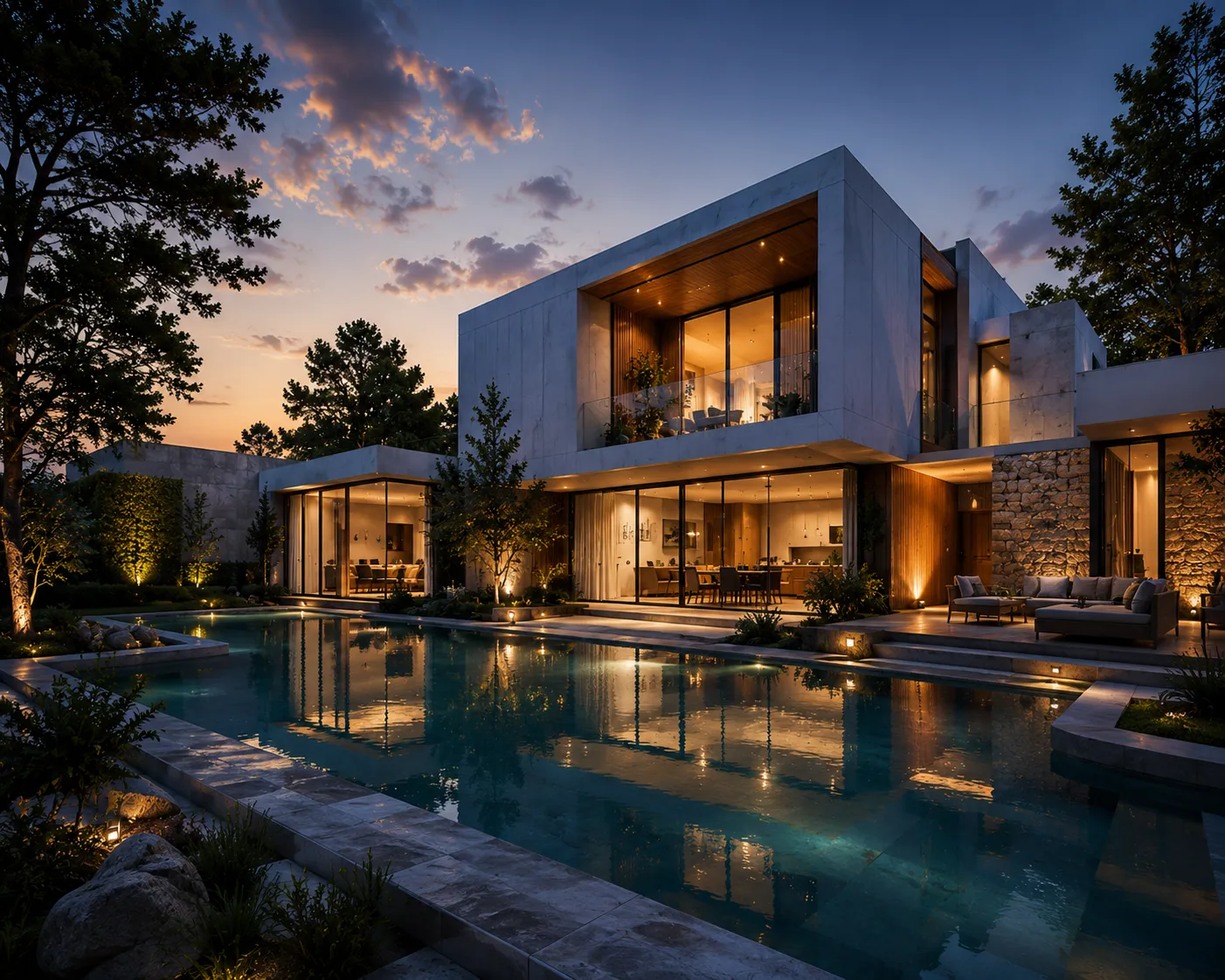
The twilight shot is the best-performing photo on most listings, and the hardest one to actually get. A real "blue hour" window is twenty to thirty minutes wide, it happens once a day, and it requires the photographer, the empty house and clear weather to line up at the same time. Most shoots happen at 11am on a Tuesday because that's when the agent could get the lockbox code — not because the light is right. AI day-to-dusk conversion skips the scheduling problem: it takes the daytime exterior you already have and turns it into a twilight version, without a second visit.
What day-to-dusk conversion actually does
This isn't a color filter over the existing photo. The model reads the daytime shot — the facade, the roofline, the windows, the driveway — and rebuilds the scene as it would look after sunset: sky shifted to that deep blue-hour gradient, warm light glowing from inside the windows as if the lamps were on, and exterior fixtures (porch lights, path lights, garage sconces) lit up. The house itself — its shape, its materials, its landscaping — stays exactly as photographed. Only the time of day changes.
Three steps
- Upload the daytime exterior photo to Exterior AI — a straight-on facade shot with the windows visible works best.
- Choose the twilight look and mention what you want lit: "warm light in every window, porch light on, blue dusk sky" is a more useful prompt than "make it night."
- Generate and compare it against the daytime original before you decide which one leads the listing — twilight rarely replaces the daytime hero, it usually sits second in the gallery.
Why the twilight photo works on buyers
A lit house at dusk reads as lived-in and cared-for in a way a flat midday shot doesn't — warm interior light through the windows suggests a home, not a vacant structure waiting for an offer. Listing photographers have leaned on this for years precisely because it tests well against click-through and time-on-listing, which is why "real" twilight shoots command a premium add-on price when a photographer can actually schedule one. An AI version doesn't require the sunset to cooperate, and it doesn't add a second trip to the property.
Where it's most useful
Twilight conversion earns its place on exteriors where the daytime shot is technically fine but flat — a straightforward facade under bright midday sun with nothing dramatic happening in the light. It's less useful on a house with major daytime curb-appeal problems (patchy lawn, peeling paint, cluttered yard); those need the daytime fix first — the AI curb appeal guide covers previewing paint, landscaping and exterior changes before the twilight pass. And it's not a substitute for enhancement on a photo that's simply underexposed or blurry — the AI photo enhancement guide is the right tool for a technically bad shot.
What to name in the prompt
- Window light: "warm light in every window," "lamps on in the front rooms," "soft amber glow"
- Sky: "deep blue dusk sky," "just after sunset," "faint pink at the horizon"
- Exterior fixtures: "porch light on," "path lights along the walkway," "garage sconces lit"
- Mood: "quiet blue hour," "no visible stars yet," "soft ambient glow, not pitch dark"
What it costs to try
Archome AI starts every account with 100 free credits and no card required — enough to generate a twilight version of a listing's front and rear exteriors before you commit to using it in the gallery. If you're converting a full portfolio of listings, one-time credit packs start at $15; see the pricing page for the breakdown.
Frequently asked
Does this replace hiring a photographer for a real twilight shoot? For most listings, no reshoot is needed at all — the AI conversion is the twilight photo. A flagship listing with the budget for a real blue-hour session will still look great with one; this is the option for every listing that doesn't get that budget or that scheduling window.
Will buyers notice it's AI-generated? Follow the same disclosure norms you'd use for any edited real estate photo in your market — most MLS and advertising guidelines treat this the same as other post-processing, not as a structural change to the listing.
Isn't this the same as a tool that does "sky replacement"? Not quite. A sky-replacement feature (like the one in photo-correction tools such as Autoenhance.ai) swaps a dull or overcast sky for a clearer one in an otherwise-unchanged daytime photo. Day-to-dusk conversion goes further — it rebuilds lighting across the whole scene for a believable blue-hour look, including warm glow in the windows and lit exterior fixtures. See the Autoenhance.ai comparison for how a correction-focused tool and a generative one like Archome actually differ.
Have a daytime exterior sitting in the gallery already? Upload it and try the twilight version — the first renders are free.