AI Rendering for Visualization Studios
What a studio actually sells is a fixed set of contracted frames with a fixed number of revision rounds — and the margin dies in the rounds nobody wrote into the contract. Archome is the lane in front of that: your viewport or clay frame in, five geometry-held directions out in about 30 seconds each, so the client kills four of them before a single hero frame touches the farm.
The problem
Price the job at five exteriors and three interiors with two revision rounds, then watch round three arrive as "can we just see the travertine, and maybe dusk?". Each one re-enters the queue, burns farm hours and a lighting artist's afternoon, and the invoice never follows. The studio eats it to protect the relationship — which is a polite way of saying the client's indecision is on your P&L.
Generic AI iterates fast and betrays the model: proportions drift, an opening moves, and the client notices before you do. A viz studio cannot present an image that argues with its own scene file, so the fast tools stay out of client-facing work entirely.
Archome anchors to the frame you feed it. Camera, massing and openings come only from that input; materials, light, season and atmosphere restyle freely. Lookdev and client choice happen in minutes at a few cents a frame, and the approved direction goes back into V-Ray or Corona as a brief for the one frame that has to be perfect.
What comes back
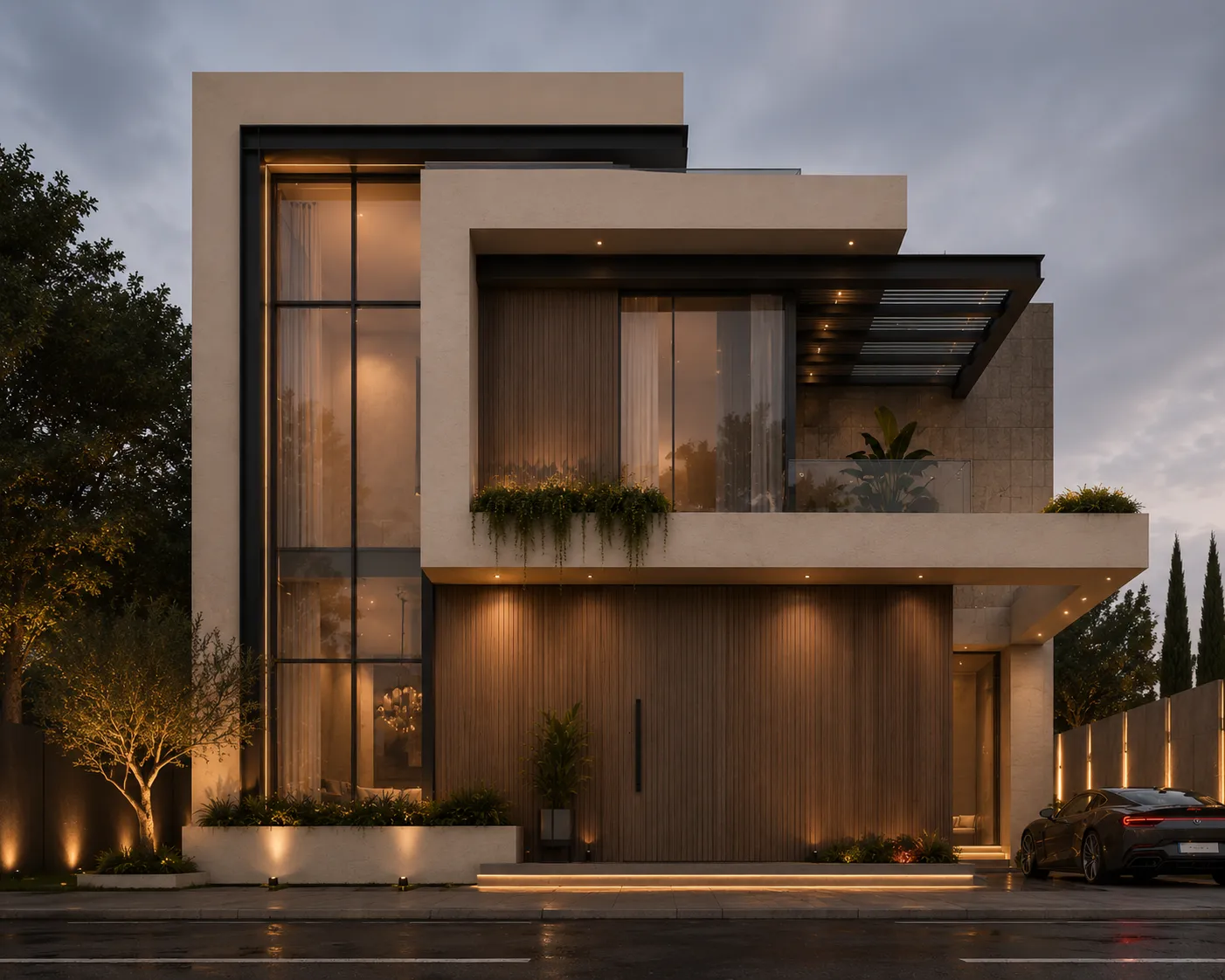
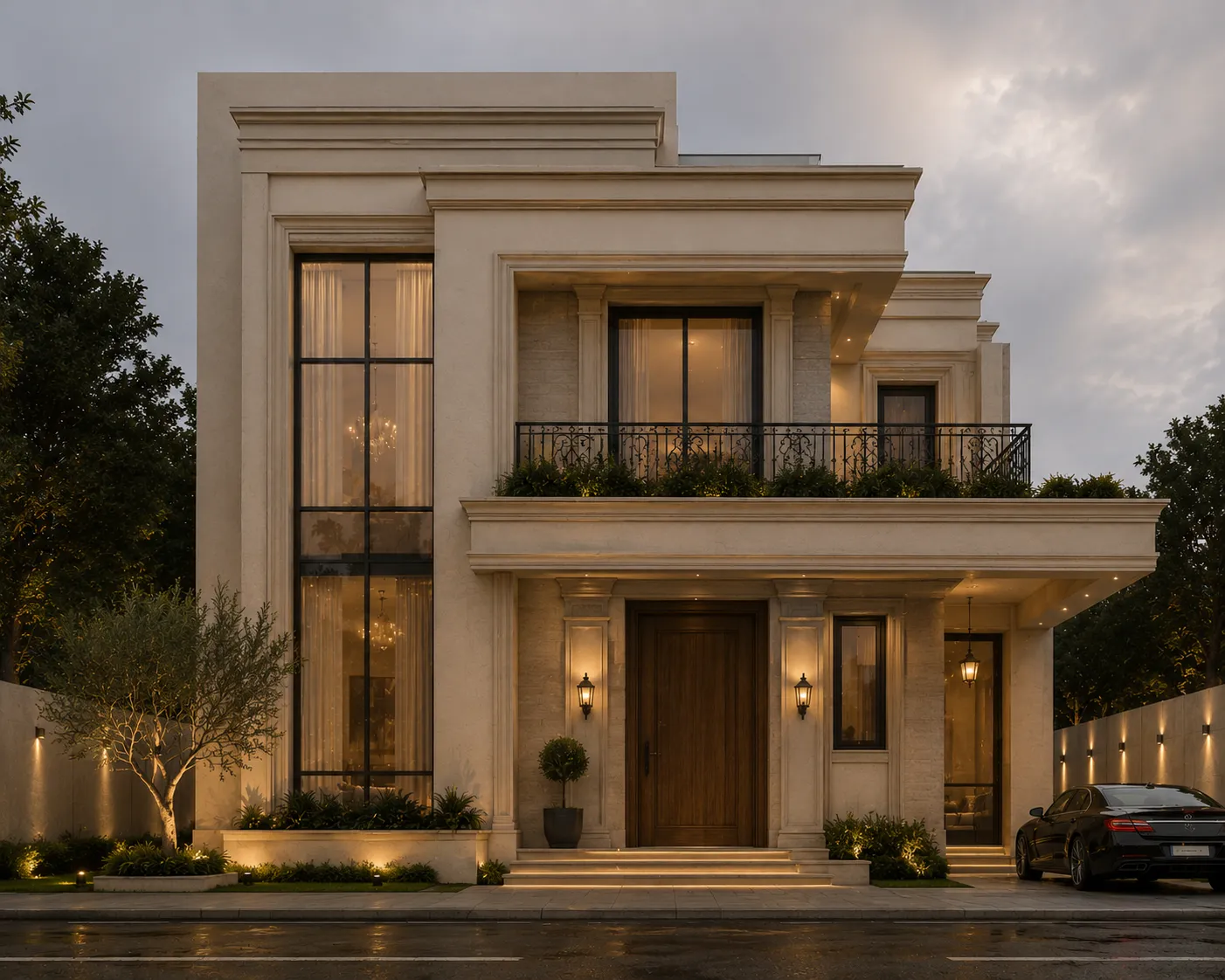
Massing to image. Drag the handle to compare.
What it costs
| Quality | Credits per image | Cost on the $29 plan | Time |
|---|---|---|---|
| Fast | 10 | $0.29 | About 30 seconds |
| Ultra | 30 | $0.87 | Longer — heavier engine |
Prices exclude tax. A new account starts with 100 credits — three renders — with no card. Plans and credit packs.
How visualization studios use Archome
1. Export the anchor frame
A 3ds Max viewport through the free plugin, a clay or draft render, or a previously delivered still. Any JPEG or PNG works; uploads are normalised to 2048px on the long edge, so this is a decision frame, not a delivery master.
2. Run the option storm before the review
Materials, times of day, seasons, mood references — each direction is one render, about 30 seconds, 10 credits on Fast or 30 on Ultra. Twenty Ultra directions cost 600 credits: roughly $7 on the Studio plan, against an afternoon of farm time for one of them. Style Transfer pulls a look from a reference image when the client briefs in pictures.
3. Hand the winner to the pipeline
The approved direction becomes the written brief for the hero frame in your main renderer — that is the deliverable, and Archome never pretends otherwise. In between, it covers the deck: 4K upscales for interim boards, short clips for progress reviews, plan and masterplan visuals for the wider set.
What you get
- Geometry held to the input frame — restyles do not argue with the scene file
- Free 3ds Max and SketchUp plugins; REST API for batch option generation
- Instruction-following edit engine — restyles, not prompt roulette
- A 20-direction option storm costs ~600 credits on Ultra: about $7 on the Studio plan
- Studio plan 10,000 credits/month (1,000 Fast or 333 Ultra renders) for revision-heavy quarters
- 4K upscaling, video clips and 2D-to-3D handoffs in the same credit pool
- One shared account and shareable render links, so juniors work inside the same pool
Honest limits, stated the way a studio needs them: (1) There is no seed and no exact re-run — the same prompt will not reproduce the same frame twice, so download and archive every image the client reacts to, and treat approvals as approvals of a direction, not of a file you can regenerate. (2) Inputs are normalised to 2048px on the long edge; delivery resolution comes from your renderer, or from the 4K upscaler, which enlarges and cleans but takes no instructions. (3) Geometry is held, not guaranteed — put the restyle next to the source render before it leaves the studio; on a clean anchor frame it holds, and on a muddy one it will invent. (4) Final-frame control — exact IES, custom shaders, seeded flythroughs, sequence-consistent animation — stays in V-Ray and Corona. Archome does not replace the hero pipeline. It replaces the unbilled part wrapped around it: exploration, lookdev and client iteration.
Start here
Compare us honestly
Choosing between tools? We keep honest side-by-sides — including when a competitor is the better fit: vs Veras, vs Gendo, vs D5 Render — or the full comparison index.
Questions professionals ask
Does it respect our scene geometry?
Camera, massing and openings are taken only from your input frame on every restyle; the style request applies to materials, light and atmosphere. That is the design constraint, and it is why iterations stay comparable against the model. Verify it the honest way: run one of your own delivered frames through it and put the two side by side before you trust it in front of a client.
How does it slot into a real revision round?
As the pre-approval lane. Viewport or clay grab, five directions in five minutes, client picks one, and only that one runs on the farm. The rounds you contracted for get spent on the frame that matters instead of on finding out what the client meant.
Can I reproduce or refine an approved image later?
Not exactly — there is no seed, so a rerun gives you a close cousin, not the same file. Two working rules follow: archive the approved frame immediately, and treat it as a brief for the pipeline rather than as a deliverable in itself. Where a single region needs fixing, mask it with Inpainting instead of regenerating the whole frame.
Can juniors use it without damaging quality?
That is what the anchor frame buys you: consistency comes from the input, not the operator. Juniors explore materials and mood inside geometry they cannot move, and the shared account keeps the output and the credit pool where the studio can see them.
What is the cost model for a studio?
Plus $49 is 3,000 credits (300 Fast or 100 Ultra renders); Studio $119 is 10,000 (1,000 Fast or 333 Ultra) and fits revision-heavy quarters; Enterprise $399 adds shared team credits on request, API scale and SLA. One-time credit packs absorb spiky months. Evaluation is free — 100 credits, billed at a flat 30 per render with the Ultra engine reserved for paid plans, so three frames: enough to test the geometry claim on your own scene.
Test it on a real project.
100 credits when you sign up — three renders on the free tier. No card required.
Start free →