AI Rendering for Interior Designers
Your deliverable is not a picture — it is a signed-off concept: the presentation where the client stops saying "I need to see it" and approves the palette, the joinery and the budget. Archome makes that presentation from the photo you took on the site visit: same walls, same windows, same light, restyled to your brief in about 30 seconds a direction.
The problem
The unpaid gap in this business sits between the moodboard and the approval. Fabric squares and Pinterest ask the client to imagine; a photoreal render used to mean a modeller, a fee and three days. So designers present adjectives, the client hesitates, and the project stalls in the part of the calendar nobody bills for.
Consumer room-makeover apps make that worse, not better: they hand back a pretty picture of a different room — moved windows, drifting proportions — and the client's first reaction is that you do not understand their space.
Archome restyles the room in the photograph. Layout, openings and camera stay put while materials, furniture, palette and lighting change, so "walnut versus oak" is one honest comparison instead of two unrelated images — and the approved image still matches the room you are about to specify.
What comes back
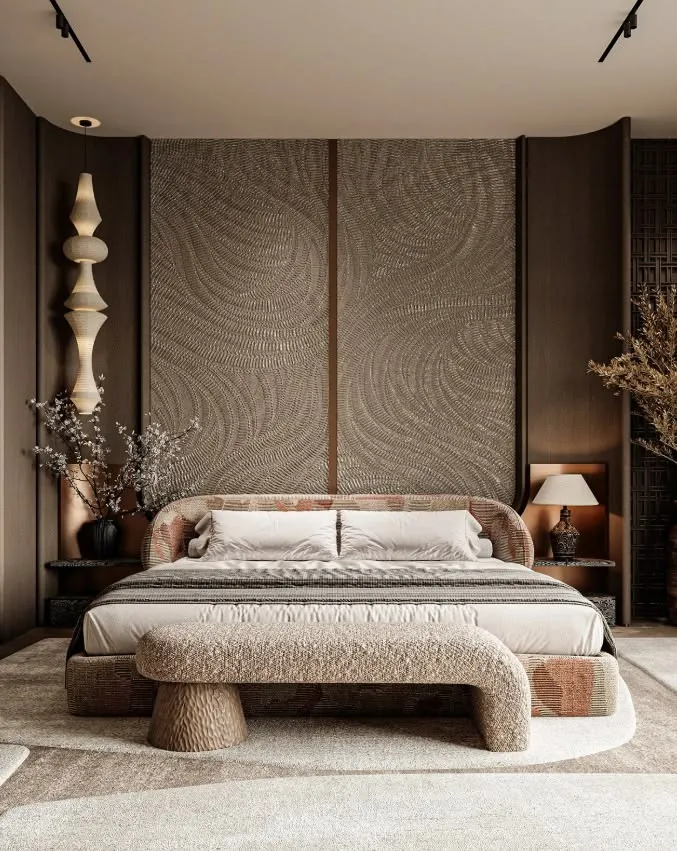
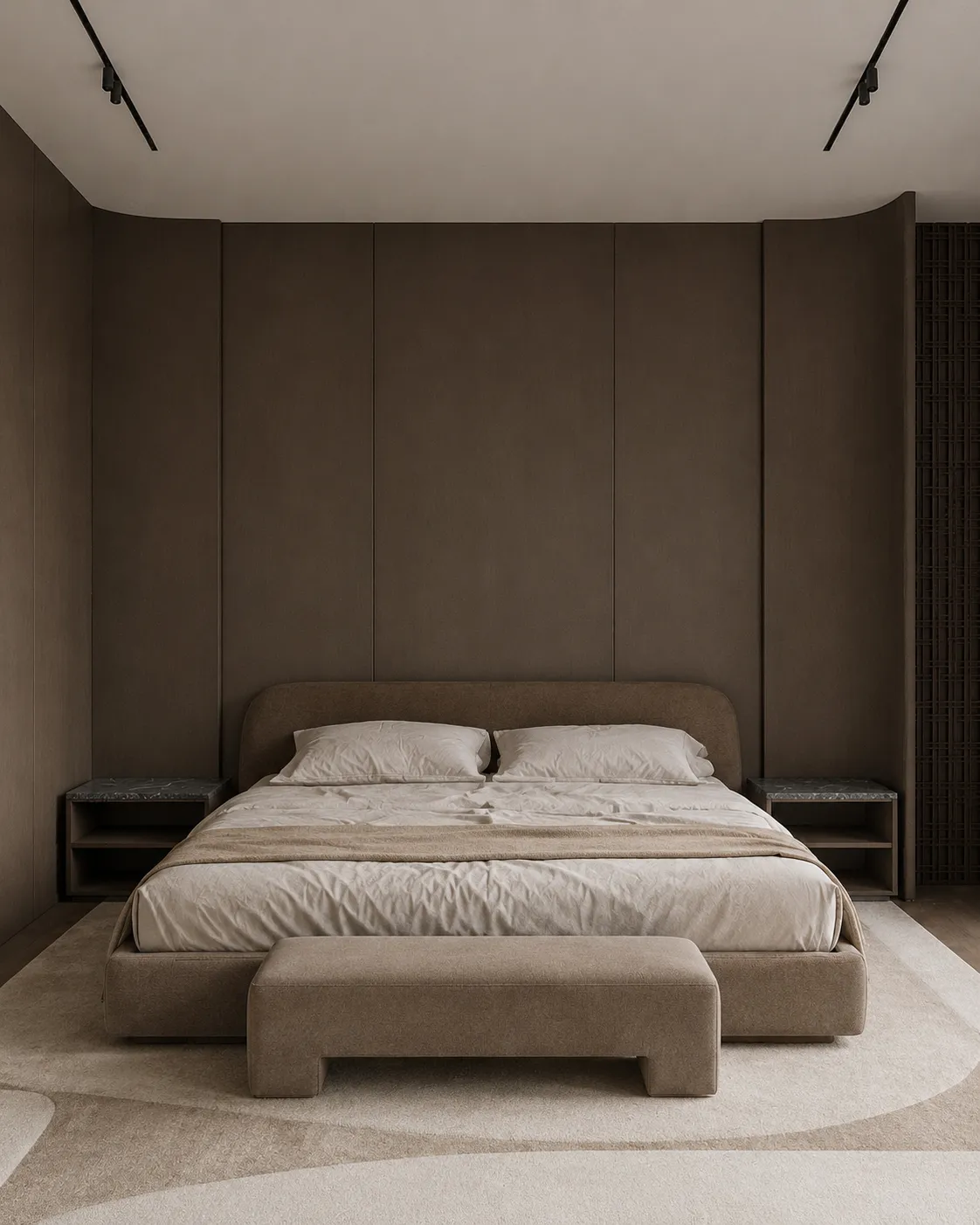
The same bedroom, restyled. Drag the handle to compare.
What it costs
| Quality | Credits per image | Cost on the $29 plan | Time |
|---|---|---|---|
| Fast | 10 | $0.29 | About 30 seconds |
| Ultra | 30 | $0.87 | Longer — heavier engine |
Prices exclude tax. A new account starts with 100 credits — three renders — with no card. Plans and credit packs.
How interior designers use Archome
1. Shoot the space on the site visit
One phone photo per room, from the doorway or the corner, lights on — occupied, empty or mid-strip-out. That JPEG or HEIC is the whole input; it is converted and normalised to 2048px on the long edge automatically, so nothing else is asked of you.
2. Direct it like a brief, one variable at a time
Interior AI takes your language ("japandi, pale oak, linen, unlacquered brass, warm 2700K") and returns one finished image in about 30 seconds — 10 credits on Fast, 30 on Ultra. When only one surface is in question, Material Swap changes that surface and leaves the rest of the frame alone (20 credits Fast). Empty room? The same tool furnishes it.
3. Present the set, close the decision
Three directions per room is a presentation, and it costs 30 credits — under 50 cents on the $49 plan. Upscale the approved image to 4K for the printed board, then hold that frame as the reference your spec, joinery drawings and procurement all point back to.
What you get
- Room geometry held fixed — the client sees THEIR room, restyled
- One photo in, one presentation-grade image out in about 30 seconds
- Material Swap for single-surface decisions; Inpainting to fix one bad region
- Furnish empty rooms; 4K upscale for printed boards and portfolios
- A three-direction concept set costs 30 credits — under $0.50 on the $49 plan
- Full commercial licence on any paid plan — bill the render as part of the concept fee
- Runs in the browser, so the render happens on the site visit, not back at the studio
Honest limits, including how revisions really work: the model re-rolls, it does not edit a delivered image. When the client says "same but the sofa in green", do not re-prompt the whole room — the second render will quietly change other things too. Use Material Swap on the one finish, or mask the broken detail with Inpainting; re-render the full frame only when the direction itself changed. There is no seed, so an image cannot be regenerated later: download and archive every approved frame. Measured on live runs (3,129 completed generations, 12 Aug-10 Sep): half of all jobs finish on the first attempt and the median is one, though roughly a fifth take three. Budget for a second pass on a presentation image rather than assuming it, and check each result against the site photo before it reaches the client — geometry is held, not guaranteed. And the render stops where your craft starts: it does not move walls, produce a lighting plan, size a joinery run, or confirm that the chair in the picture exists at a supplier. It closes the "can you show me?" gap; the specification is still yours.
Start here
Compare us honestly
Choosing between tools? We keep honest side-by-sides — including when a competitor is the better fit: vs Veras, vs Gendo, vs D5 Render — or the full comparison index.
Questions professionals ask
Will the room still look like my client's actual room?
Yes — layout, walls, windows and camera are held on every restyle. That is the whole difference from consumer makeover apps: the output is recognisably the same space with new materials and furnishing. Put the two side by side before you present; on a clean, straight photo the match is the reason this works in a client meeting.
The client wants one change. How do revisions work?
Single finish, single surface — Material Swap: the floor, the wall, the cabinet fronts change and the rest of the frame stays put (20 credits). One broken detail — Inpainting on that region only (30 credits). A genuinely new direction — a fresh render (10-30 credits, about 30 seconds). What you should not do is re-prompt the whole room for a small change and expect only that change; that is not how the model works, and comparing an old and a new full render will confuse the client.
What does a client presentation cost me?
Four rooms, three directions each, is 12 renders — 120 credits on Fast, about $2 of a $49 Plus plan (3,000 credits), or roughly $6 if you run the whole set on Ultra. Lite is $29 for 1,000 credits. Against a modeller's day rate for the same set, the arithmetic is not a close call.
What is actually in the free account?
100 credits, no card. On the free tier every render bills at a flat 30 credits and the Ultra engine is reserved for paid plans, so that is three images — enough to run one real room from a live project through it and judge the output on your own work rather than a demo photo. It is a test, not a workflow; if it holds up, the paid plans are where the work happens.
Can I charge clients for these renders?
On any paid plan, yes — full commercial licence, no watermark. Designers fold them into the concept fee, the presentation package and staging collaborations. The free tier is evaluation and personal use only.
Test it on a real project.
100 credits when you sign up — three renders on the free tier. No card required.
Start free →