Redraw Alternative: No Subscription, CAD Plugins
Two architect-first render tools: a coin subscription, versus credits you can buy once.
Last updated: 9 October 2026
Archome AI vs Redraw: the short answer
For most buyers, Archome AI is the better pick over Redraw: 14 tools in one account, about 30 seconds per render, and 3 free renders to prove it on your own project.
- —14 tools on one credit balance: interior, exterior, virtual staging, sketch to render, floor plan to 3D, masterplan, video and more, instead of a separate subscription per job.
- —A clear unit cost: a Fast render is 10 credits, so Lite at $29/mo is 100 renders (about $0.29 each).
- —No subscription required: one-time packs from $15 for 50 renders, valid for 12 months.
- —A commercial licence on every paid plan, free SketchUp, 3ds Max and Rhino plugins, and rendering from inside ChatGPT.
What Redraw is
Redraw (redraw.pro) is a cloud AI rendering platform for architects and interior designers: you upload a screenshot of a SketchUp, Revit or ArchiCAD scene and get a photorealistic render back in under 30 seconds, without writing a prompt. As of 13 Nov 2026 its own site also lists a brush tool for local edits, reference-image style matching, multi-angle rendering, image-to-video, upscaling to 4K or 8K, an idea generator, a SketchUp plugin and access to outside image models.
It is sold as a monthly coin subscription — Basic $15, Expert $32 and Business Elite $92 per month on its pricing page (13 Nov 2026) — with every tool on every plan and the coin count as the only difference.
Where Archome AI differs
Archome AI does the same screenshot-to-render job and lets you pay without a subscription: credit packs from $15 (500 credits) to $99 (5,000 credits), valid for 12 months, alongside the $29/mo plan. For a practice that renders in bursts around deadlines, that avoids paying for idle months.
It also sends viewports straight from free SketchUp, Rhino and 3ds Max plugins, keeps walls, openings and camera fixed rather than reimagined, and adds Materia — a material analysis that names finishes with RAL and Pantone estimates plus links to find them.
What Archome AI produces
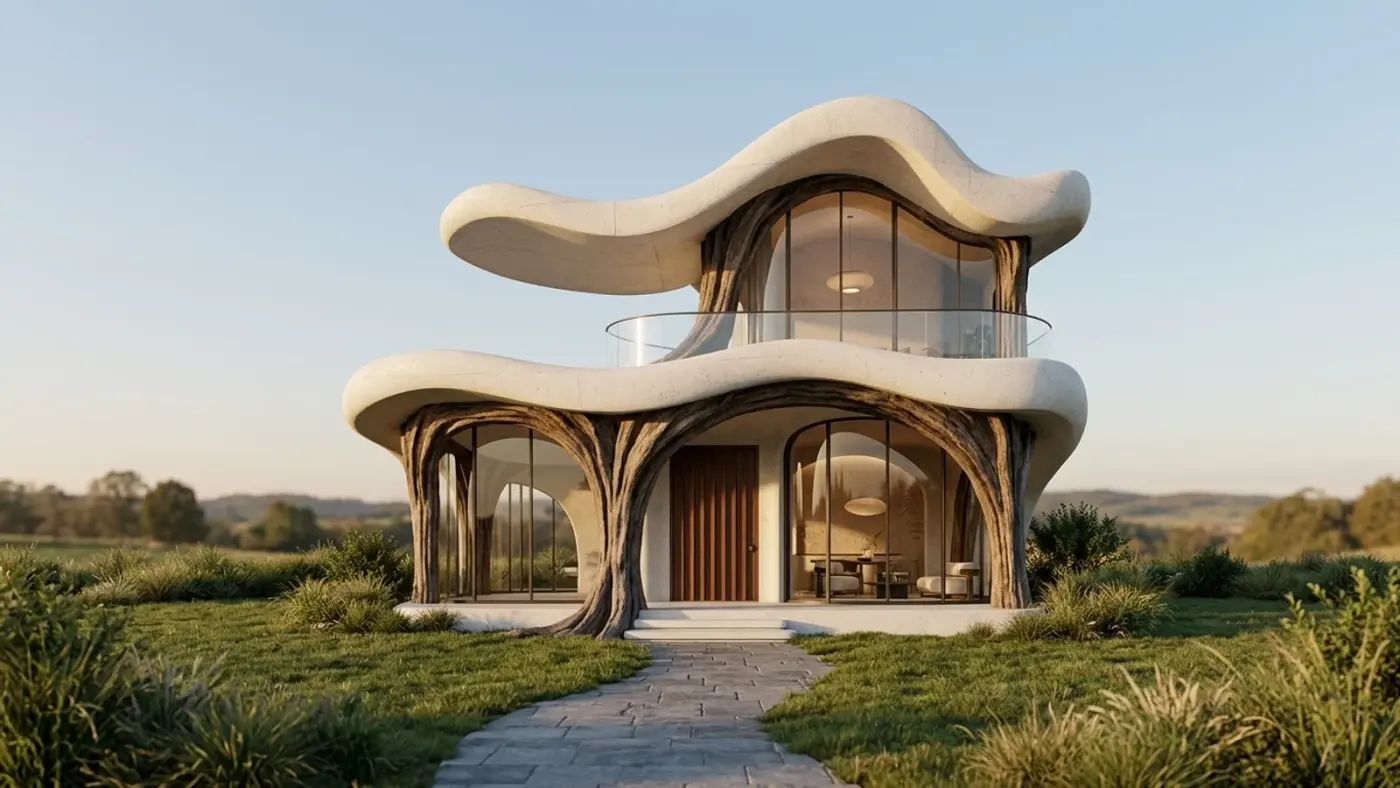
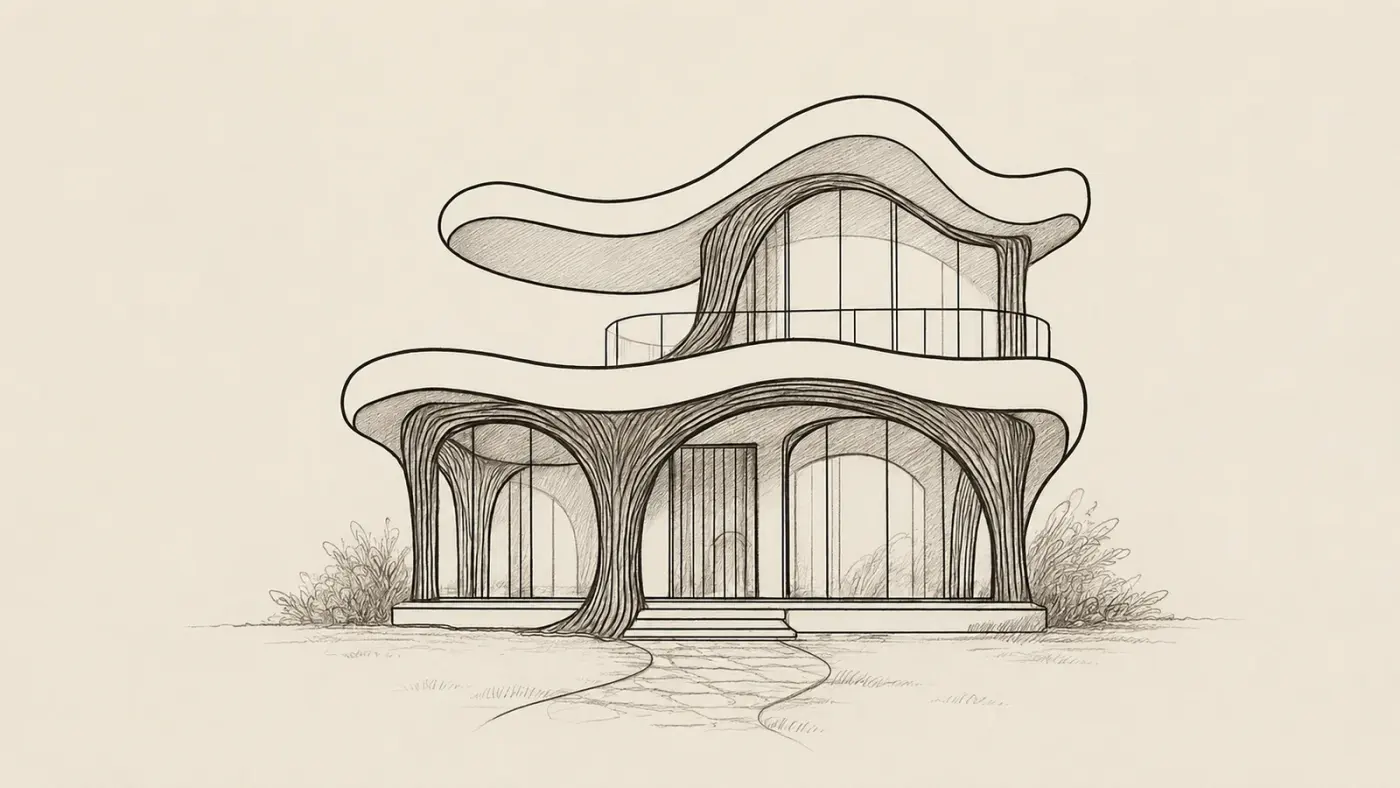
A sketch, rendered with Archome. Demonstration image \u2014 drag the handle to compare.
Side by side
| Redraw | Archome AI | |
|---|---|---|
| Render from a 3D screenshot | Core feature (SketchUp, Revit, ArchiCAD) | Core feature — geometry preserved |
| CAD plugins | SketchUp plugin listed on their site (13 Nov 2026) | Free SketchUp, Rhino and 3ds Max plugins |
| Local edits | Brush tool | Inpainting and material swap |
| Video output | Image-to-video | Video clip and downloadable GLB |
| Photo-based interior and exterior redesign | Not the focus of their site | Dedicated interior, exterior and virtual staging modes |
| Material identification | Not listed on their site (13 Nov 2026) | Materia — RAL/Pantone estimates + sourcing links |
| Buy without a subscription | Not listed — monthly or yearly plans | Packs from $15 to $99, valid 12 months |
Pricing and features change — check Redraw's own site for their current plans. This page compares how the two approaches work, not this week's price list.
Price, render time & licence
| Redraw | Archome AI | |
|---|---|---|
| Starting price | $15/mo Basic (600 coins), $32/mo Expert, $92/mo Business Elite — their pricing page, 13 Nov 2026 | $29/mo (Lite), or free to start |
| Buy without a subscription | Not listed on their pricing page | Packs from $15 (500 credits / 50 renders) to $99 (5,000 credits / 500 renders), no subscription, valid 12 months |
| Render time | Under 30 seconds, queue up to 40 seconds on paid plans | About 30 seconds per image, rendered in the cloud |
| Free trial | 10 coins, no card | 100 credits once at signup (3 renders), no card, does not renew |
Redraw's prices change — confirm current numbers on their own pricing page before you buy.
Where Redraw holds its own
On price per render, Redraw is hard to beat if you render every week: its own pricing table counts about 300 renders a month on the $15 Basic plan and 1,000 on the $32 Expert plan. It also bundles outside image models and a large tutorial academy, and its Black Friday offer (up to 20% off, 16–30 Nov 2026) makes the yearly plan cheaper still.
Choose Archome AI if
- —You render in bursts and would rather buy a pack once than keep a subscription
- —You model in Rhino or 3ds Max and want a plugin instead of screenshots
- —You also need photo-based interior, exterior or staging work for clients
- —You want the render and a material list with RAL/Pantone estimates from one account
Choose Redraw if
- —You render every week and want the lowest price per image on a monthly plan
- —You want outside image models and a tutorial academy in the same subscription
Try sketch and screenshot to render in Archome
Upload a SketchUp, Revit or Rhino screenshot and get a render back with walls, openings and camera kept — or send it straight from the free plugin.
Compare them on your own project
Upload one photo, sketch or viewport capture and see what comes back. 100 free credits once at signup, no credit card.
Frequently asked
Is Archome AI better than Redraw?+
For most buyers, yes. Archome AI puts 14 tools in one account, returns a render in about 30 seconds, and costs about $0.29 per render on Lite ($29/mo for 100 renders) or $15 one-time for 50 renders with no subscription, with a commercial licence on every paid plan. You can try it with 3 free renders, no card. Where Redraw still wins: you render every week and want the lowest price per image on a monthly plan.
What is Redraw AI?+
Redraw (redraw.pro) is an AI rendering platform for architects: upload a screenshot of a SketchUp, Revit or ArchiCAD scene and it returns a photorealistic render in under 30 seconds. As of 13 Nov 2026 it is sold as a monthly coin subscription from $15 a month.
Is Archome AI cheaper than Redraw?+
Not per render on a busy month — Redraw's Basic plan counts about 300 renders for $15. Archome AI is cheaper when you render occasionally: a $15 pack (50 renders) has no subscription and stays valid for 12 months.
Does Archome AI work from SketchUp, Rhino or 3ds Max?+
Yes — free plugins send the viewport directly, and any screenshot can be uploaded to sketch-to-render. Walls, openings and camera stay where they are in the model.
Is Archome AI free to try against Redraw?+
There is a trial, not a free tier. A new account gets 100 credits once, with no card. Every free render costs 30 credits and runs on the Fast engine (Ultra is for paid plans), so the trial is three renders in total and it does not renew — enough to judge output on your own project rather than on marketing samples. Anything you publish — an MLS listing, a portal, a client presentation, marketing — needs a paid plan, which carries the commercial licence.
Can I use the renders commercially?+
On any paid plan, yes — files carry a full commercial licence. Free-plan renders are intended for evaluation and personal use.
What should I actually compare?+
Run the same input through both tools and zoom in on the parts that matter: did the window count change, is the wall line still straight, are the proportions still yours? Marketing pages do not settle this — a side-by-side on your own photo does.
Keep reading
Looking for a profession-specific breakdown? See Archome for architects, interior designers, architecture firms and visualization studios — or the plain-english guide to choosing AI rendering software.
Redraw is a trademark of its respective owner. Archome AI is not affiliated with, endorsed by or sponsored by Redraw. Competitor details are based on their public pages as of the date above.