Midjourney for Architecture: Strengths & Limits
· Updated · 10 min read
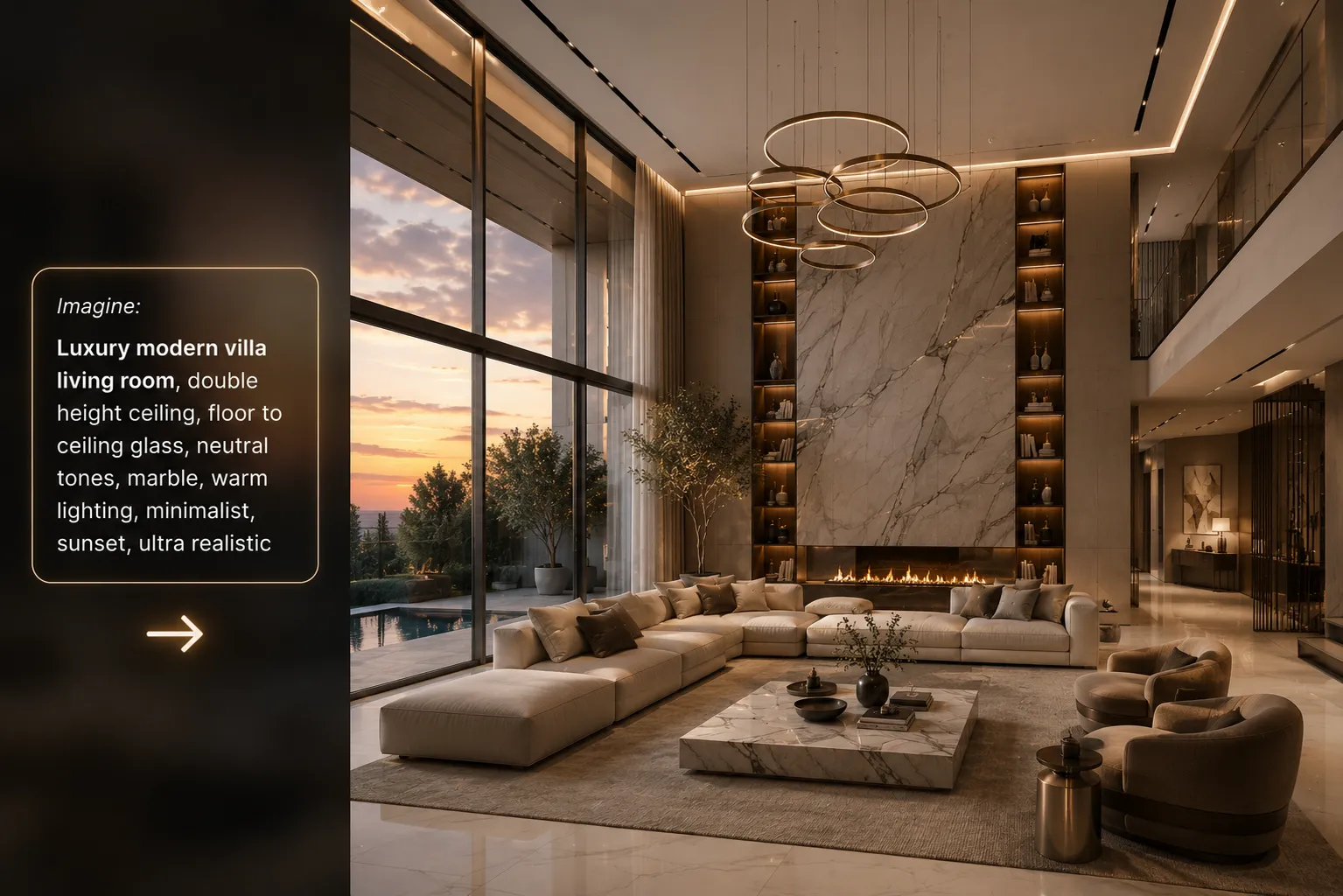
Midjourney is the tool that convinced the industry AI imagery was real — and plenty of architects still keep a subscription. But if you've ever tried to get it to render your building, you know the frustration. Here's a clear-eyed look at where Midjourney fits an architectural workflow in 2026, and where a dedicated tool takes over.
What Midjourney is genuinely great at
- Mood and atmosphere. Nothing produces more evocative concept imagery from a text prompt.
- Competition boards and ideation. When the brief is “what could this feel like?”, it's a fantastic divergent-thinking machine.
- Style exploration. Material moods, lighting studies, art direction for a project's visual identity.
Where it breaks for architectural work
- It won't follow your design. Feed it your sketch and it produces a building — not your building. Proportions, openings and massing drift.
- No camera control from a model. You can't hold the exact viewpoint you set up in SketchUp or Revit.
- No surgical edits. Changing just the flooring or just one wall means re-rolling the whole image and hoping.
The dedicated-tool workflow
Architecture-specific AI tools invert the priority: your geometry leads, the AI adds realism. Sketch to Render keeps your linework and composition; Interior AI restyles a real room photo without moving the walls; Inpainting edits only the region you mask; Imagine AI covers the text-to-scene use case with architectural training. And when the deliverable is moving imagery, Video Creator turns the final render into a walkthrough.
Midjourney vs Imagine AI: two takes on text-to-image
The closest like-for-like comparison is Midjourney against a text-to-scene tool trained on architecture. Both start from a written prompt and invent the building — neither is preserving an existing design — so the difference is not workflow but what the model has learned.
Midjourney optimises for beauty. It will give you a facade that reads gorgeously and, on inspection, has columns that do not land on anything, a roof that meets the wall in a way no detail could resolve, and a window rhythm that changes halfway across the elevation. For a mood board this is irrelevant. For an image a client might mistake for a proposal, it is a problem.
Imagine AI rendering works the other way round: the model is tuned on architectural imagery, so buildable logic — structural rhythm, plausible detailing, realistic material behaviour — survives the generation more often. The images are less painterly than Midjourney's best output, and that is the deliberate trade. You can run the same prompt through Imagine AI and compare directly; the difference shows up fastest on facades and structural elements, where Midjourney tends to prioritise composition over construction.
Neither one preserves your geometry. If that is what you need, both are the wrong tool and sketch to render is the right one.
Midjourney vs an architecture AI rendering tool
| Midjourney | Architecture AI rendering tool | |
| Starts from | A text prompt | Your sketch, photo, plan or viewport |
| Preserves your design | No — it invents a building | Yes — geometry and camera hold |
| Camera control | Described, not set | Inherited from your input image |
| Editing one region | Re-roll the whole image | Mask it and inpaint |
| Interior from a real room photo | Not the use case | Core tool |
| Best at | Mood, atmosphere, concept art | Client-facing images of the real project |
What each one costs you
Midjourney is a separate subscription billed on generation time, and it is priced for volume image-making rather than per project. That is fair value if you are generating hundreds of mood images a month; it is poor value if you need six client renders and nothing else.
The architecture-side maths is different because the unit is a render, not GPU minutes. Archome gives every account 100 free credits to start with no card — enough for three images on the free tier — and paid plans run $29/mo (1,000 credits), $49/mo (3,000) and $119/mo (10,000). A sketch-to-render costs 15 credits on Fast and 45 on Ultra, so a plan maps fairly directly onto "how many client images do I ship a month". One-time packs ($15, $39, $99) suit practices whose work is lumpy rather than steady. See the full pricing breakdown.
Plenty of studios pay for both, and that is a defensible call — they are not competing for the same job.
A practical Midjourney architecture workflow
The teams getting real value from Midjourney don't ask it to render the project — they use it as the front end of a two-tool pipeline:
- Diverge in Midjourney. Generate 20–30 mood images around the brief: materials, light, atmosphere, era. Pin the three that feel right.
- Extract the direction. Reduce each pinned image to a short material-and-light description — "travertine, bronze mullions, low warm sun" — that's your prompt, not the image itself.
- Apply it to your design. Upload your actual sketch, viewport export or site photo to Sketch to Render (or Exterior AI for facades) with that prompt. Your geometry, openings and camera stay fixed; only the mood transfers.
- Finish at 4K. Enhance the winning render for print or client boards.
Midjourney sets the direction; the architecture-specific tool makes it true to the drawings.
Midjourney architecture prompts for architects
Good midjourney architecture prompts for architects front-load the material, light and framing, not the building type. A vague prompt like “modern house” drifts fast; a prompt built like a shot list holds together across variations. Four starting points worth stealing:
- Mood board: "raw concrete facade, blackened steel mullions, low autumn sun, long shadows, architectural photography, 35mm"
- Material study: "travertine cladding, bronze trims, soft overcast light, minimalist detailing, close-up texture"
- Interior mood: "warm oak flooring, linen drapery, midday light through tall windows, quiet luxury interior"
- Landscape context: "timber-clad pavilion, moss and native planting, misty morning, Nordic minimalism"
Treat the output as a mood reference, not a final image — then carry the same material-and-light language into Sketch to Render on your actual drawing, where it applies to real geometry instead of an invented one.
Verdict
Keep Midjourney for what it's best at — pre-design mood work. The moment a client, a sketch or a real site enters the picture, switch to a tool that respects your geometry. You can test the whole Archome toolkit free (100 credits to start) and keep both in the drawer.
FAQ
Is Midjourney good for architecture? Midjourney is outstanding for atmosphere, mood boards and early concept imagery — few tools match its aesthetic range. It is not built to render your design: it generates a new building from a description rather than preserving the geometry of a model or sketch you already have.
What is the best Midjourney workflow for architects? Use it where invention helps and precision does not matter: mood boards, competition atmosphere, material and style exploration, early client conversations. Then switch to a geometry-preserving tool for anything that has to match the actual project, and keep the Midjourney images as reference for the style prompt.
Can Midjourney render my SketchUp or Revit model? Not reliably. You can feed it a viewport image, but it treats that image as inspiration and will move walls, change window counts and reinterpret the massing. For an accurate render of your own model, use a tool designed to hold the input geometry — that is what sketch-to-render and the viewport tools are for.
Midjourney vs dedicated AI architecture rendering — which should I use? They solve different problems and many practices use both. Midjourney for open-ended visual exploration; a dedicated architectural renderer for client-facing images of the real design, floor-plan views, interior restyling and deliverables where the building must stay itself.
Is there a free way to try architectural AI rendering? Yes — Archome AI includes 100 free credits to start with no credit card, so you can run your own sketch or viewport capture through it and compare the result with a Midjourney render of the same brief.
What is Imagine AI rendering and how does it differ from Midjourney? Imagine AI is a text-to-scene renderer trained specifically on architectural imagery, so a written prompt produces a building whose structure, detailing and materials tend to hold up under scrutiny. Midjourney is trained across all visual domains and optimises for aesthetic impact, which is why its architecture is more beautiful and less buildable. Both invent the building from text; neither renders a design you already have.
Which AI rendering tool should an architecture practice actually buy? Start from your input, not the brand. If you begin from sketches or CAD exports, you need a geometry-preserving renderer. If you restyle photos of existing spaces, you need a photo-based interior or exterior tool. If you only ever need atmosphere for competition boards, a general image model is genuinely enough. The 2026 comparison of nine AI rendering tools maps products onto those cases.
Can I use Midjourney images for a client presentation? Check Midjourney's current terms for your subscription tier, and be careful about a second risk that has nothing to do with licensing: a Midjourney image of "your" project is not your project. Clients anchor hard on the first image they see, and walking them back from a building that cannot be built is an expensive conversation. Use it for mood, label it as mood.