
AI Exterior Design: Restyle Facades from a Photo
5 min read
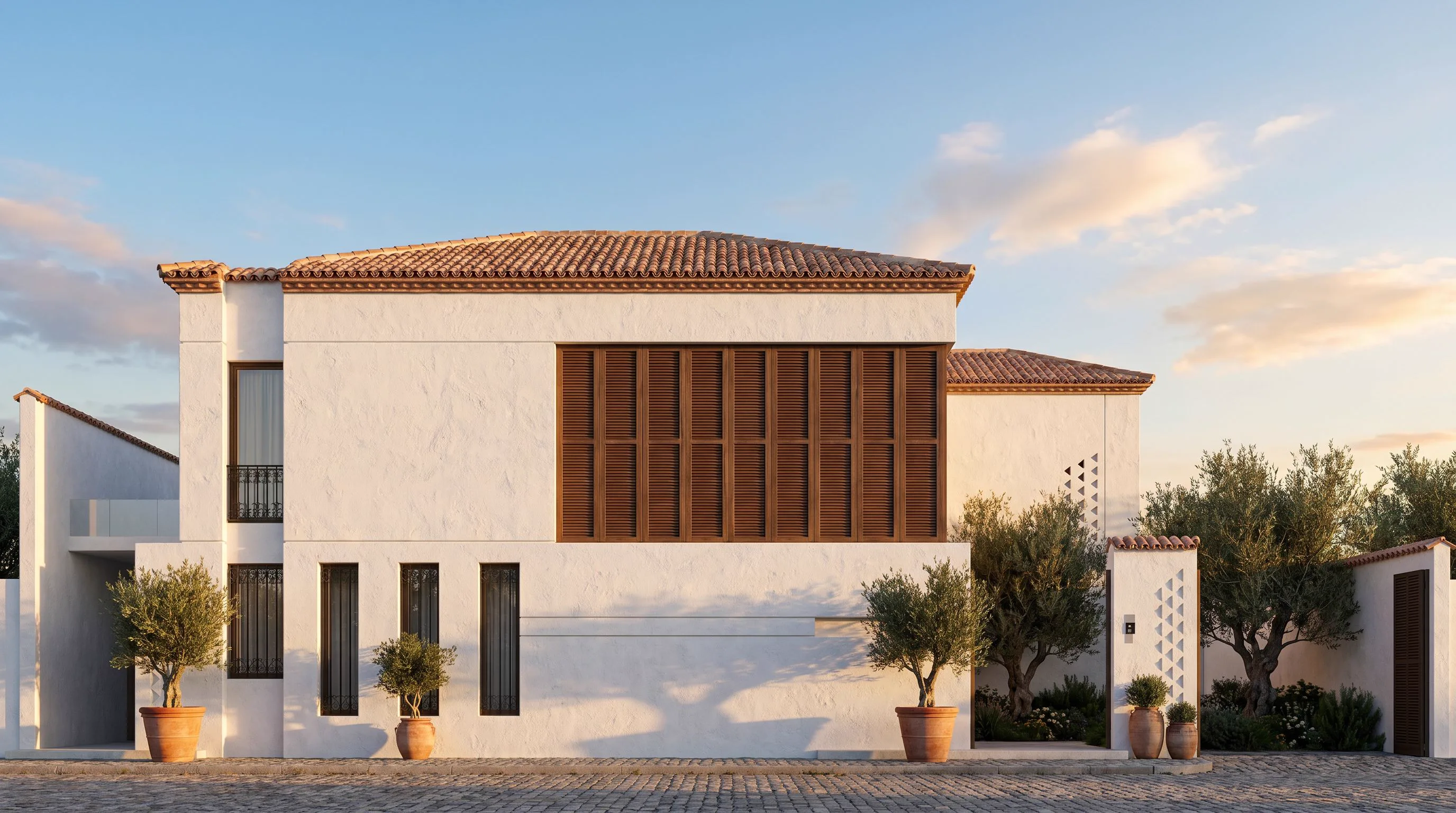
Comparing facade options used to mean re-modelling and re-rendering each variation. With AI exterior design you upload one photo of a building and restyle it — materials, colours, landscaping, even the mood of the light — in seconds, while the structure stays exactly where it is.
What it’s good for
- Architects pitching facade options to a client in a single meeting.
- Developers visualising a renovation or repaint before spending a cent.
- Agents showing the renovation potential of a tired property.
How to get a clean result
- Upload a straight-on photo of the building or elevation.
- Pick a facade style — modern villa, Mediterranean, contemporary, classical, urban tower — or write your own.
- Generate several options and compare materials side by side.
- Be specific: “white render, timber slats, bronze window frames, dusk lighting” gives a far better result than “make it modern”.
Keep the building, change the skin
The model preserves proportions and openings, so what you get reads as the same building in a new material language — perfect for comparing directions without committing to a full 3D model.
Try it on a building photo now: open Exterior AI.
Design ideas
Minimalist KitchenMinimalist Dining RoomMinimalist RestaurantLuxury KitchenLuxury Dining RoomLuxury RestaurantAll ideas