
AI Garden Design: Reimagine Any Yard in Seconds
· 4 min read
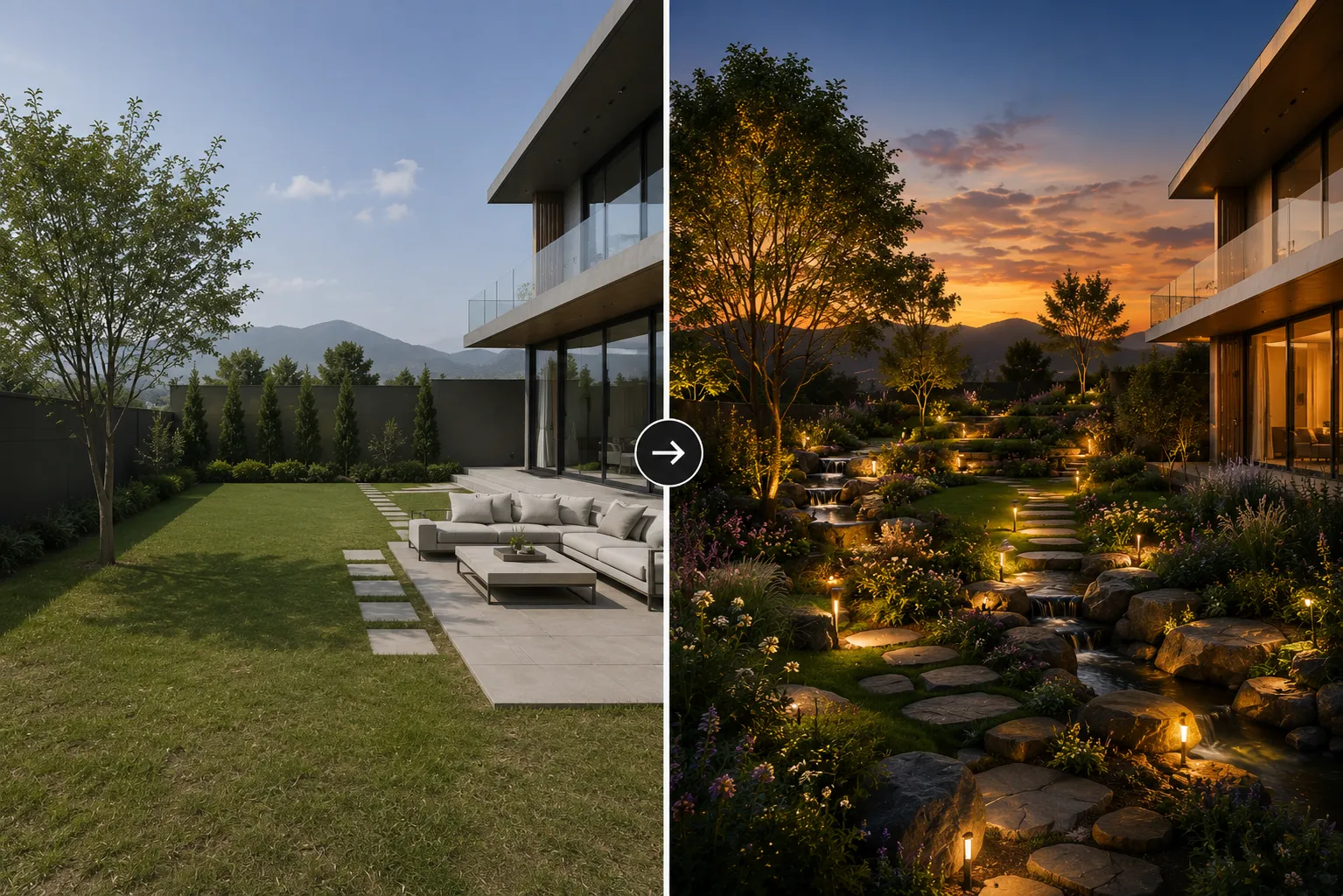
A garden makeover used to mean weeks of mood boards, plant lists and hand sketches before a client could actually see the result. AI collapses that into seconds: upload one photo of your yard, describe the direction you want, and get a photorealistic redesign of the same garden — different planting, paving, furniture and lighting, same layout and boundaries.
How it works
The model reads the structure of your outdoor space — fence lines, existing trees, hardscape, the shape of the lawn — and keeps that geometry intact while reimagining everything on top of it: plant beds, paving materials, seating, lighting and even the mood of the light. The result reads as a photo of your actual garden, redesigned.
Who uses it
- Landscape designers pitching planting and layout concepts before ordering a single plant.
- Homeowners testing a patio, pergola or planting scheme before committing to a contractor.
- Real-estate agents showing the potential of an overgrown or neglected yard.
- Architects extending an exterior design into the surrounding landscape.
Getting a garden style that actually works
Presets — Mediterranean, cottage, modern minimalist, tropical, xeriscape — get you most of the way there fast. For a result that feels specific to your space, add detail to the prompt: the plants you want by name, the paving material, and the season or light. "Drought-tolerant native planting, gravel path, corten steel edging, late afternoon light" beats "make it nice" every time.
From photo to finished concept
- Upload a clear daytime photo of the garden or yard, taken from a normal eye-level angle.
- Pick a style preset or write your own description of planting, materials and mood.
- Generate a few alternatives and compare them side by side.
- Found the one you like? Upscale it for a client presentation or print board.
Tips for cleaner results
- Shoot the photo straight-on rather than from a steep angle — the AI reads flat ground and boundaries more reliably.
- Keep existing structures you want to preserve visible in the frame: a wall, a mature tree, a pool edge.
- Describe hardscape and softscape separately in the prompt — paving material first, then planting — for more predictable results.
Garden design fits the bigger picture
A yard rarely exists in isolation. If you are also restyling the building itself, pair a garden redesign with Exterior AI to update the facade in the same session — our guide on AI exterior design covers that workflow in more detail. For front-of-house work specifically, the same tool handles curb-facing planting and paving just as well as a back garden. If the material direction you're testing is specifically contemporary — two or three honest materials, large glazing, minimal trim — the contemporary house exterior guide covers testing that look on the same photo.
Ready to see your own yard redesigned? Open Landscape AI and upload a photo — your first renders are free.