
AI Villa Design: Restyle a Villa in Seconds
· 5 min read
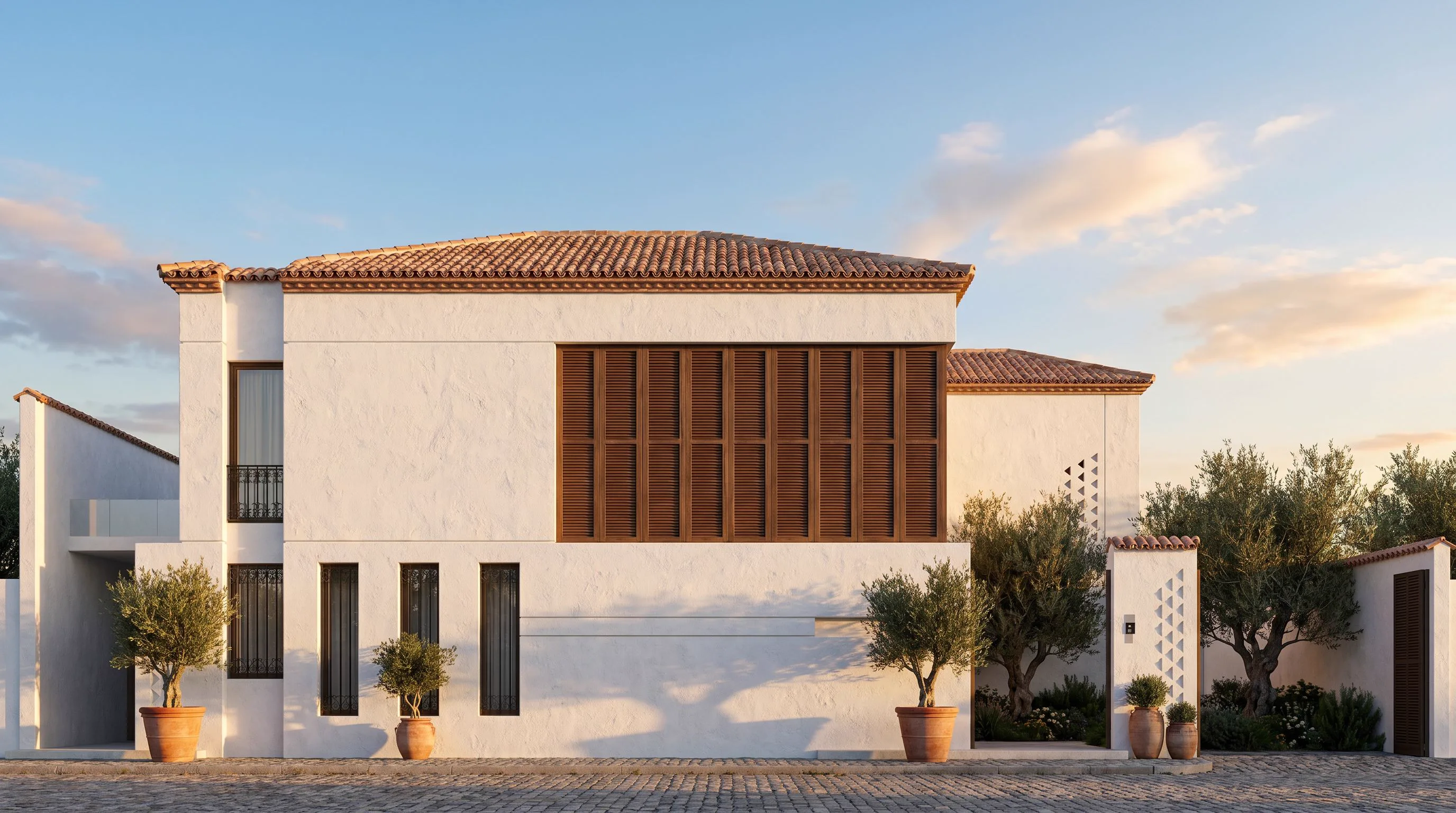
A villa is a bigger bet than a single-family facade repaint — more elevations, a pool or garden that has to read as one composition with the building, and a client who usually wants to see two or three completely different directions before committing to any of them. Modelling and rendering each direction the traditional way costs days per option. AI collapses that to seconds: upload one photo of the villa and see it restyled — massing kept, materials and mood changed — before a single wall gets built or repainted.
Why villas need a different approach than a single facade
A house facade guide mostly asks "what color, what cladding". A villa render has to account for more: a long elevation with several volumes, an entry sequence, a pool deck or terrace that sits in the same frame as the building, and often a second or third elevation the client will ask about next. Getting one wall right is not the same job as getting a whole property to read as one coherent design — the roofline, the material palette and the landscaping all have to agree with each other.
How the AI keeps your actual villa
The model reads the real structure in your photo — massing, roofline, window and door openings, terrace and pool position — and holds that geometry fixed. What it changes is everything applied on top: facade material and color, window frames, roof finish, pergolas and shading elements, and the planting and paving around the pool or entry. The result reads as a photograph of the same property in a new material language, which is what actually lets a client or investor compare directions honestly.
Villa styles worth testing
- Modern minimal villa — flat render or micro-cement in warm white or grey, large glazing, black or bronze frames, a flat or low-pitch roof.
- Mediterranean villa — white or ochre stucco, terracotta roof tiles, arched openings and shaded loggias if the massing already supports them.
- Tropical/resort villa — timber cladding and screens, deep roof overhangs, an open connection between the interior and the pool deck.
- Contemporary stone villa — natural stone or travertine at the base, timber or render above, a restrained material palette rather than several competing textures.
Getting a usable villa render
- Upload a straight-on daytime photo of the elevation that matters most — usually the entry or the pool-facing side.
- Describe materials and mood specifically: "white micro-cement, black steel window frames, travertine base, olive trees, golden hour light".
- Generate a batch of options rather than one — villa-scale renders show more variation between runs than a single-room interior does.
- Run the same prompt language on a second elevation once you've picked a direction, so both sides of the property agree.
Mistakes that weaken a villa render
The most common one is prompting for a "luxury villa" without naming a single material — the model has no reference point for luxury beyond generic shine, while "travertine, bronze, olive trees" gives it something concrete. The second is ignoring the pool or garden in the frame: if it's visible in your photo, describe what happens to it too, or the AI will leave it looking mismatched against a restyled building. The third is testing only one elevation and assuming the rest of the property will match — run each elevation you plan to present through the same material description.
Where this fits with the rest of the property
Villa work rarely stops at the walls. For the planting and hardscape around the building, our AI garden design guide covers testing landscaping in the same photo-to-render workflow. And if you're comparing a broader set of facade directions beyond villa-specific styles, house facade design AI covers the same tool for smaller properties.
Ready to see your own villa restyled? Open Exterior AI and upload a photo — your first renders are free.