
AI Deck & Patio Design: See It Before You Build
· 5 min read
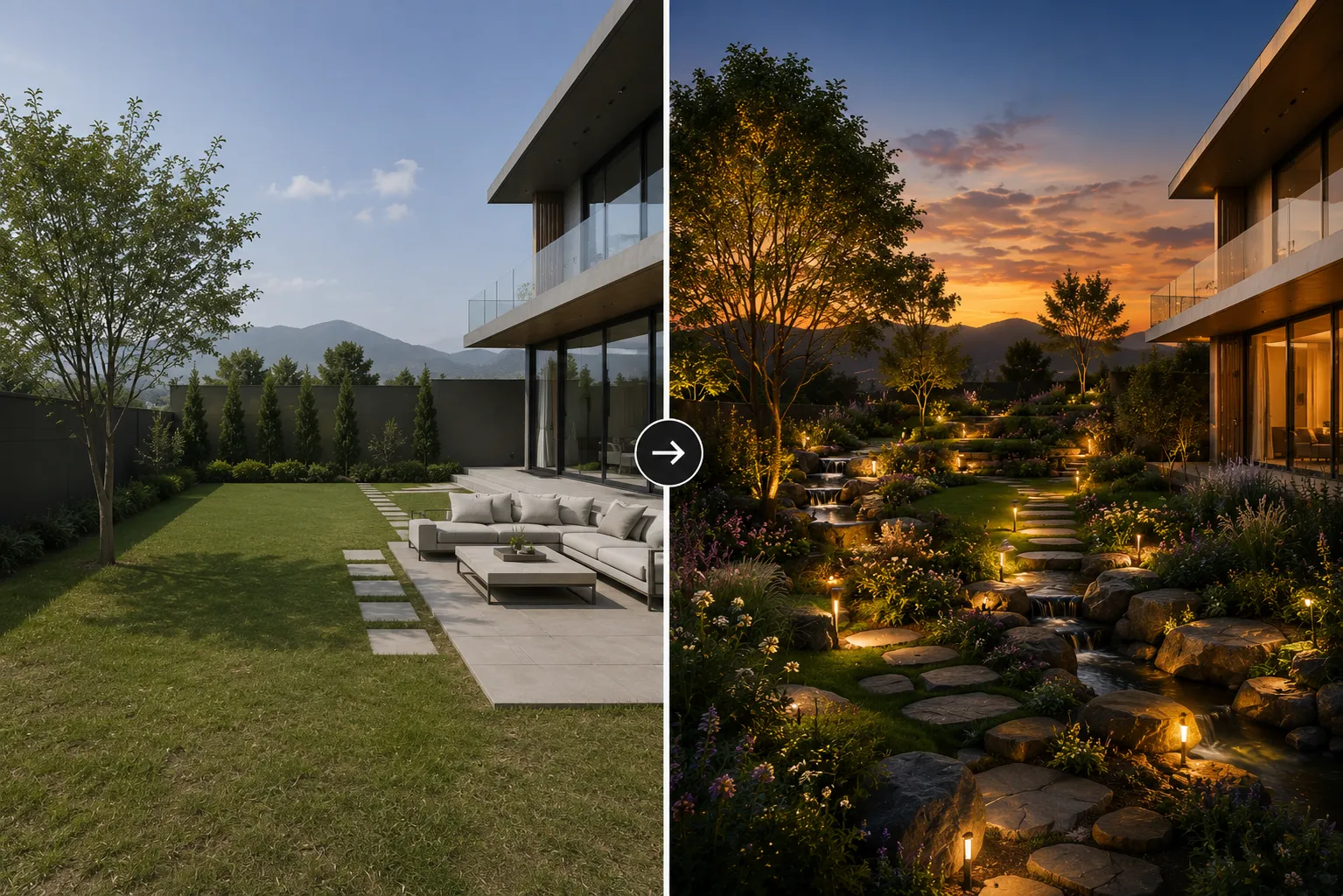
A deck or patio is one of the most expensive things a homeowner will build without ever seeing it finished first. Decking boards, pavers, a pergola frame and outdoor furniture are all bought on faith from samples and swatches. AI closes that gap: upload one photo of the space and see it rebuilt in a new material, layout or style in seconds, before a single board is ordered.
How it works
The model reads the actual structure of your outdoor space — the footprint of the deck or patio, the boundary of the house, existing steps and railings — and keeps that geometry fixed while it changes everything applied on top: decking or paving material, railing style, a pergola or shade sail, furniture, planters and lighting. The output reads as a photo of your real space, not a generic stock patio.
Who uses it
- Homeowners comparing composite decking against timber, or pavers against poured concrete, before calling a contractor.
- Landscape and outdoor-living designers pitching a pergola, fire pit or outdoor kitchen layout before a client commits.
- Real-estate agents showing the potential of a bare concrete slab or a tired deck.
- Contractors giving a client a preview to sign off on before a build starts.
Getting a deck or patio style that works
Presets — modern minimal, coastal, rustic timber, Mediterranean courtyard — get most of the way there fast. For a result specific to your space, name the materials directly: "grey-brown composite decking, black cable railing, a cedar pergola with string lights, low rattan furniture" beats "make it nice" every time. Mention the season and light too — a patio redesign reads very differently in warm evening light versus flat midday sun.
From photo to finished concept
- Upload a clear daytime photo of the deck, patio or bare slab, shot from a normal standing angle rather than straight down.
- Pick a style preset or describe your own: decking/paving material, railing or edge treatment, shade structure, furniture and lighting.
- Generate a few alternatives and compare them side by side rather than settling on the first pass.
- Found the direction you like? Upscale it for a contractor quote or a client presentation board.
Tips for cleaner results
- Shoot the photo straight-on rather than from a steep angle — the AI reads flat ground, railings and steps more reliably.
- Keep any structure you want to preserve visible in the frame: the house wall, existing steps, a boundary fence.
- Describe the hard elements (decking, paving, railing) and the soft elements (furniture, planting, lighting) separately in the prompt for more predictable results.
Common deck and patio directions worth testing
- Modern minimal — light grey composite decking, slim black cable railing, low-profile furniture, no clutter.
- Warm coastal — bleached timber decking, white outdoor sofas, woven textures, a simple shade sail.
- Rustic timber — natural wood decking and pergola posts, string lights, a fire pit as the focal point.
- Mediterranean courtyard — stone or terracotta paving, potted olive trees, a pergola with climbing vines.
The most common mistake is describing mood instead of materials — "cozy" and "upscale" give the model very little to work with, while "walnut composite decking, matte-black railing, linen cushions" gives it something concrete. The second is skipping comparisons: generate a small batch and pick between them rather than accepting the first pass, since even a well-written prompt produces meaningfully different furniture and lighting choices each time.
Deck and patio design fits the bigger picture
An outdoor living area rarely stands alone. If the planting around it needs work too, our guide on AI garden design covers redesigning the wider yard with the same tool. And if the deck or patio sits right against the house, pairing it with a facade update is worth a look — see house facade design AI for that workflow, or Exterior AI to restyle the building itself in the same session.
Ready to see your own deck or patio redesigned? Open Landscape AI and upload a photo — your first renders are free.