
AI Pool Design: See Your Pool Before You Build
· 5 min read
By Ömer Koç, Architect · Founder of Archome AI
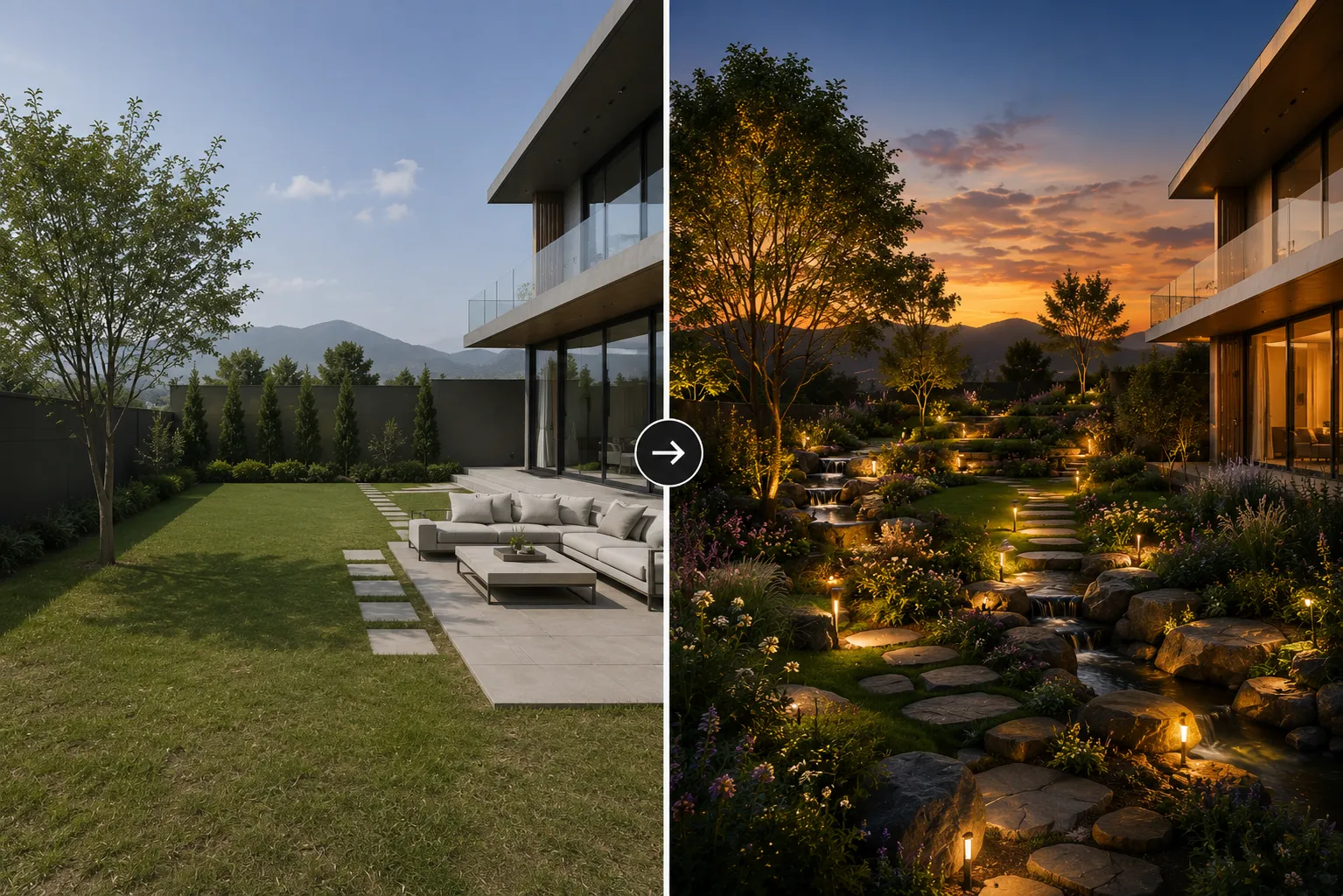
A pool is one of the largest single-line items in a backyard budget, and homeowners are usually asked to choose tile, coping and decking from small swatches long before anything is built or resurfaced. AI closes that gap: upload one photo of the pool and deck, and see the same space rebuilt in a new material, layout or style in seconds — no 3D model, no site visit, no waiting on a rendering.
How it works
The model reads the actual structure of your pool area — the water's edge, the deck footprint, existing steps, walls and any covered structures — and holds that geometry fixed while it changes everything applied on top: pool tile and interior finish, coping and decking material, fencing or glass railing, loungers and shade structures, and the surrounding planting. The output reads as a photo of your real pool, not a generic stock render.
Who uses it
- Homeowners comparing pebble finish against tile, or travertine coping against poured concrete, before calling a pool contractor.
- Pool builders and landscape designers pitching a resurface, a new deck material or an added spa before a client commits to the spend.
- Real-estate agents showing the potential of a dated or algae-stained pool ahead of a listing.
- Architects extending an exterior or backyard design to include the pool as part of one coherent composition.
Getting a pool style that works
Presets — resort modern, Mediterranean, natural/lagoon, minimalist dark-tile — get most of the way there fast. For a result specific to your space, name the materials directly: "dark pebble-finish interior, travertine coping, glass panel fencing, built-in sun shelf, string lights over the deck" beats "make it look nice" every time. Mention the time of day too — a pool reads very differently in bright midday sun versus a lit, dusk scene.
From photo to finished concept
- Upload a clear daytime photo of the pool and deck, shot from a normal standing angle rather than straight down from above.
- Pick a style preset or describe your own: pool finish, coping and decking material, fencing, shade structures, furniture and lighting.
- Generate a few alternatives and compare them side by side rather than settling on the first pass.
- Found the direction you like? Upscale it for a contractor quote or a client presentation board.
Tips for cleaner results
- Shoot the photo from the side or corner of the pool rather than directly overhead — the AI reads the water's edge and deck boundary more reliably.
- Keep anything you want to preserve visible in the frame: a retaining wall, a mature tree, the house facade behind the pool.
- Describe the hard elements (tile, coping, decking) and the soft elements (furniture, planting, lighting) separately in the prompt for more predictable results.
Common pool directions worth testing
- Resort modern — dark tile interior, large-format light stone coping, glass fencing, minimal furniture in warm neutrals.
- Mediterranean — blue-and-white mosaic tile, terracotta deck paving, potted olive trees, wrought-iron loungers.
- Natural lagoon — irregular stone edge, dark pebble finish that reads as deep water, native planting instead of a hard fence line.
- Minimalist dark — near-black interior finish, board-formed concrete deck, no visible fencing hardware, a single long bench.
The most common mistake is describing a mood instead of materials — "luxury" and "relaxing" give the model very little to work with, while "grey travertine coping, dark pebble finish, teak loungers" gives it something concrete. The second is testing only one angle and assuming the rest of the pool will match; run each view you plan to present through the same material description so the whole space reads as one design.
Pool design fits the bigger picture
A pool rarely sits in isolation from the rest of the yard. If the surrounding planting needs work too, our guide on AI garden design covers redesigning the wider landscape with the same tool, and AI deck and patio design covers the adjacent hardscape in more detail. If the house facade is part of the same view, pair a pool redesign with Exterior AI to update the building in the same session.
Ready to see your own pool redesigned? Open Landscape AI and upload a photo — your first renders are free.