
LookX AI: Free Plan, Pricing & Review (2026)
· Updated · 6 min read
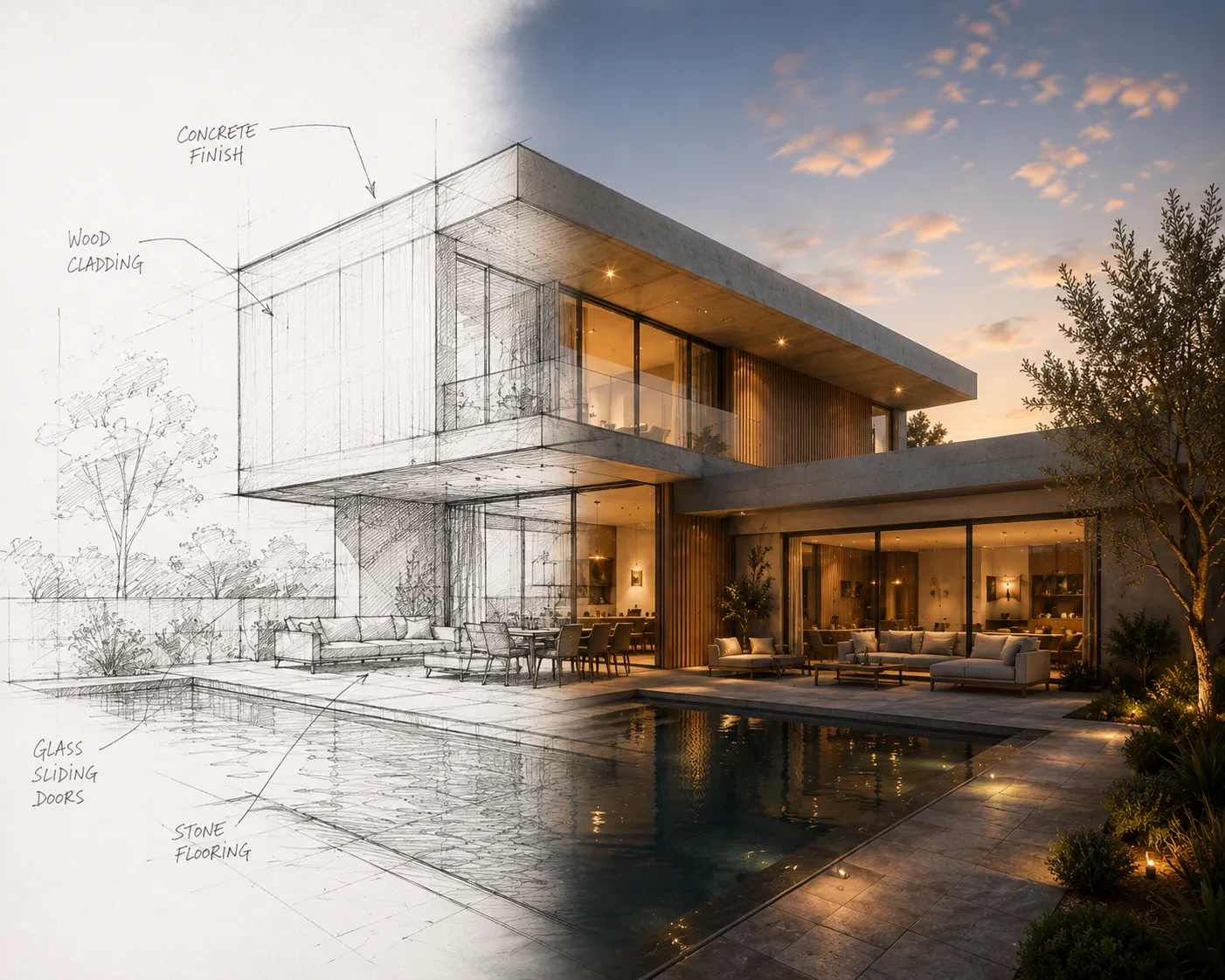
Looking for the full side-by-side? See the detailed comparison, with the feature table and pricing. This article is the longer write-up.
LookX AI is one of the newer names showing up when architects search for AI rendering tools — a platform that turns text prompts and sketches into renders, with plugins for SketchUp and Rhino and its own video-generation mode. It's a genuinely ambitious feature list for a young product. Before you commit a subscription to it, here's an honest look at what it offers, what's still unproven, and how it stacks up against a browser-first alternative.
What LookX AI gets right
- Text-to-render and sketch-to-render in one place. You can start from a written description or an actual drawing, which covers both the ideation and the concept-development stage.
- Native video generation. Turning a still image or a prompt into an animated clip is built into the product, not bolted on as an afterthought.
- SketchUp and Rhino plugins. Rendering from inside the modelling software you already use, without exporting a screenshot first, is a real workflow advantage.
- Style Adapter and custom training. Uploading reference images to steer a house style is a more advanced control than a plain preset list offers.
Where it's harder to judge
- Limited independent track record. As a newer entrant, LookX AI doesn't yet have the volume of professional reviews or case studies that older tools have accumulated — worth confirming output quality on your own project before switching your whole workflow to it.
- No browser-only free path. Paid plans start around 20 a month; there's a free trial, but not the same "no card, renders every month" free tier some browser tools offer.
- Interior-from-photo isn't the focus. The published feature set centres on text and sketch input rather than restyling an existing room or facade photo — check that against your actual source material before assuming it covers it.
Honest comparison
| LookX AI | Archome | |
| Input | Text prompt, sketch | Sketch, photo, viewport, plan, text |
| Video output | Yes, built in | Yes, cinematic walkthrough tool |
| Plugins | SketchUp, Rhino | Free SketchUp and 3ds Max plugins |
| Geometry preservation | Not independently documented yet | Preserves walls, windows and proportions |
| Tool breadth | Rendering and video | 14 tools: interior, exterior, plan, inpainting, 4K enhancer, 3D |
| Free tier | Free trial, paid from ~$20/mo | Free — 100 credits to start, no card |
LookX AI pricing in 2026
LookX runs on a credit-consumption model: a free trial to test the tool, then paid tiers that scale with render volume — pricing shown on third-party review sites can lag behind the vendor's own page, so treat any number outside LookX's current pricing page as a snapshot, not a promise. The practical question for most architects isn't the headline price, it's what you can actually learn before committing. Both tools hand out a one-time pool of free credits rather than a recurring one. Archome AI's is 100 credits granted at signup — no credit card, no countdown to a charge — which covers three renders. That is enough to answer the only question that matters at this stage: does it hold your geometry on your own project? Try it free on Interior AI or Exterior AI and see how far 100 credits actually goes.
Breaking that down in real terms: LookX's free access is a fixed pool of trial credits handed out once, meant to let you test the tool before subscribing — once it's used up, the only way forward is a paid tier. Archome AI's free allowance works the same way: 100 credits at signup, no card on file, no countdown attached. Where the two genuinely differ is what comes out. Archome's free renders carry no watermark and no resolution cap, so what you judge is what the tool actually produces — paid plans add a commercial licence rather than removing a mark from the image. That matters if you intend to decide on the basis of one honest render rather than a marked-up preview. Full plan details, including what unlocks on paid tiers, are on the Archome AI pricing page.
LookX AI pricing and free credits: the short version
For anyone comparing the two purely on cost before testing either: LookX's free access is a one-time trial pool, so continuing past it means picking a paid tier before you've finished judging output quality. Archome AI's free plan doesn't force that choice — 100 credits at signup, no card required, and no watermark on what comes back, so a real project photo or sketch can be judged on its own merits before any spending decision. The lowest-friction way to settle the pricing question for your own work is to run the same input through both free tiers rather than comparing published numbers alone: Sketch to Render and the free SketchUp plugin cost nothing to try, and neither requires a subscription to get a first result.
Who should pick which
If you specifically want native video generation and a Rhino plugin bundled with your rendering tool, and you're comfortable being an early adopter on a platform still building its reputation, LookX AI is worth trialling — its feature list is genuinely broader than most single-purpose renderers.
If you'd rather start from any real project material — a room photo, a facade shot, a hand sketch, a floor plan — and want that same account to also handle 4K upscaling, masked edits and 3D model export, a wider browser-based toolkit fits better. Sketch to Render and Video Creator cover the same two use cases LookX leads with, inside a suite that starts free.
Verdict
LookX AI's feature list — text/sketch rendering plus video plus BIM plugins — is a serious offer for a young product, and it deserves a fair trial if that exact combination is what you need. The honest caveat is simply that it hasn't had the years of professional use that separate a promising feature list from a proven one yet. Testing it against a real project brief, side by side with an established alternative, is the only way to know which holds up for your work. Curious how the wider field compares? The 2026 AI rendering tool roundup covers nine tools in depth — or just run one sketch through Archome free and judge the output yourself.
FAQ
Is LookX AI free? LookX runs on a credit model with a limited free allowance and paid tiers above it; the exact free credits change over time, so check their pricing page for today's numbers. Archome AI gives 100 free credits once at signup, with no credit card required.
Does LookX work with SketchUp? LookX is browser-based and works from images you upload, including SketchUp viewport captures. If you want the render step inside SketchUp itself, Archome AI ships a SketchUp plugin that sends the active view straight to the renderer and brings the result back — no exporting and re-uploading.
What is the main difference between LookX and Archome AI? LookX is focused on architectural image generation. Archome AI covers the wider workflow around it: exteriors, interiors, sketch-to-render, floor-plan rendering, material identification, 2D-to-3D and cinematic video from one account, plus CAD plugins.
Which produces more realistic renders? Both produce strong results and quality varies more by input than by brand — a clean sketch or a well-framed viewport beats a blurry photo everywhere. The practical test is your own project: run the same input through both on free credits and compare.
Can I switch without losing my work? Yes. These tools take standard image inputs and return standard image outputs, so there is nothing proprietary to migrate — you upload the same sketches and photos you already have.
What does LookX AI cost per month? LookX prices on a credit-consumption model with paid tiers reported to start around $20/month; exact credit counts and tier pricing are set by LookX directly, so confirm current numbers on their own pricing page before subscribing — pricing on younger products tends to change more often than on established ones.
Is LookX AI's free plan recurring, or a one-time trial? It's a free trial: once the initial credits are used, continuing requires a paid plan. Archome AI works the same way — 100 credits at signup, no card required. The difference is what the free output looks like: Archome does not watermark or downscale it, so the render you judge is the render the tool actually makes.
How many free credits does LookX AI give before I have to pay? LookX's free access is trial credits, not a recurring monthly allowance — the exact starting amount is set by LookX and can change, so check their current pricing page for today's number. Archome AI's 100 free credits are a one-time grant at signup and do not renew.
Is there a cheaper LookX AI plan for occasional use? LookX's published tiers scale with render volume rather than offering a separate low-usage plan; confirm current tier pricing directly on LookX's own site, since it's updated more often on newer products. If your rendering needs are occasional rather than constant, Archome AI's one-time 100-credit trial may cover them without a paid plan for a first test — full tiers are on the pricing page if you outgrow the free allowance.
What's the fastest way to compare LookX AI pricing and free credits against an alternative in 2026? Skip the published numbers on either side and run the same sketch or viewport through both free tiers directly — LookX's trial credits and Archome AI's 100 free signup credits both cost nothing to use. That settles the only question a price comparison can't: whether the free output is good enough to build a workflow around before either tool asks for a card.