AI Render Enhancers for Enscape, Lumion & V-Ray (2026)
· 10 min read
By Ömer Koç, Architect · Founder of Archome AI
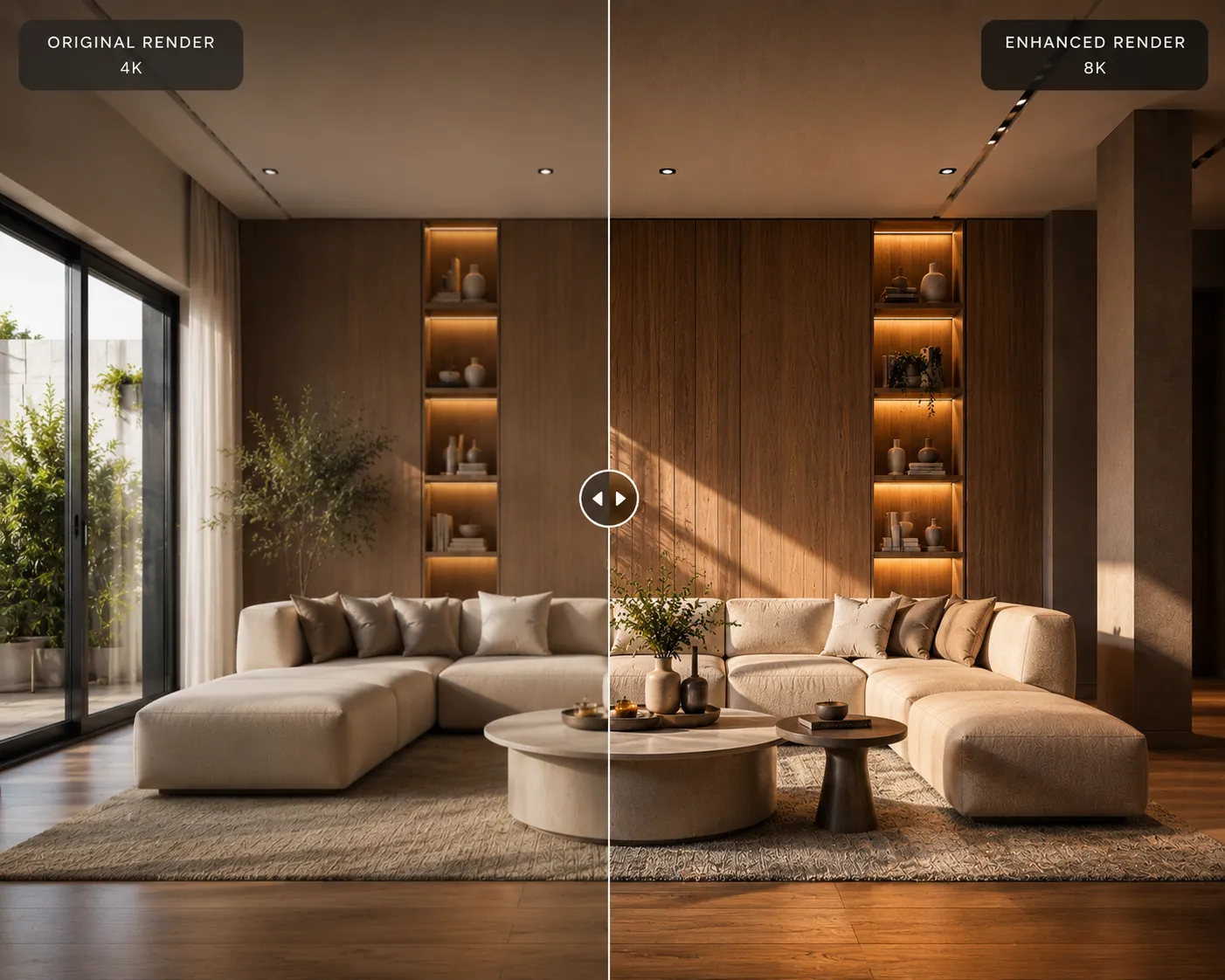
Short answer: yes — Enscape, V-Ray and Corona ship the Chaos AI Enhancer (people, vegetation and large surfaces; Enscape output capped at 2048×2048, V-Ray and Corona at 4096px on the long edge; a non-trial Chaos licence is required). Lumion's AI Enhancer is bundled free with every Lumion plan but is daily-capped with no way to buy more. D5 Render has its own cloud AI Enhancer, good up to 6K, but only on renders that had the AI Post Channel switched on at render time. Reach for an external, engine-agnostic tool when you need one workflow across more than one engine, a resolution or volume the built-in tool can't cover, or a full realism pass rather than just people and plants. Sources and read dates are in the table below.
Published: November 19, 2026. Written by Ömer Koç, architect and founder of Archome AI. Archome is our product; we flag where the built-in tool in your own engine is the right call instead.
Key takeaways
- All three major real-time engines now ship a built-in AI enhancer: Chaos AI Enhancer (Enscape, V-Ray, Corona), Lumion AI Enhancer and D5 Render's AI Post-Processing.
- Each one has a resolution ceiling, a licence or usage condition, and a different limiting factor — Enscape's output is capped well below print size, Lumion's is daily-rationed, D5's only works on renders prepared for it in advance.
- None of the built-in tools cross engines: a Lumion still can't go through Chaos's version, and D5 can't touch a V-Ray render.
- An engine-agnostic tool (Archome, mnml) takes a finished still from any of the four engines and applies the same realism or upscale pass, which is the only way to standardize a mixed-engine deliverable.
- We have not run a side-by-side test across all of these tools on the same input image. Where we have no first-hand result, this page says "documented," not "tested."
Built-in AI enhancers, documented
| Tool | Engine(s) | What it improves | Max output | Limit / cost | Licence requirement |
|---|---|---|---|---|---|
| Chaos AI Enhancer | Enscape, V-Ray, Corona | People, vegetation, large surfaces (select which elements) | 2048×2048 on Enscape; 4096px long edge on V-Ray/Corona; 512px minimum input | Chaos Credits — Chaos's own monthly AI allowances of 100 / 500 / 1,500 credits work out to roughly 5 / 25 / 75 enhanced images, "may vary" | A valid, non-trial Chaos licence (Premium and Collection trials include 100 Chaos Credits to test it) |
| Lumion AI Enhancer | Lumion, or any still you upload | Lighting, materials, people realism (FLUX [Pro] or ChatGPT Images 2 model) | 4K (keeps original resolution rather than always upscaling) | Free with every Lumion plan, but daily-limited per user plus a shared pool; resets 00:00 UTC; no way to buy more yet | Any active Lumion plan |
| D5 AI Enhancer (AI Post-Processing) | D5 Render | Lighting, materials, people, vehicles, plants (by selected region or whole image) | 6K — up to 6,200px per side | Not stated on the feature page; account needs AI feature access | Render must already have the AI Post Channel enabled — it cannot be applied after the fact to an older render |
All figures above were read directly from each vendor's own page on 19 November 2026. Chaos's own announcement is explicit that the AI Enhancer is "not a third-party solution" — it only runs on Chaos's rendering stack, which is the reason none of these three tools can touch another engine's output. We have intentionally left Enscape's own subscription price off this page: Chaos's pricing page showed us a EUR figure that conflicts with the USD numbers in our own Enscape pricing breakdown, and we won't publish a number we can't reconcile. The credit-per-image figures above come straight from Chaos's stated monthly allowances, not a conversion we did ourselves.
When the built-in pass is not enough
Four situations push a studio past the engine's own tool, in order of how often we see each come up:
- Resolution. Enscape's 2048×2048 ceiling is well under what a printed A1 board or a large-format competition panel needs. V-Ray and Corona's 4096px cap is closer, but still short of some print specs.
- Daily or monthly rationing. Lumion's shared daily pool and Chaos's monthly credit allowance both run out mid-deadline-week, with no way to buy more capacity on Lumion's side today.
- Render history. D5's AI Post Channel has to be switched on before the render is made. A finished render from last month, made without that channel, can't be enhanced after the fact — only a re-render with the channel on qualifies.
- Mixed-engine delivery. A studio handing in Enscape stills, a Lumion walkthrough frame and a V-Ray product shot in the same deliverable can't run one consistent enhancement pass across all three with any single engine's built-in tool, because each one only reads its own engine's output.
External, engine-agnostic enhancers
These tools take a finished still from any source — Enscape, Lumion, V-Ray, Corona, D5, Twinmotion, a camera photo, or a plain screenshot — rather than reading only their own engine's render.
- Archome AI (our product). There is no single "enhancer" step here — running a finished still through Exterior or Interior applies a realism pass to materials, lighting and people (10 credits per Fast pass on paid plans; on the free trial each render uses 30 of the one-time 100 credits, three renders), and Render Enhancer upscales the result up to 4× (30 credits). Both read any uploaded image regardless of which engine made it. New accounts get a one-time 100 free credits, no card.
- mnml Render Enhancer — explicitly names Lumion, Enscape, V-Ray, Twinmotion, D5 Render, Corona and SketchUp as accepted input sources (JPEG, PNG, WebP). An Enhance pass is 30 credits with free signup credits and no card; a separate step upscales to 8K. The page's own structured data lists paid tiers up to $119, without describing what each includes on that same page — check mnml.ai directly for current terms.
- MyArchitectAI Enhancer — a one-click pass with Architecture, Interior, Vegetation and People modes, free for the first 10 enhances. The page does not name a source engine restriction or a stated output resolution.
- Krea Enhancer — a general-purpose AI upscaler (not architecture-specific) that the page says can go up to 22K for images. It has a free plan; the page does not mention render engines or architectural use at all, so treat it as a generic option rather than one built for this workflow.
- Veras (Chaos) — a different category, not a post-process still enhancer: it's a live AI rendering engine that runs inside Revit, Rhino and SketchUp while you model, with an Enscape live link listed as "coming soon" on Chaos's own feature page. If the question is "render live inside my BIM tool," not "enhance a still I already made," see our full Veras comparison instead.
Cost per enhanced image
Only the figures each vendor actually publishes — nothing converted or estimated by us beyond simple arithmetic on their own stated numbers:
- Chaos AI Enhancer: no flat per-image credit cost is published; Chaos's own monthly allowances (100 / 500 / 1,500 Chaos Credits) are described as covering roughly 5 / 25 / 75 enhanced images, which works out to about 20 credits per image — Chaos's own wording is "may vary."
- Lumion AI Enhancer: currently free on every plan, so $0 per image — but capped by the daily pool rather than by spend.
- D5 AI Enhancer: no price or credit cost stated on the feature page.
- mnml Render Enhancer: 30 credits per Enhance pass; the price of those credits isn't broken out on the tool page itself.
- MyArchitectAI: free for the first 10 enhances; no price listed beyond that on the page we checked.
- Archome: 10 credits per Fast realism pass on paid plans, or 30 credits to upscale 4× — on the free trial each render uses 30 of the one-time 100 credits (three renders), no card.
Who should use which
Stay inside your engine's own enhancer if: the job starts and finishes in one engine, the output fits that engine's resolution ceiling, your usage fits the daily or monthly allowance, and all you need is a people/vegetation/material touch-up rather than a full realism or style pass.
Reach for an engine-agnostic tool if: you're mixing engines in one deliverable, you're over Enscape's 2048px ceiling or past Lumion's daily cap mid-deadline, you have an older D5 render made without the AI Post Channel, or you want a realism pass that goes beyond people and plants. Archome and mnml are both built for exactly that gap — the difference between them is mainly workflow: Archome's realism pass and 4K upscale sit on the same account as 15 other tools (material swap, video, floor-plan reading), while mnml is enhancer- and upscaler-focused with a named multi-engine input list.
FAQ
Does Enscape have an AI enhancer? Yes, through the Chaos AI Enhancer, bundled into every paid Enscape tier. Output is capped at 2048×2048, and a non-trial Chaos licence is required outside the Premium/Collection trial's 100 Chaos Credits.
Is Lumion's AI Enhancer free? Currently yes, included with every Lumion plan, but it's rationed by a daily per-user and shared pool that resets at 00:00 UTC. You can't buy additional capacity yet — Lumion's own page says a credit system is in development.
What resolution does the Chaos AI Enhancer support? Up to 2048×2048 on Enscape, and up to 4096px on the long edge on V-Ray and Corona. The minimum input is 512px on the shorter side.
Can I enhance a Lumion render outside Lumion? Yes — Lumion's own AI Enhancer accepts any JPG/PNG still, not only Lumion output, and so do engine-agnostic tools like Archome and mnml, which read Lumion, Enscape, V-Ray, Corona and D5 stills the same way.
Can D5 Render enhance a render I made last month? Only if that render was made with the AI Post Channel switched on at the time. D5's own documentation ties the enhancer's entrance to that channel; an older render made without it can't be enhanced after the fact — you'd need to re-render with the channel enabled.
Will an AI enhancer change my design? The built-in tools and Archome's realism pass are tuned to keep geometry, layout and camera fixed and adjust materials, lighting and people — none of the vendors here describe their enhancer as a redesign step. Archome's separate Render Enhancer tool is explicitly an upscaler: it adds resolution and sharpness, not new content.
Is there one AI enhancer that works across Enscape, Lumion, V-Ray and D5? Not from any engine vendor — each one only reads its own output. An engine-agnostic tool like Archome or mnml is the way to run the same pass across stills from all four.
Run one of your Enscape, Lumion, V-Ray or D5 stills through a realism pass — 3 free renders, no card. Need it bigger for print? Upscale to 4K.