
Convert a PDF Floor Plan to a 3D Render
· 5 min read
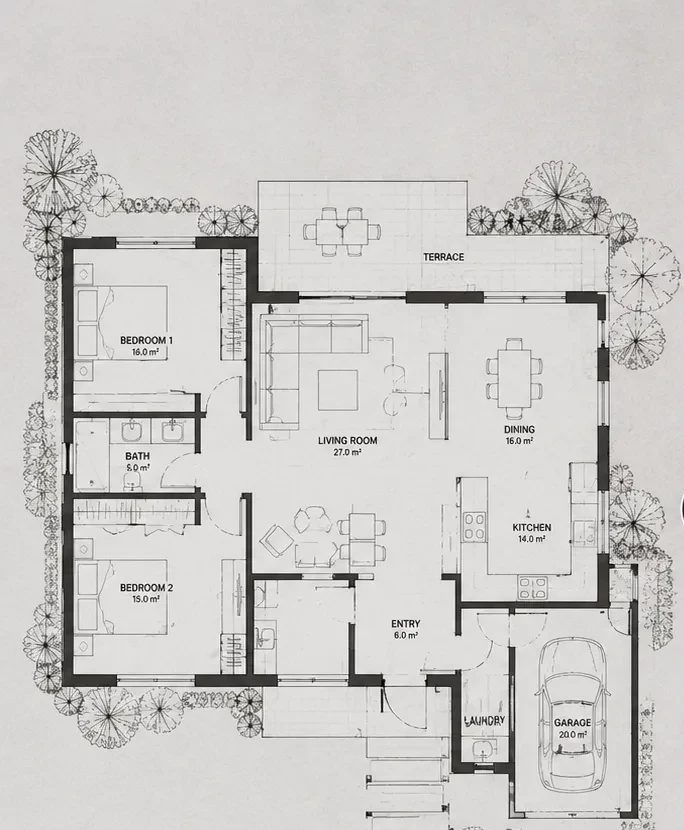
How do you convert a PDF floor plan to 3D? Export the page with the plan as a high-resolution image (PNG or JPG), crop it to the plan, and upload it to an AI floor plan renderer. You get a furnished 3D view of your layout in about 30 seconds, with no CAD software. The whole job takes five minutes, and the first renders are free.
Step 1: Export the PDF page as an image
AI renderers read images, not PDF files, so the first step is turning the page into a picture.
- Windows or Mac, any PDF viewer: zoom so the plan fills the screen and take a screenshot. Simple and usually good enough.
- Better quality: in Adobe Acrobat use Export PDF → Image → PNG; on a Mac, open it in Preview and choose File → Export → PNG. Pick about 300–600 dpi.
- Online: any free "PDF to PNG" converter works. Avoid uploading confidential client drawings to sites you do not trust.
If the PDF has several pages, export only the page with the floor plan you want rendered: one floor per render.
Step 2: Clean the plan before you upload
The AI treats every line as part of the drawing. Dimension strings, grid lines, hatching, north arrows and the title block end up painted into the floor of the render. Crop to the plan itself and, if you can, hide the annotation layers before exporting from CAD. Keep the room labels: "kitchen", "bath" and "bedroom" tell the AI how to furnish each space.
Step 3: Upload and read the plan
Open 3D floor plan rendering, upload the PNG and click "Read & create plan". Walls, doors, windows and furniture come back as editable objects, so you can fix a wall the scan misread before anything is rendered. You can also switch to a 3D view of the plan at this stage.
Step 4: Describe the style and the view, then render
Write the view and the finishes in one line, for example: "aerial dollhouse view, Scandinavian interior, pale oak floors, white walls, soft daylight". The render keeps your layout and adds materials, furniture and light. Generate two or three directions from the same plan and compare them side by side. More wording ideas are in the interior design prompt library.
What you get, and what you don't
You get a presentation image of your own plan: good for a client meeting, a listing or a quick "is this the direction?" check. You do not get a measured 3D model or construction drawings. If you need a downloadable mesh, image to 3D converts a render into a GLB file; for proper documentation, model the plan in your CAD tool.
Cost
A plan render costs 30 credits. New accounts get 100 free credits (three plan renders, no card). After that a 1,500-credit pack is $39, about $0.78 per plan render. Full details on the pricing page.
FAQ
Can I upload the PDF directly? No, export it as PNG or JPG first. That also lets you crop out everything except the plan, which gives a cleaner render.
Is converting a PDF floor plan to 3D free? The export is free, and the 100 signup credits cover three plan renders.
Will the render keep my room sizes? The plan is read into walls and openings first, so the layout is preserved. It is still a presentation image, not a measured drawing.
Does it work with a scanned or photographed plan? Yes, as long as the lines are legible. Shoot straight on, in good light, and crop tight.
Related: turn a 2D floor plan into a 3D render · ChatGPT floor plan prompts.